


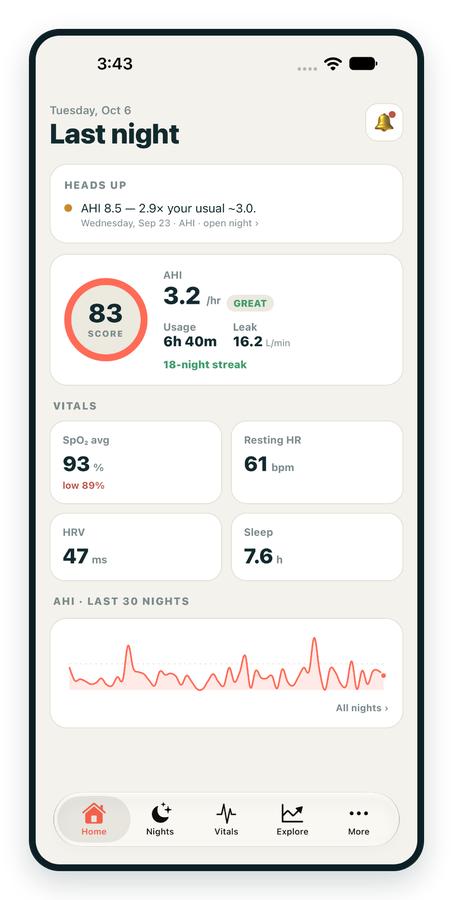
iPhone / iPhone Duo Live
Last night before you are out of bed. Apple Health vitals, Face ID.
Download on the App Store Apnealytics
Free on every plan: unlimited imports, the full dashboard and your last 30 nights.
 Compatibility checkerWill my machine work?Type your model. You get a straight answer: supported, partial, waitlist, or why not.Check my machine
 If it writes an SD card, we probably read it. ResMed AirMini has no card, so no app can read it.
Sleep Check-up
3 of 6 checks done
Six short screeners, one picture of how you sleep. Earn a milestone for each, save results and get retake reminders.
Latest milestone: Sleepiness check done
 NEWTrack your 90-day compliance windowOpen the calculator
 13 free tools. No account needed — sign in to save results and fill answers from your own CPAP data.
Last night before you are out of bed. Apple Health vitals, Face ID.
Download on the App Store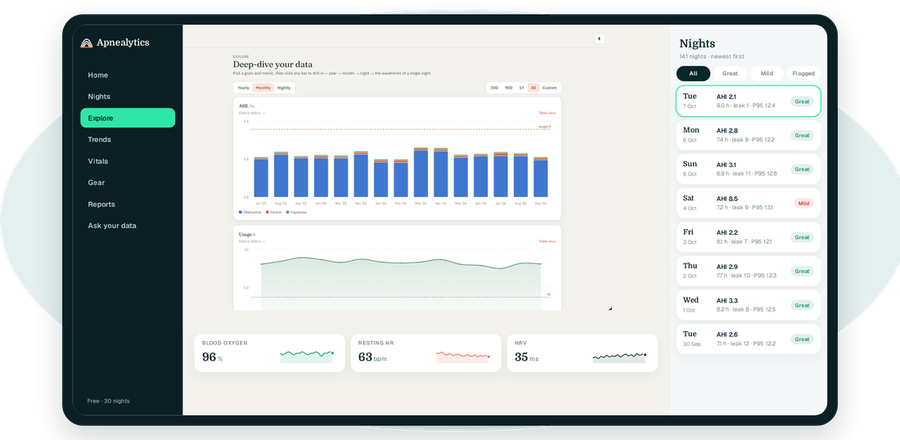
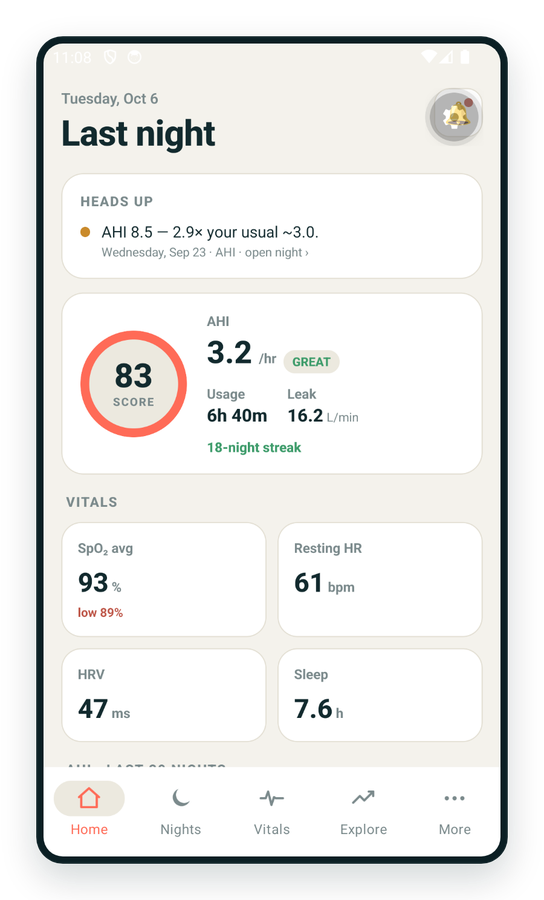
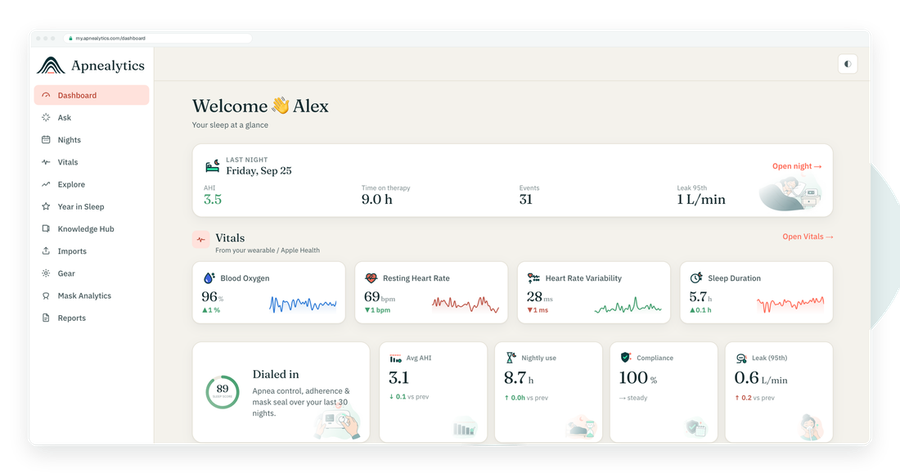
One account on every screen. Apple Watch vitals sync through Apple Health.
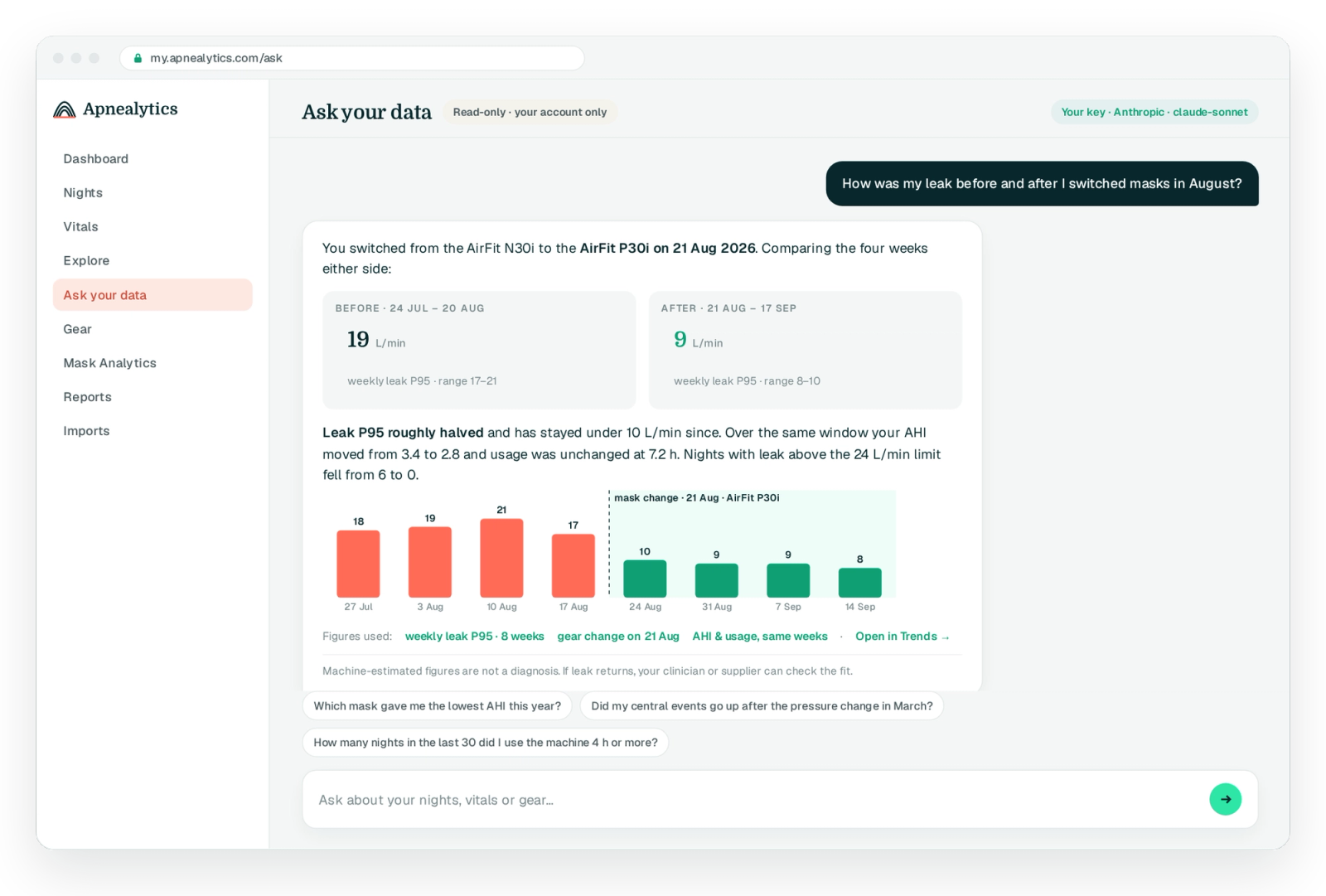
"How was my leak last week compared with the month before?" is a simple question that normally takes four charts to answer. Ask your data lets you chat with your CPAP data directly, using your own OpenAI or Anthropic key, with read-only access scoped to your account. It is free, on the web and in the apps.
Free on every plan · Web, iPhone, iPad, Android
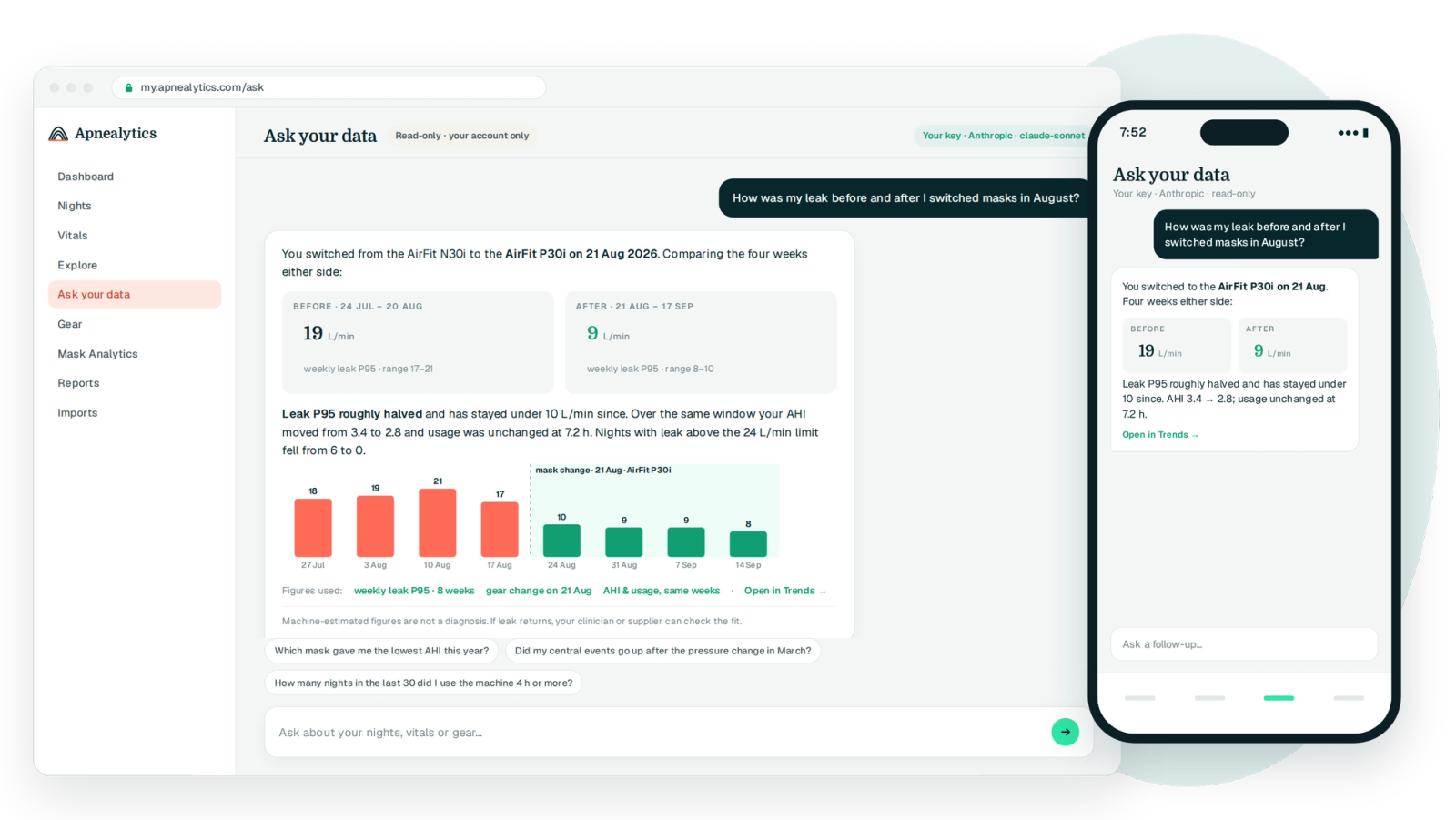
Ask your data is a conversational assistant that sits on top of your Apnealytics account. You type a question; it reads the aggregates it needs from your nights, vitals and gear; it answers in words, usually with the figures that back the answer. It cannot change anything, it cannot see anyone else's data, and it talks to the AI provider you chose using the key you supplied, so you are in control of cost and terms.
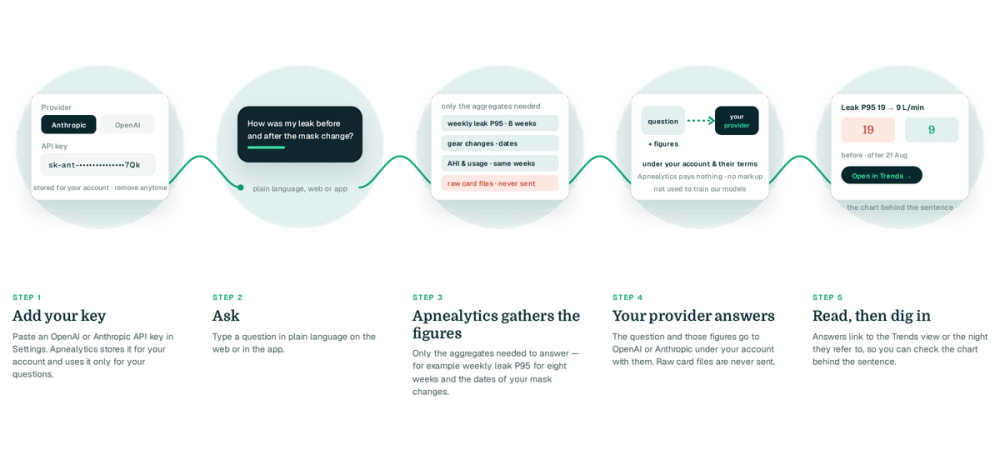
Paste an OpenAI or Anthropic API key in Settings. Apnealytics stores it for your account and uses it only for your questions.
Type a question in plain language on the web or in the app.
It pulls only the aggregates needed to answer, for example weekly leak P95 for the last eight weeks and the dates of your mask changes.
The question and those figures go to OpenAI or Anthropic under your account with them. Nothing is used to train anyone's models beyond what your provider's terms say.
Answers link to the Trends view or the night they refer to, so you can check the chart behind the sentence.
Questions like:
Plain sentences, with the numbers and the date range used, and a link to the view that shows them. If the data does not support an answer, it says so instead of guessing.
A note on each conversation reminds you that machine-estimated figures are not a diagnosis, and the assistant will point you to your clinician for anything that sounds like medical advice.
Switch between OpenAI and Anthropic, pick the model your plan with them allows, and remove the key at any time. Apnealytics pays nothing for inference, which is why the feature is free on every plan.
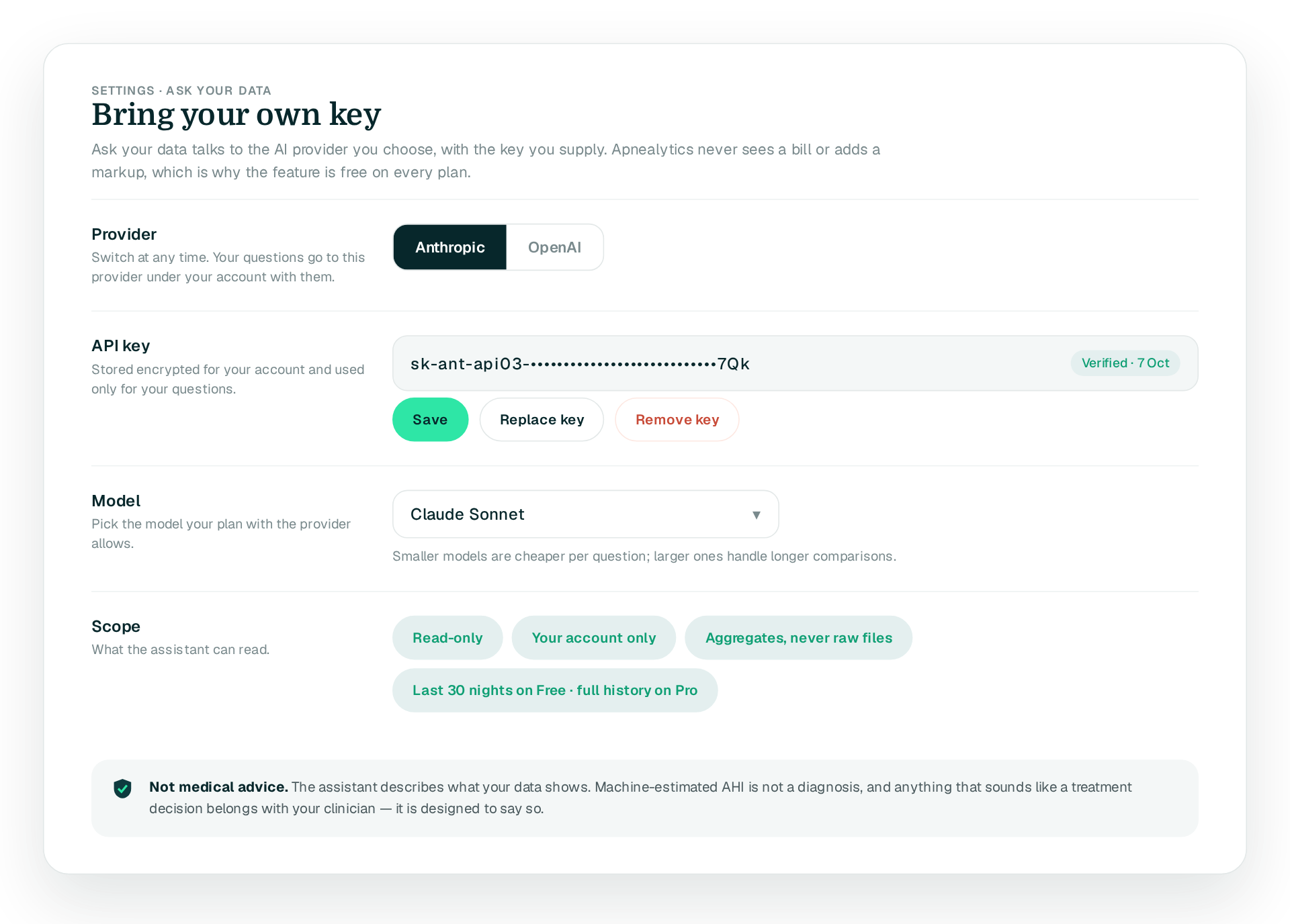
Ask your data is free on Free and Pro, on web and mobile. It can only answer about data in your account, so on Free it reasons over your last 30 nights and on Pro over your full history. Your AI provider bills you for usage under your own account with them.
Because it keeps you in control. Your questions and the figures needed to answer them go to the provider you chose, under your own agreement with them, and Apnealytics never sees a bill or adds a markup. It also means the feature can stay free rather than being locked behind Pro the way AI insights are on SleepHQ.
OpenAI and Anthropic. Create an API key in your account with either provider, paste it into Apnealytics Settings, and choose the model you want to use. You can switch providers or remove the key at any time.
Only what is needed for the question you asked: the aggregates such as weekly AHI or leak figures and relevant dates, plus the question itself. Raw card files are never sent. The data goes to the provider under their terms and your account with them; Apnealytics does not use it for anything else and does not train models on it.
No. Ask your data is strictly read-only. It can read aggregates from your own account and nothing more. It cannot edit nights, change gear, create share links or touch your machine. Therapy changes stay with you and your clinician.
No. The assistant describes what your data shows and helps you ask better questions. It is not a clinician, machine-estimated AHI is not a diagnosis, and anything that sounds like a treatment decision should go to your doctor. The assistant is designed to say exactly that when a question heads in that direction.
The web app is live today. iPhone and iPad are on the App Store. Android is on Google Play. Your first 30 nights are free, forever.
 DashboardSleep Score, AHI band, leak and pressure
 Trends & historyA year down to a night
 Breath-by-breath viewerAirflow, pressure, leak tracesPro
 SpO₂ overlayOximeter data on the same nightPro
 Pressure insightsP95, set range, EPR and ramp
 SD card importDrop the card folder, only new nights added
 Mask fit & gearWhich mask actually seals
 Ask your dataPlain-English questions, your own AI keyBYOK
 Year in SleepYour therapy year in one storyNew
 Compliance reportFinds the qualifying window for youPro
 Share with your doctorRead-only, revocable links
 Companion appiPhone, iPad and Android
 Privacy & securityYour data, locked to you
 ResMed AirSense 10 & 11Supported
 ResMed AirCurve 10 & 11 VAutoSupported
 ResMed S9 / LumisSupported
 Philips DreamStation 1 & 2Supported
 Fisher & Paykel SleepStyleSupported
 Löwenstein / DeVilbissPartial
 React Health Luna G3Waitlist
 Transcend MicroWaitlist
 Full face masksFit, leak signature, Mask Analytics
 Nasal masksOver-nose and cradle styles
 Nasal pillowsMinimal-contact fit tips
 Wellue O2RingSupported
 Contec CMS50 familySupported
 Apple Health / Health ConnectResting HR, HRV, SpO₂, sleepSupported
 What is AHI?The apnea-hypopnea index, explained
 What is a good AHI on CPAP?
 CPAP leak rate explained
 Pressure settings explained
 Reading CPAP waveformsAll 14 explainers
 Apnealytics vs SleepHQ
 Apnealytics vs OSCAR
 Apnealytics vs myAir
 Apnealytics vs DreamMapper
 SleepHQ vs OSCARBest CPAP apps in 2026
 How to read CPAP dataStart here: six numbers, in order
 Read your CPAP SD card
 Share data with your doctorChoosing a CPAP mask
 Travel with CPAPAll guides
 Mask finderSeven questions, a ranked mask typeYour data
 Machine finderA two-machine shortlist for your prescription
 iPhone / iPhone DuoLast night before you are out of bed. Apple Health vitals, Face ID.Live
 iPadSame universal app, side-by-side panes and full-width waveforms.Live
 AndroidPhones, tablets and foldables, with Health Connect built in.Live
 Web portalWhere your SD card goes. Every chart, report and setting.Live

