


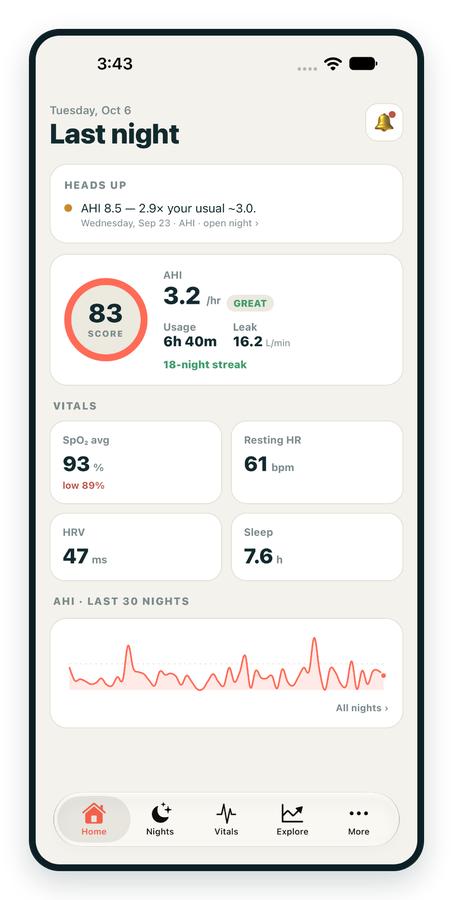
iPhone / iPhone Duo Live
Last night before you are out of bed. Apple Health vitals, Face ID.
Download on the App Store Apnealytics
Free on every plan: unlimited imports, the full dashboard and your last 30 nights.
 Compatibility checkerWill my machine work?Type your model. You get a straight answer: supported, partial, waitlist, or why not.Check my machine
 If it writes an SD card, we probably read it. ResMed AirMini has no card, so no app can read it.
Sleep Check-up
3 of 6 checks done
Six short screeners, one picture of how you sleep. Earn a milestone for each, save results and get retake reminders.
Latest milestone: Sleepiness check done
 NEWTrack your 90-day compliance windowOpen the calculator
 13 free tools. No account needed — sign in to save results and fill answers from your own CPAP data.
Last night before you are out of bed. Apple Health vitals, Face ID.
Download on the App Store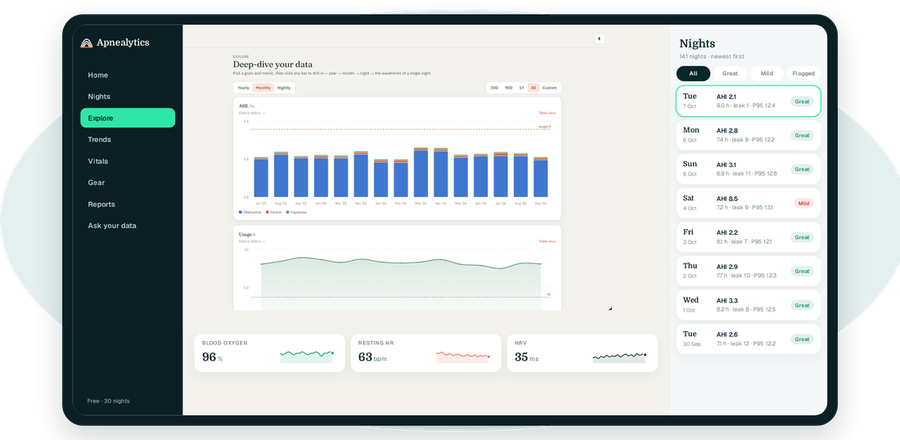
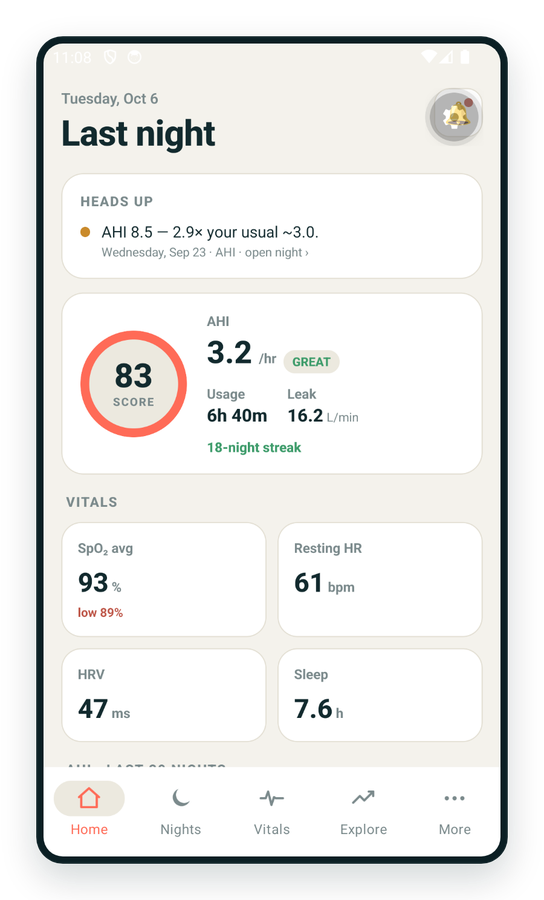
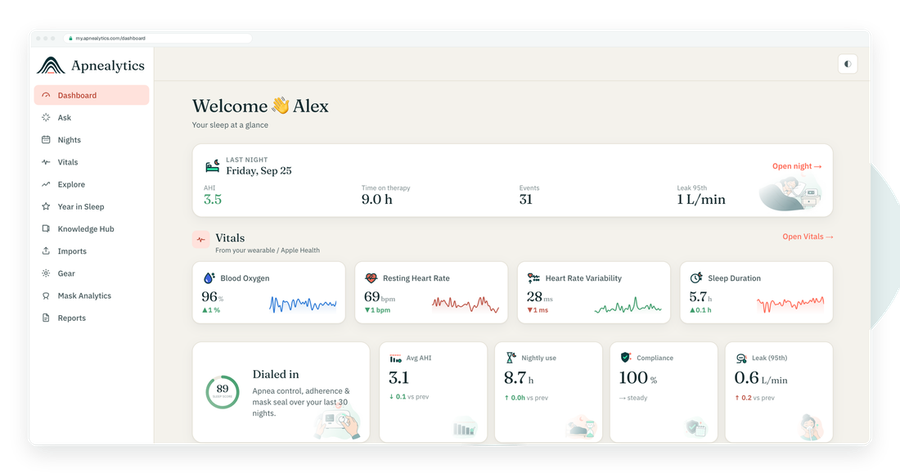
One account on every screen. Apple Watch vitals sync through Apple Health.
Every ResMed machine with an SD card is supported today. If your machine writes an STR.edf file and a DATALOG folder, Apnealytics turns your ResMed CPAP data into a nightly dashboard, 30-night trends, Mask Analytics and, on Pro, breath-by-breath waveforms. The only exception is the AirMini, which has no card.
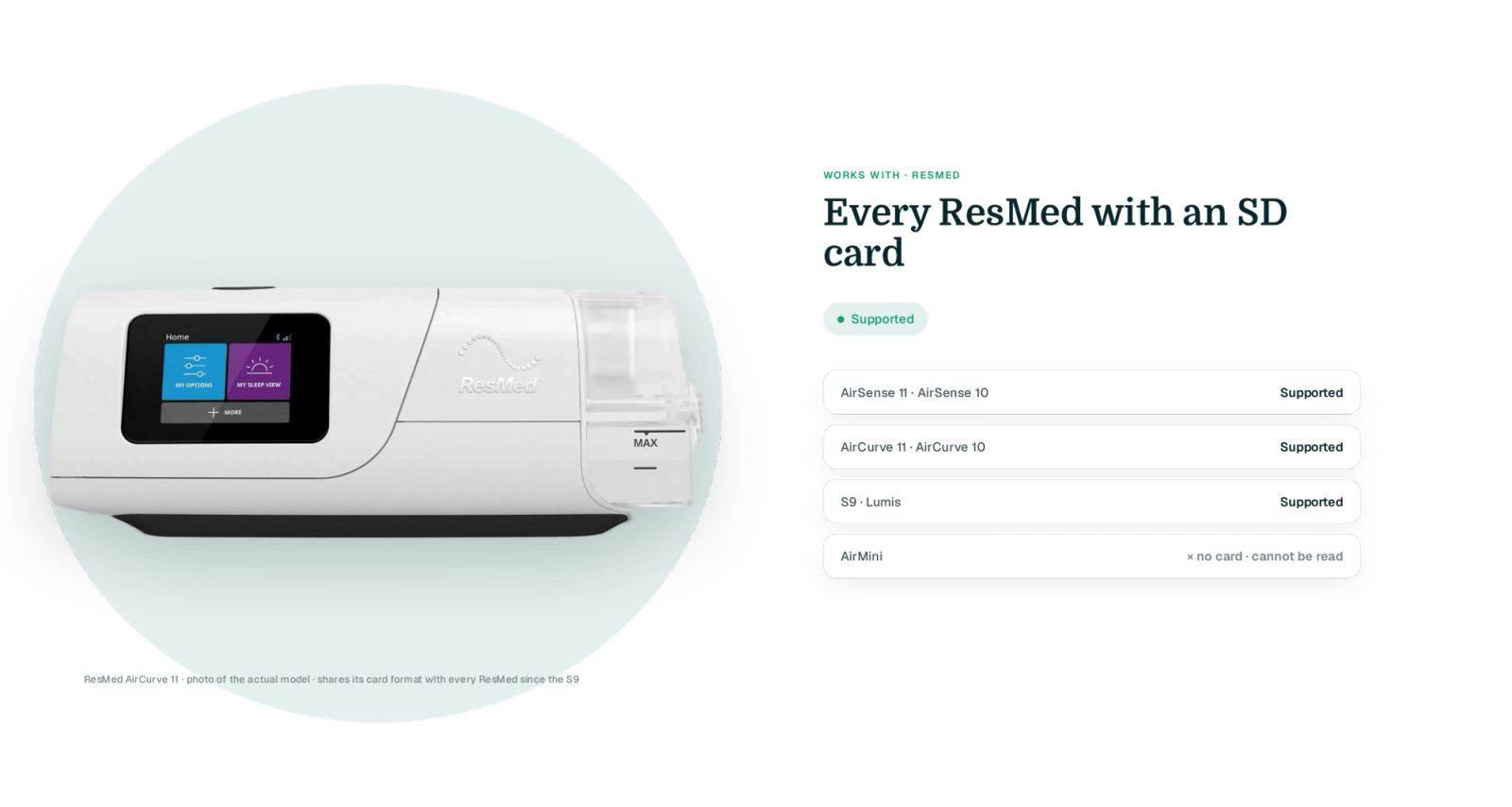
Bluetooth on ResMed machines pairs with the myAir app for setup and a daily score. It does not export therapy data, which is why import still happens from the SD card.
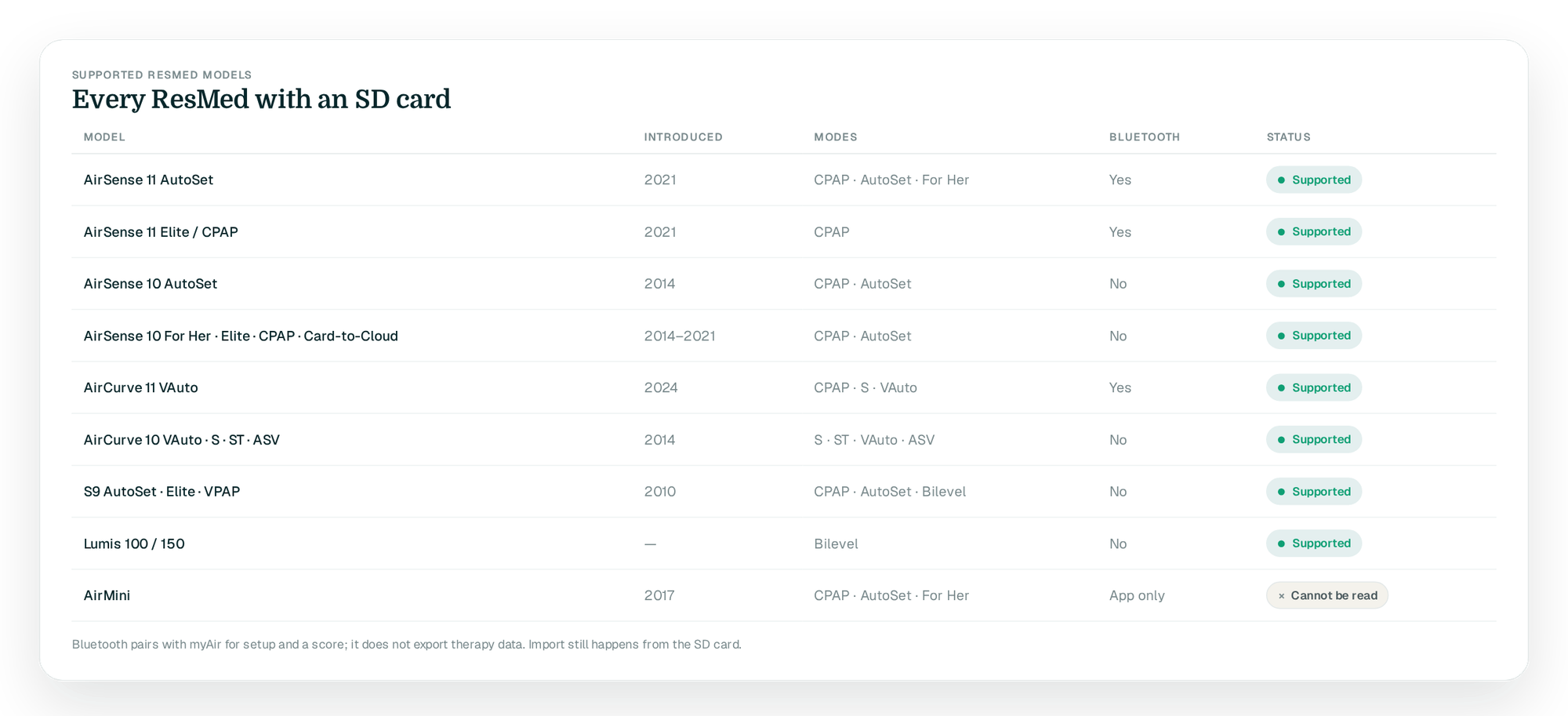
| Model | Introduced | Modes | Bluetooth | Status |
|---|---|---|---|---|
| AirSense 11 AutoSet | 2021 | CPAP, AutoSet, AutoSet for Her | Yes | Supported |
| AirSense 11 Elite / CPAP | 2021 | CPAP | Yes | Supported |
| AirSense 10 AutoSet | 2014 | CPAP, AutoSet | No | Supported |
| AirSense 10 AutoSet for Her | 2014 | CPAP, AutoSet, AutoSet for Her | No | Supported |
| AirSense 10 Elite / CPAP / Card-to-Cloud | 2014–2021 | CPAP | No | Supported |
| AirCurve 11 VAuto | 2024 | CPAP, S, VAuto | Yes | Supported |
| AirCurve 10 VAuto | 2014 | CPAP, S, VAuto | No | Supported |
| AirCurve 10 S / ST / ASV | 2014 | S, ST, ASV | No | Supported |
| S9 AutoSet | 2010 | CPAP, AutoSet | No | Supported |
| S9 Elite / S9 VPAP | 2010 | CPAP / Bilevel | No | Supported |
| Lumis 100 / 150 | Bilevel | No | Supported | |
| AirMini | 2017 | CPAP, AutoSet, AutoSet for Her | Yes (app only) | Cannot be read |
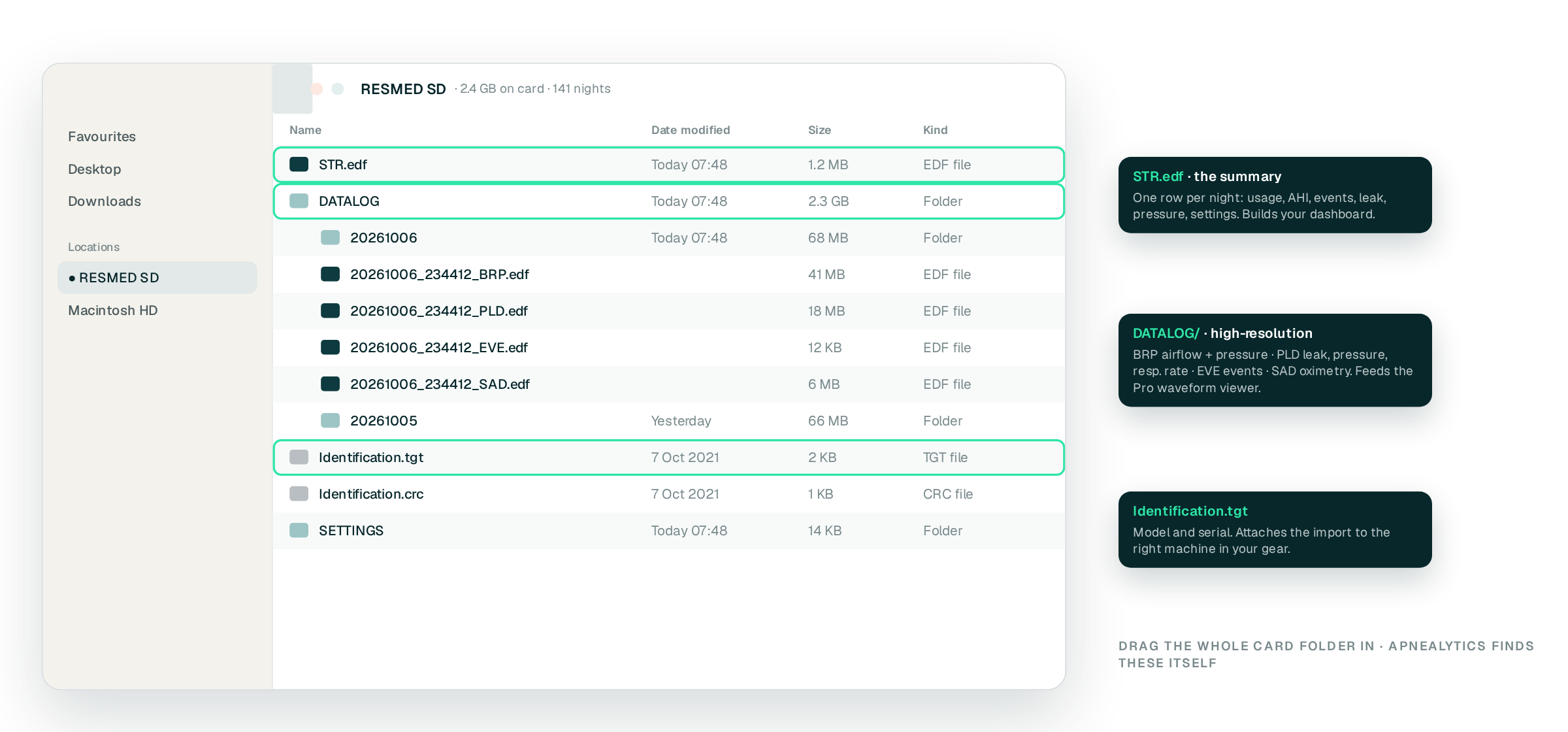
Every supported model writes the same family of files, which is why support is uniform:
STR.edf — the summary file: one row per night with usage, AHI, event counts, leak, pressure and settings. This is what builds your dashboard.
DATALOG/ — a folder per day holding high-resolution EDF files. BRP.edf carries airflow and pressure, PLD.edf carries leak, pressure and respiratory rate, EVE.edf lists events, and SAD.edf holds oximetry if an oximeter was attached. These feed the Pro waveform viewer.
Identification.tgt /.crc — machine model and serial, used to attach the import to the right device in your gear.
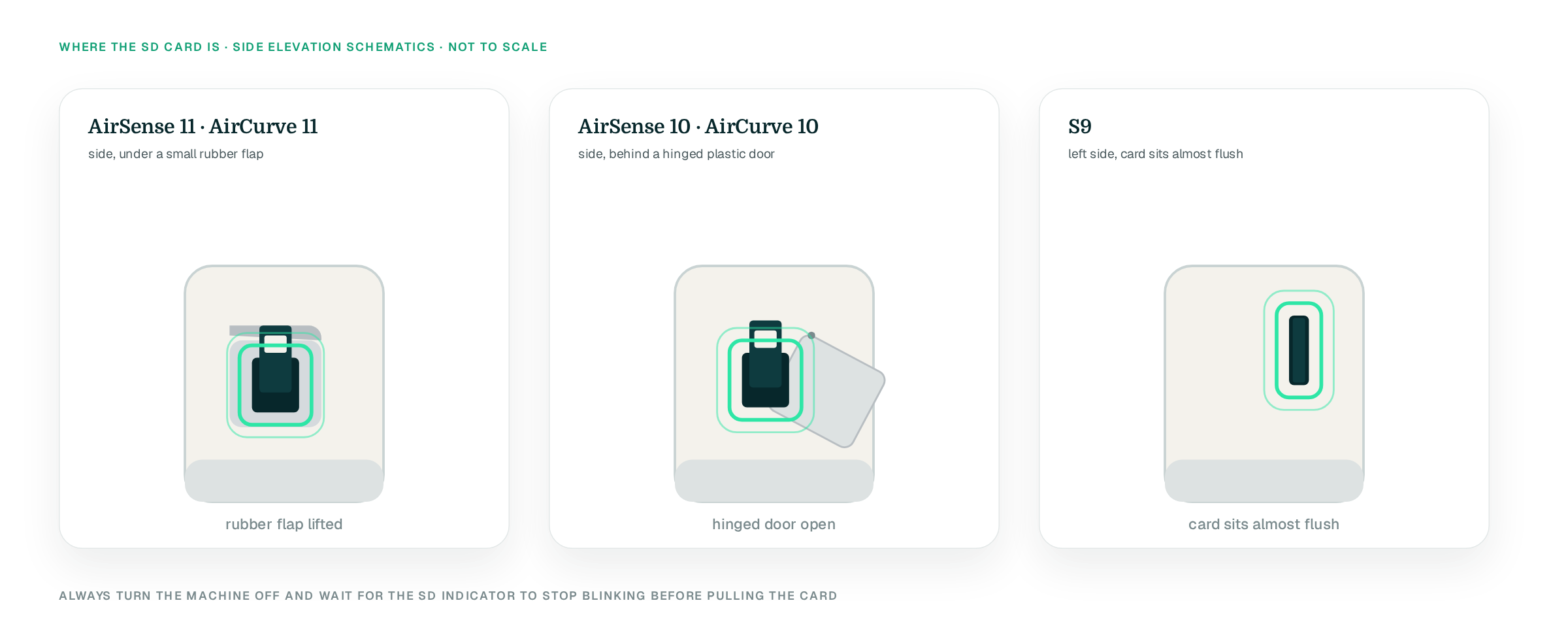
AirSense 11 and AirCurve 11 — a card slot on the side, under a small rubber flap.
AirSense 10 and AirCurve 10 — a slot on the side of the machine behind a hinged plastic door.
S9 — a slot on the left side; the card sits almost flush.
Always turn the machine off and wait for the SD indicator to stop blinking before pulling the card. ResMed writes the summary at session end, so pulling a card mid-write can leave the last night incomplete.
Power the machine off and remove the card.
Phone import of the card is not available yet.
Go to my.apnealytics.com and open Import.
Upload goes straight to private storage on Cloudflare R2 and resumes if interrupted.
Only new nights are added next time.
See SD card import for history and re-processing.
The same ResMed data appears in three places. The dashboard shows last night's Sleep Score, AHI band, usage, leak P95 and pressure P95 against your set range. Trends shows the 30-night rolling AHI with change-points marked under "What changed?". On Pro, the waveform viewer parses the DATALOG files on demand so you can zoom into airflow, pressure and leak around any event.
myAir is ResMed's free app. It shows a single 0–100 score each morning and limited detail, and it reads only ResMed machines. Apnealytics reads the same card and shows everything the machine recorded: event types, pressure and leak percentiles, EPR, respiratory rate, and multi-year history. Many people use both. See the comparison in the dashboard page.
All of them with an SD card: AirSense 10 and 11, AirCurve 10 and 11, S9 and Lumis. The AirMini has no card and no export, so no third-party tool can read it. If your ResMed model is not listed by name, it is almost certainly still supported because it writes the same STR.edf and DATALOG files.
No. The card that shipped with the machine works, and a standard SD card formatted FAT32 works too. The machine writes summary data continuously and high-resolution data daily, so a 4 GB card holds many months. If you replace the card, keep the old one until you have imported it.
No. Bluetooth pairs with myAir for setup and a score; the cellular modem sends data to ResMed's AirView for your clinician. Neither is open to third parties. Apnealytics reads the card directly, which gives you the complete data set the machine stored rather than a summary.
Yes, as long as it is still on a card. ResMed keeps summary data for roughly a year and high-resolution data for around 30 days by default, depending on model and card size. Free accounts show the last 30 nights of history; Pro shows everything ever imported.
No. Import is read-only. Apnealytics never writes to the card or to the machine. Pressure, EPR and ramp changes are between you and your clinician, and the "What changed?" panel simply shows you when a setting changed and what happened to your numbers afterwards.
The web app is live today. iPhone and iPad are on the App Store. Android is on Google Play. Your first 30 nights are free, forever.
 DashboardSleep Score, AHI band, leak and pressure
 Trends & historyA year down to a night
 Breath-by-breath viewerAirflow, pressure, leak tracesPro
 SpO₂ overlayOximeter data on the same nightPro
 Pressure insightsP95, set range, EPR and ramp
 SD card importDrop the card folder, only new nights added
 Mask fit & gearWhich mask actually seals
 Ask your dataPlain-English questions, your own AI keyBYOK
 Year in SleepYour therapy year in one storyNew
 Compliance reportFinds the qualifying window for youPro
 Share with your doctorRead-only, revocable links
 Companion appiPhone, iPad and Android
 Privacy & securityYour data, locked to you
 ResMed AirSense 10 & 11Supported
 ResMed AirCurve 10 & 11 VAutoSupported
 ResMed S9 / LumisSupported
 Philips DreamStation 1 & 2Supported
 Fisher & Paykel SleepStyleSupported
 Löwenstein / DeVilbissPartial
 React Health Luna G3Waitlist
 Transcend MicroWaitlist
 Full face masksFit, leak signature, Mask Analytics
 Nasal masksOver-nose and cradle styles
 Nasal pillowsMinimal-contact fit tips
 Wellue O2RingSupported
 Contec CMS50 familySupported
 Apple Health / Health ConnectResting HR, HRV, SpO₂, sleepSupported
 What is AHI?The apnea-hypopnea index, explained
 What is a good AHI on CPAP?
 CPAP leak rate explained
 Pressure settings explained
 Reading CPAP waveformsAll 14 explainers
 Apnealytics vs SleepHQ
 Apnealytics vs OSCAR
 Apnealytics vs myAir
 Apnealytics vs DreamMapper
 SleepHQ vs OSCARBest CPAP apps in 2026
 How to read CPAP dataStart here: six numbers, in order
 Read your CPAP SD card
 Share data with your doctorChoosing a CPAP mask
 Travel with CPAPAll guides
 Mask finderSeven questions, a ranked mask typeYour data
 Machine finderA two-machine shortlist for your prescription
 iPhone / iPhone DuoLast night before you are out of bed. Apple Health vitals, Face ID.Live
 iPadSame universal app, side-by-side panes and full-width waveforms.Live
 AndroidPhones, tablets and foldables, with Health Connect built in.Live
 Web portalWhere your SD card goes. Every chart, report and setting.Live

