


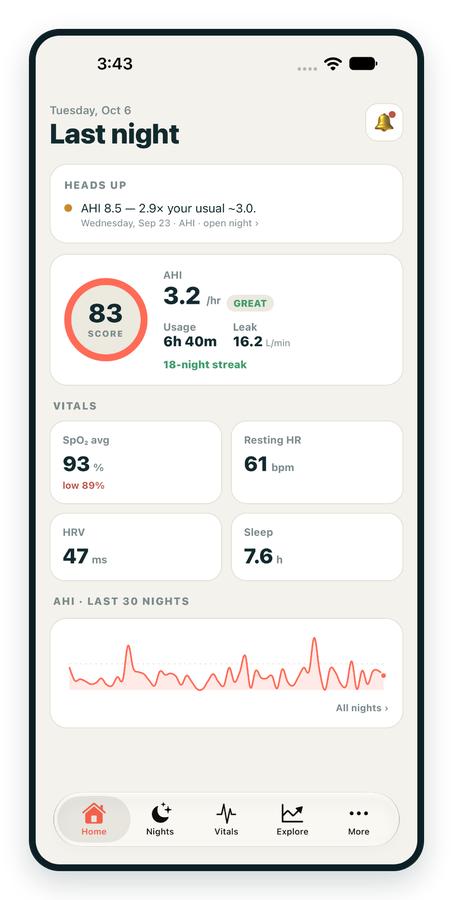
iPhone / iPhone Duo Live
Last night before you are out of bed. Apple Health vitals, Face ID.
Download on the App Store Apnealytics
Free on every plan: unlimited imports, the full dashboard and your last 30 nights.
 Compatibility checkerWill my machine work?Type your model. You get a straight answer: supported, partial, waitlist, or why not.Check my machine
 If it writes an SD card, we probably read it. ResMed AirMini has no card, so no app can read it.
Sleep Check-up
3 of 6 checks done
Six short screeners, one picture of how you sleep. Earn a milestone for each, save results and get retake reminders.
Latest milestone: Sleepiness check done
 NEWTrack your 90-day compliance windowOpen the calculator
 13 free tools. No account needed — sign in to save results and fill answers from your own CPAP data.
Last night before you are out of bed. Apple Health vitals, Face ID.
Download on the App Store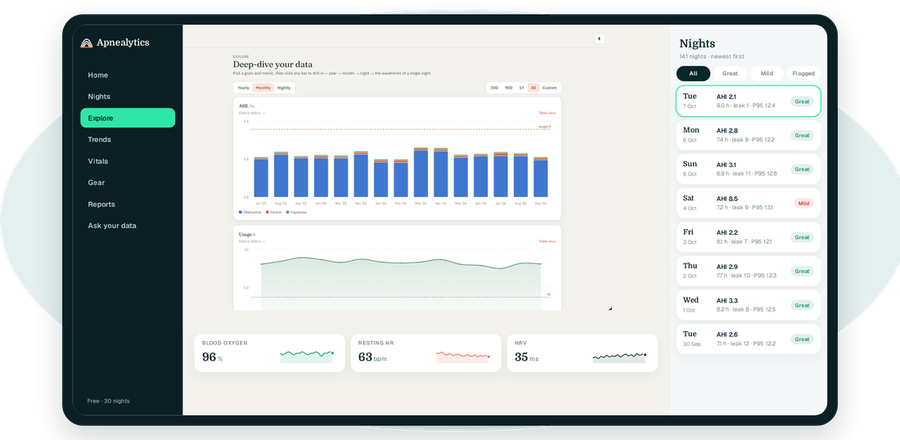
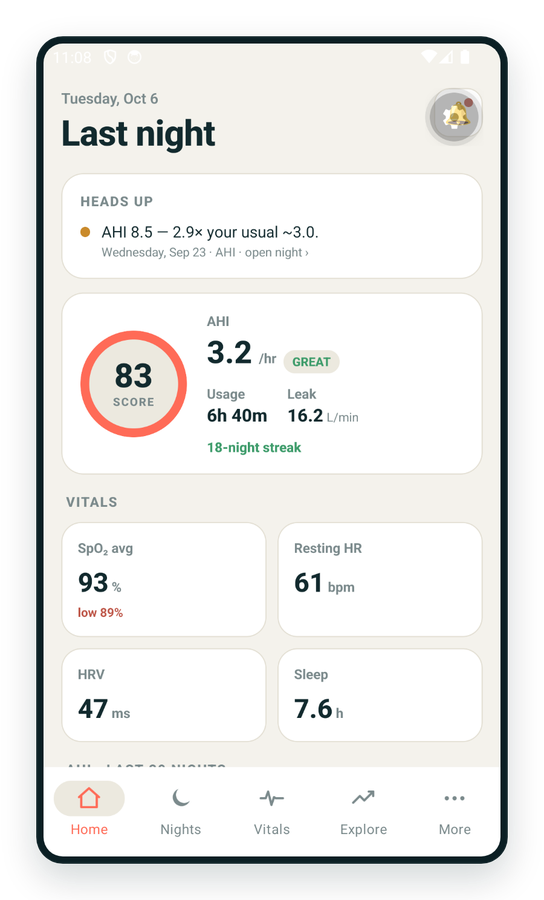
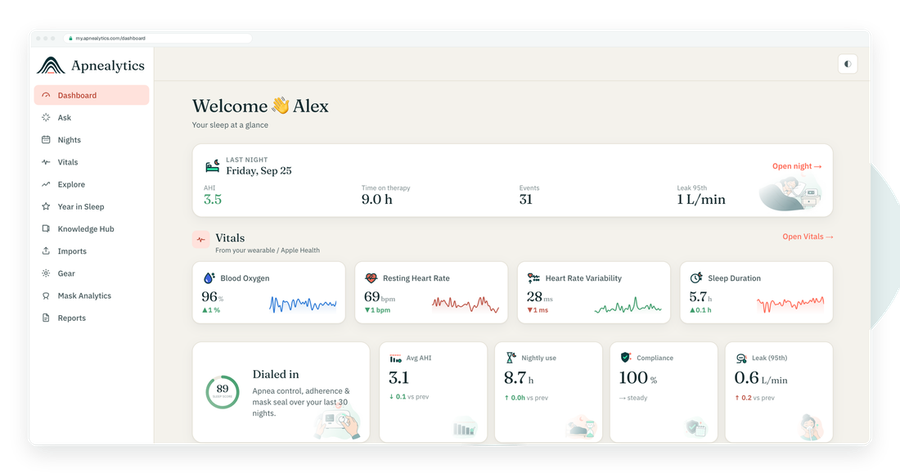
One account on every screen. Apple Watch vitals sync through Apple Health.
CPAP waveforms are the raw traces your machine records many times a second: airflow, pressure and leak, plus the flags it drops when it scores an event. Your dashboard summarises them into AHI and P95. The waveforms are where you see what those numbers were made of. This guide is a visual tour.
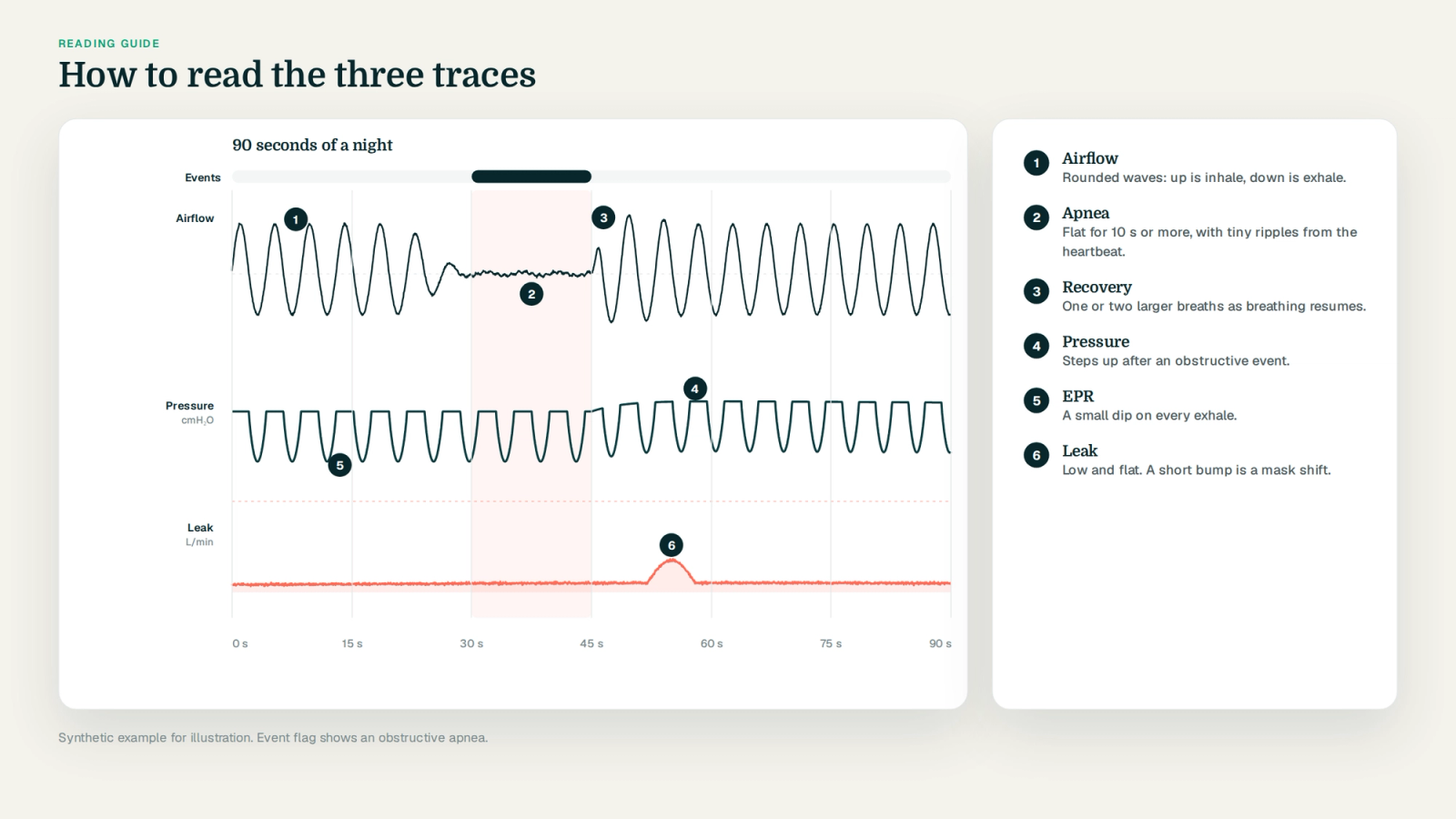
A ResMed AirSense, AirCurve or S9 writes two kinds of data to its SD card. The summary files hold one row per night: usage, AHI, event counts, pressure and leak percentiles, settings. The high-resolution files in the DATALOG folder hold the traces themselves, sampled continuously through the night.
Apnealytics reads the summaries for everyone. On Pro, the breath-by-breath viewer parses the high-resolution files on demand, in your browser or on your phone, for whichever night you open.
The main event. Airflow is the air moving through the tube per unit of time, in litres per minute, positive on inhale and negative on exhale. A normal breath is a rounded wave above the line followed by a rounded trough below it, repeating twelve to twenty times a minute. Everything interesting on a CPAP night shows up here first: breaths shrinking, flattening, stopping.
What the machine delivered, in cmH₂O. On a fixed-pressure machine it is a flat line. On an auto machine it steps up when the machine responds to flow limitation, snoring or events and drifts down when breathing settles. If EPR is on, you will see a small dip on every exhale. The ramp appears as a climb at the start.
Unintentional leak in litres per minute. Ideally a low, flat line near zero with occasional short spikes. A plateau that holds for an hour is mouth leak or a dislodged cushion. ResMed subtracts expected vent flow before reporting. See CPAP leak rate explained.
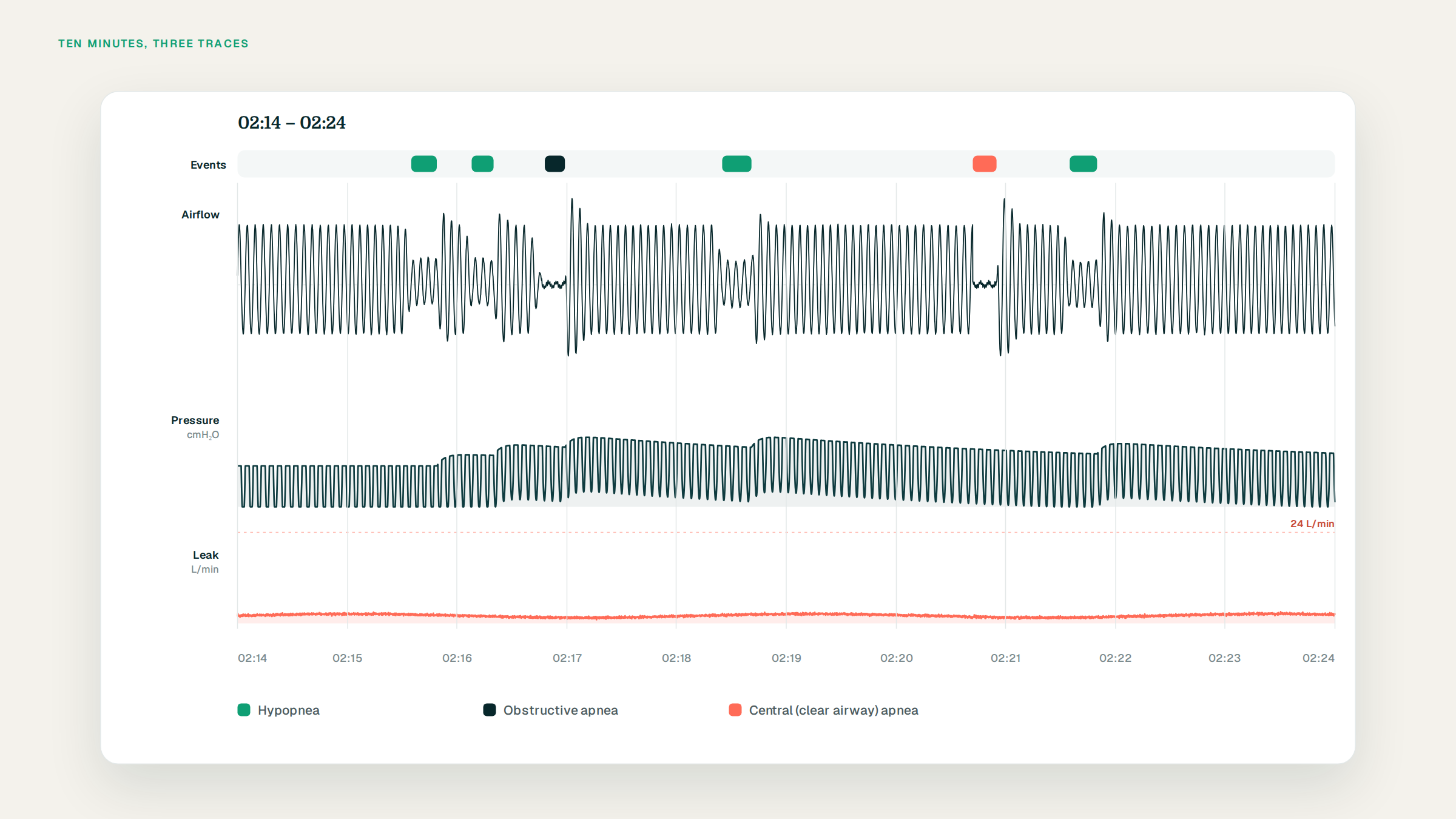
Above or across the traces, Apnealytics draws a strip with a marker for each scored event: obstructive apnea, clear airway (central) apnea, hypopnea, unclassified apnea, and where the card provides them, snore and flow limitation. Click a flag and the viewer centres on it; the crosshair reads the exact time and values beneath it.
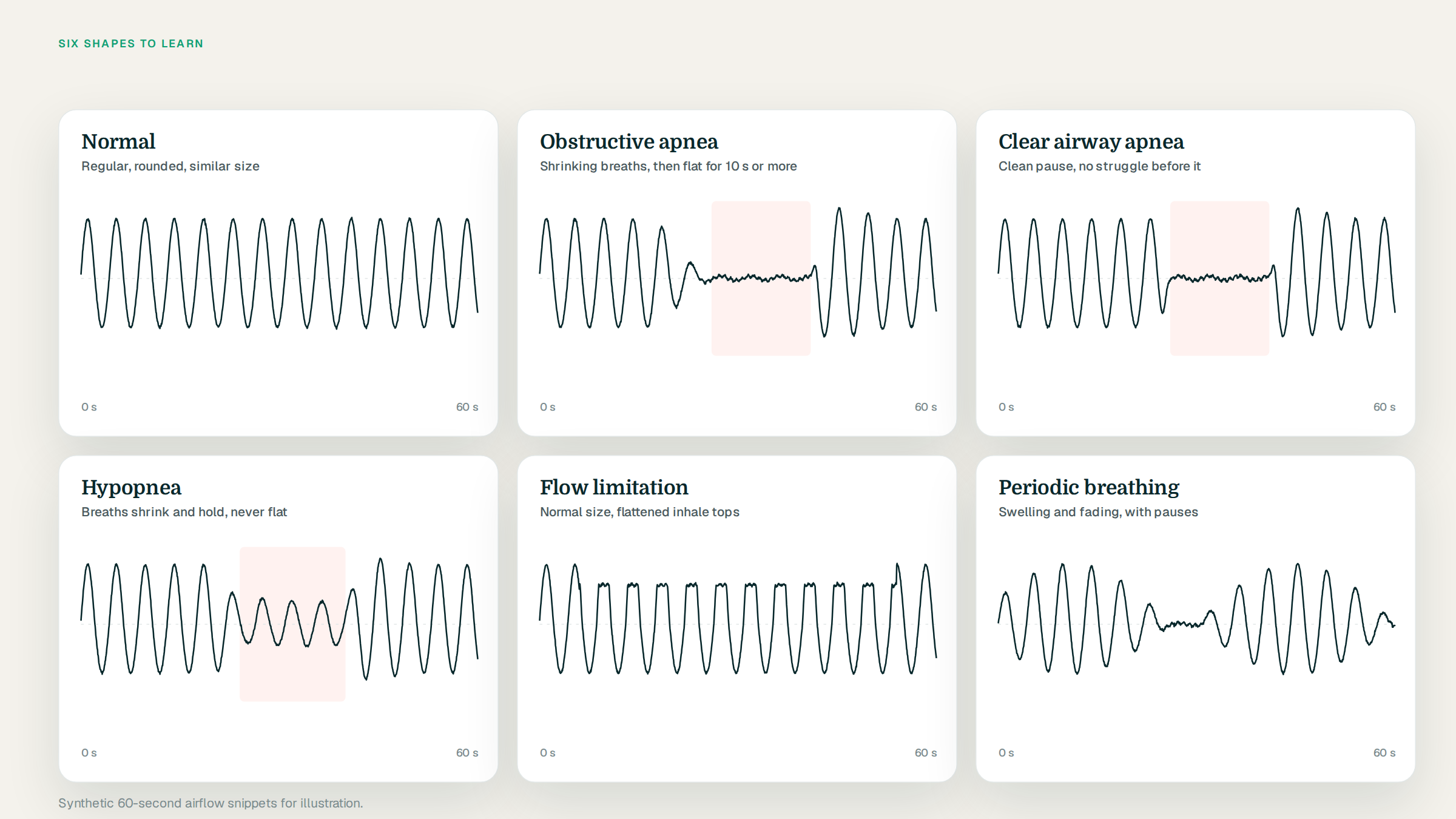
Regular, rounded breaths of similar size. Pressure steady. Leak flat. Most of a good night looks like this and is, frankly, boring. That is the point.
Breaths often shrink over two or three cycles, then airflow goes flat for 10 seconds or more. Very small ripples may remain, which are the heartbeat and the machine's airway test pulse. The event ends with a large recovery breath, sometimes two, and a brief period of irregular breathing. On the pressure trace you may see a tiny ripple during the pause (the forced oscillation test) and a step up afterwards.
Airflow stops without the preceding struggle. The breaths before it are normal; the pause is clean; the recovery is often gentler. The machine's oscillation test produced a flow response, so it scored the airway as open. Pressure does not step up afterwards. See central vs obstructive apnea on CPAP.
Breaths shrink to a fraction of their previous size and hold there for 10 seconds or more, then recover. The trace never goes flat. Think of it as a volume knob turned down, not off. See hypopnea explained.
Breaths of normal or near-normal size, but the inhale half has a flat top instead of a rounded peak. Sometimes a dip in the middle, sometimes a sharp rise then a shelf. Pressure usually begins stepping up a few breaths in. See flow limitation explained.
Breath size swells and shrinks in a slow wave over a minute or two, sometimes with a central pause at the bottom of each cycle. A crescendo-decrescendo pattern. This is a pattern to show your clinician rather than interpret yourself.
Not every odd shape is an event.
Sleep onset. Breathing is irregular for the first ten or twenty minutes as you drift off. The machine may flag a couple of events here; they rarely matter.
Arousals and position changes. A big breath, a few irregular ones, a leak spike, then settled breathing. You rolled over.
Swallowing. A brief pause of a few seconds with a small blip.
Mask off. Airflow becomes chaotic and leak shoots up; then both go flat.
Wake breathing at the end of the night. Irregular, with pauses. Lying awake with the mask on after the alarm inflates your AHI slightly.
When in doubt, zoom out. A real event sits inside a run of sleep-like breathing. Noise sits inside a mess.
Put the pressure trace directly under the airflow and watch how the machine thinks. On an AutoSet night:
Breaths start to flatten.
A few breaths later, pressure steps up by a fraction of a cmH₂O.
Breaths round out.
Pressure holds, then slowly drifts down over minutes.
Repeat.
If pressure is not stepping up when breaths flatten, you are probably at your maximum. If pressure is stepping up and breaths are not improving, look at leak. If a clear-airway apnea appears, pressure should not respond; if it does, the event may have been misclassified or an obstructive event followed it. See CPAP pressure settings explained.
A leak plateau that begins soon after sleep onset and ends with a big breath is almost always mouth leak with a nasal interface. Leak that steps up and down with position changes is cushion seal. Leak that climbs over a week of nights is a cushion wearing out. During high leak, events become unclassified and the airflow trace gets noisier, which is why the AHI on those nights is less trustworthy.
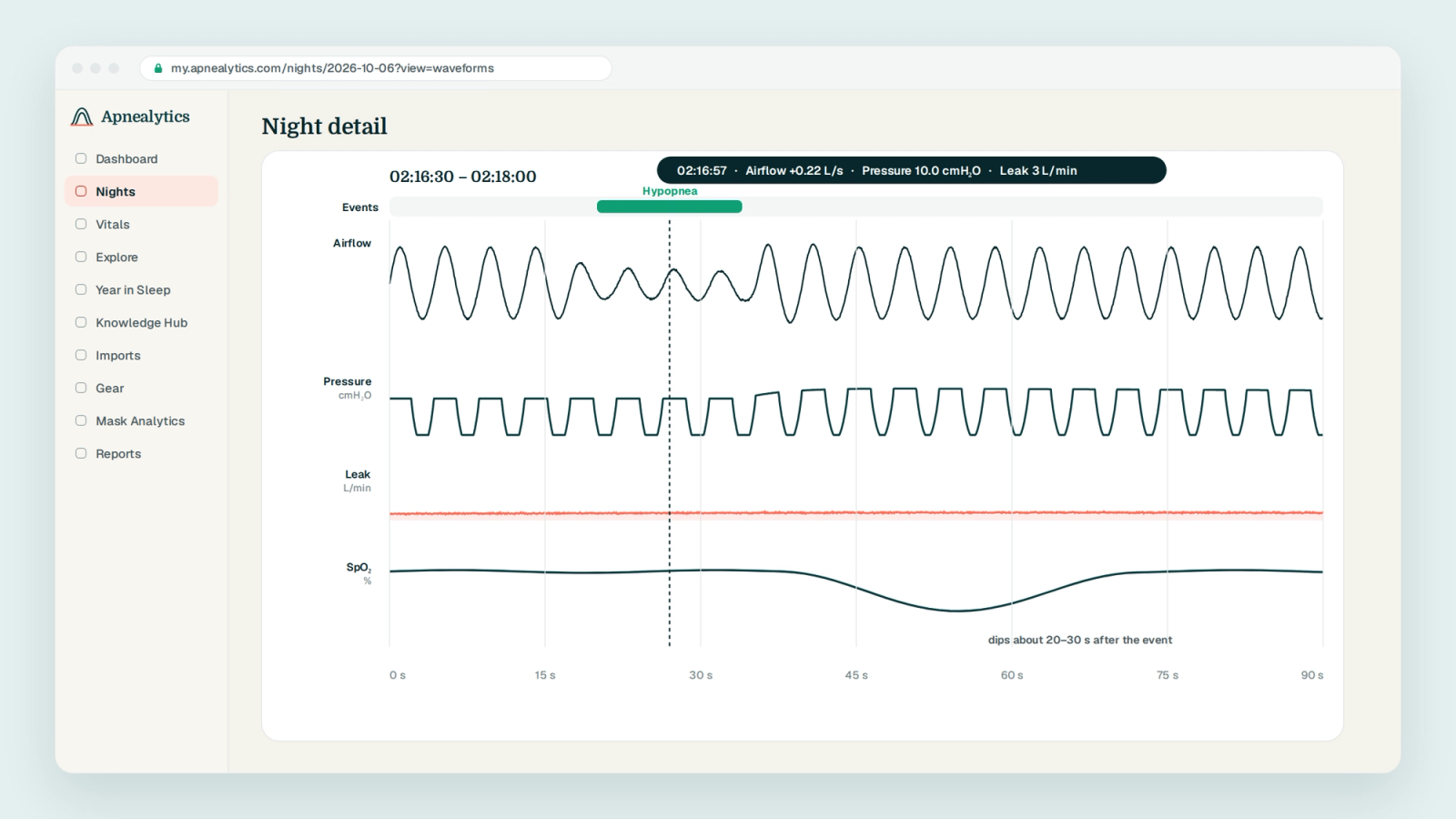
If you wear an oximeter, the oxygen overlay draws SpO₂ and pulse beneath the three traces. Each desaturation lags its event by 20 to 40 seconds, the circulation time to your finger. See SpO₂, ODI and T90 explained.
In Apnealytics the breath-by-breath viewer opens from any night in the Nights list. The default view is the whole night; drag to zoom to minutes or seconds. The crosshair reads time and values for every trace at once, event flags are clickable, and the night's settings sit in the header so you know what the machine was allowed to do.
A practical routine: once a week, open your worst night and your best night and look at what came before the events. Over a month you will recognise your own patterns and arrive at your next appointment with better questions.
Whether you were asleep, what stage you were in, whether you aroused, or what your oxygen did unless you add an oximeter. They cannot diagnose anything. They show, in detail, what the machine saw and how it responded, which is enough to make the summary numbers meaningful.
Three continuous traces recorded by your machine through the night: airflow (the air moving in and out with each breath), pressure (what the machine delivered) and leak (air escaping the mask beyond the expected vent flow). Event flags mark where the machine scored apneas and hypopneas. Together they show what the summary numbers like AHI and P95 were made of.
Each rounded wave above the line is an inhale; each trough below is an exhale. Regular, similar-sized waves are normal breathing. Waves that shrink and hold are a hypopnea; a flat stretch of 10 seconds or more is an apnea; waves with a flattened top are flow limitation. Zoom to a window of a minute or two to see individual breaths clearly.
A flat section of the airflow trace lasting at least 10 seconds, often preceded by shrinking breaths and followed by a large recovery breath. An obstructive apnea usually shows that struggle-and-recovery pattern; a clear airway (central) apnea tends to start and end more cleanly, with normal breaths right before the pause. The event flag above the trace tells you which the machine scored.
Yes, in Apnealytics on Pro. The breath-by-breath viewer parses the high-resolution files from your ResMed SD card on demand, in the browser or in the iOS and Android apps, with crosshair and zoom. The card itself has to be uploaded on the web portal; once it is, the night is available on every device signed into your account.
No. CPAP machines have no way to detect sleep; they record airflow, pressure and leak regardless of whether you are awake. Irregular breathing at the start and end of the night is usually wakefulness, and events flagged there are less meaningful. Sleep staging requires EEG, which only a sleep study provides.
The web app is live today. iPhone and iPad are on the App Store. Android is on Google Play. Your first 30 nights are free, forever.
 DashboardSleep Score, AHI band, leak and pressure
 Trends & historyA year down to a night
 Breath-by-breath viewerAirflow, pressure, leak tracesPro
 SpO₂ overlayOximeter data on the same nightPro
 Pressure insightsP95, set range, EPR and ramp
 SD card importDrop the card folder, only new nights added
 Mask fit & gearWhich mask actually seals
 Ask your dataPlain-English questions, your own AI keyBYOK
 Year in SleepYour therapy year in one storyNew
 Compliance reportFinds the qualifying window for youPro
 Share with your doctorRead-only, revocable links
 Companion appiPhone, iPad and Android
 Privacy & securityYour data, locked to you
 ResMed AirSense 10 & 11Supported
 ResMed AirCurve 10 & 11 VAutoSupported
 ResMed S9 / LumisSupported
 Philips DreamStation 1 & 2Supported
 Fisher & Paykel SleepStyleSupported
 Löwenstein / DeVilbissPartial
 React Health Luna G3Waitlist
 Transcend MicroWaitlist
 Full face masksFit, leak signature, Mask Analytics
 Nasal masksOver-nose and cradle styles
 Nasal pillowsMinimal-contact fit tips
 Wellue O2RingSupported
 Contec CMS50 familySupported
 Apple Health / Health ConnectResting HR, HRV, SpO₂, sleepSupported
 What is AHI?The apnea-hypopnea index, explained
 What is a good AHI on CPAP?
 CPAP leak rate explained
 Pressure settings explained
 Reading CPAP waveformsAll 14 explainers
 Apnealytics vs SleepHQ
 Apnealytics vs OSCAR
 Apnealytics vs myAir
 Apnealytics vs DreamMapper
 SleepHQ vs OSCARBest CPAP apps in 2026
 How to read CPAP dataStart here: six numbers, in order
 Read your CPAP SD card
 Share data with your doctorChoosing a CPAP mask
 Travel with CPAPAll guides
 Mask finderSeven questions, a ranked mask typeYour data
 Machine finderA two-machine shortlist for your prescription
 iPhone / iPhone DuoLast night before you are out of bed. Apple Health vitals, Face ID.Live
 iPadSame universal app, side-by-side panes and full-width waveforms.Live
 AndroidPhones, tablets and foldables, with Health Connect built in.Live
 Web portalWhere your SD card goes. Every chart, report and setting.Live

