


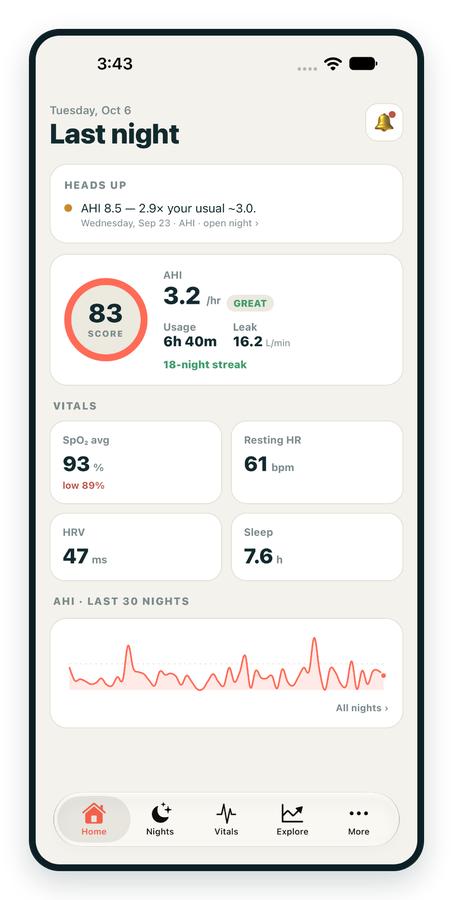
iPhone / iPhone Duo Live
Last night before you are out of bed. Apple Health vitals, Face ID.
Download on the App Store Apnealytics
Free on every plan: unlimited imports, the full dashboard and your last 30 nights.
 Compatibility checkerWill my machine work?Type your model. You get a straight answer: supported, partial, waitlist, or why not.Check my machine
 If it writes an SD card, we probably read it. ResMed AirMini has no card, so no app can read it.
Sleep Check-up
3 of 6 checks done
Six short screeners, one picture of how you sleep. Earn a milestone for each, save results and get retake reminders.
Latest milestone: Sleepiness check done
 NEWTrack your 90-day compliance windowOpen the calculator
 13 free tools. No account needed — sign in to save results and fill answers from your own CPAP data.
Last night before you are out of bed. Apple Health vitals, Face ID.
Download on the App Store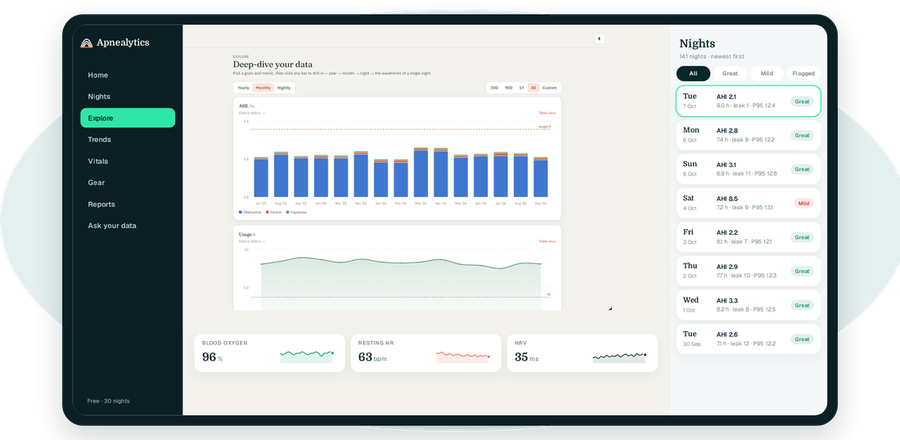
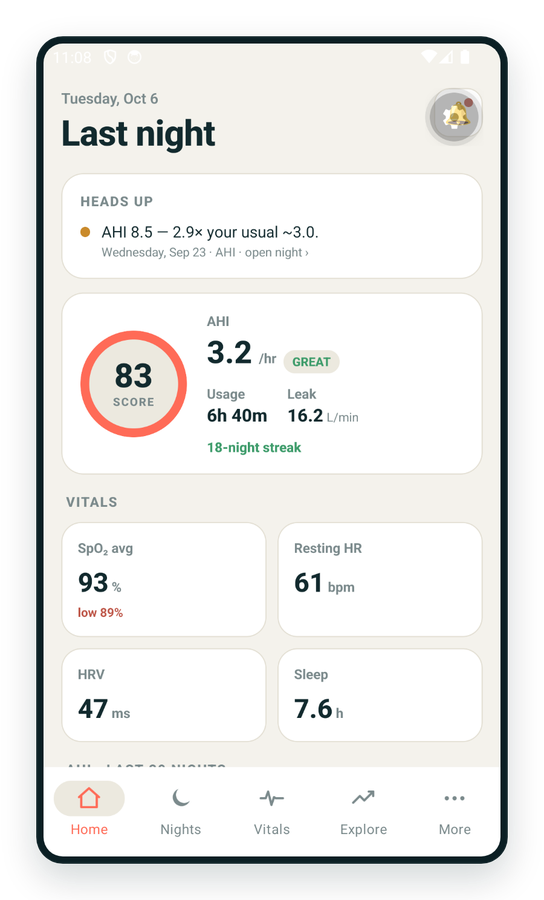
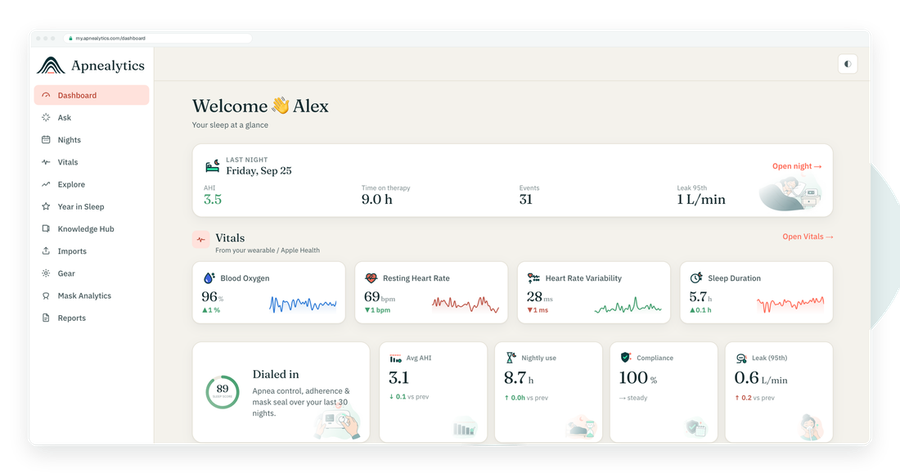
One account on every screen. Apple Watch vitals sync through Apple Health.
Yes — full support. The ResMed S9 AutoSet is well over a decade old, but it was the first ResMed machine to write the STR.edf and DATALOG format that the AirSense and AirCurve families still use. If your S9 is still running, Apnealytics reads your S9 AutoSet data from the SD card in full: nightly AHI, event mix, usage, leak, pressure and, on Pro, waveforms.
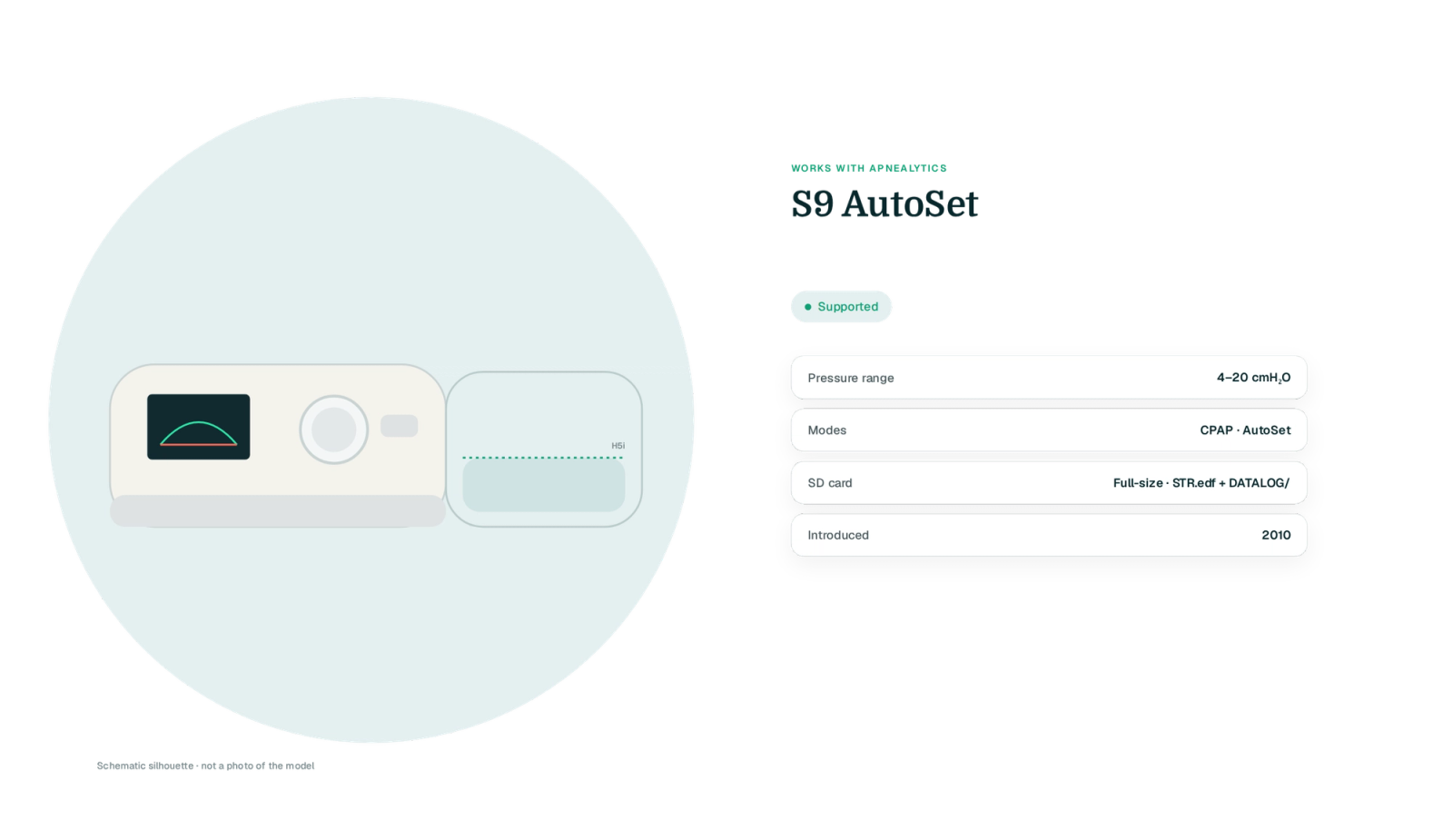
The S9 has no app of its own. For many S9 owners, Apnealytics or OSCAR is the only way to see what the machine has been recording for years.
| Spec | S9 AutoSet |
|---|---|
| Pressure range | 4–20 cmH₂O |
| Modes | CPAP, AutoSet |
| EPR | Off, 1, 2, 3 cmH₂O |
| Ramp | Fixed, 0–45 minutes |
| Humidifier | H5i heated humidifier (separate, clips on), ClimateLine heated tube optional |
| SD card | Full-size SD card, shipped with the machine |
| Data files written | STR.edf, DATALOG/ (BRP.edf, PLD.edf, EVE.edf, CSL.edf, SAD.edf), Identification.tgt |
| Bluetooth / app | None (no myAir support) |
| Cellular modem | Optional external wireless module for clinicians |
| Year introduced | 2010 |
| Apnealytics status | Supported |
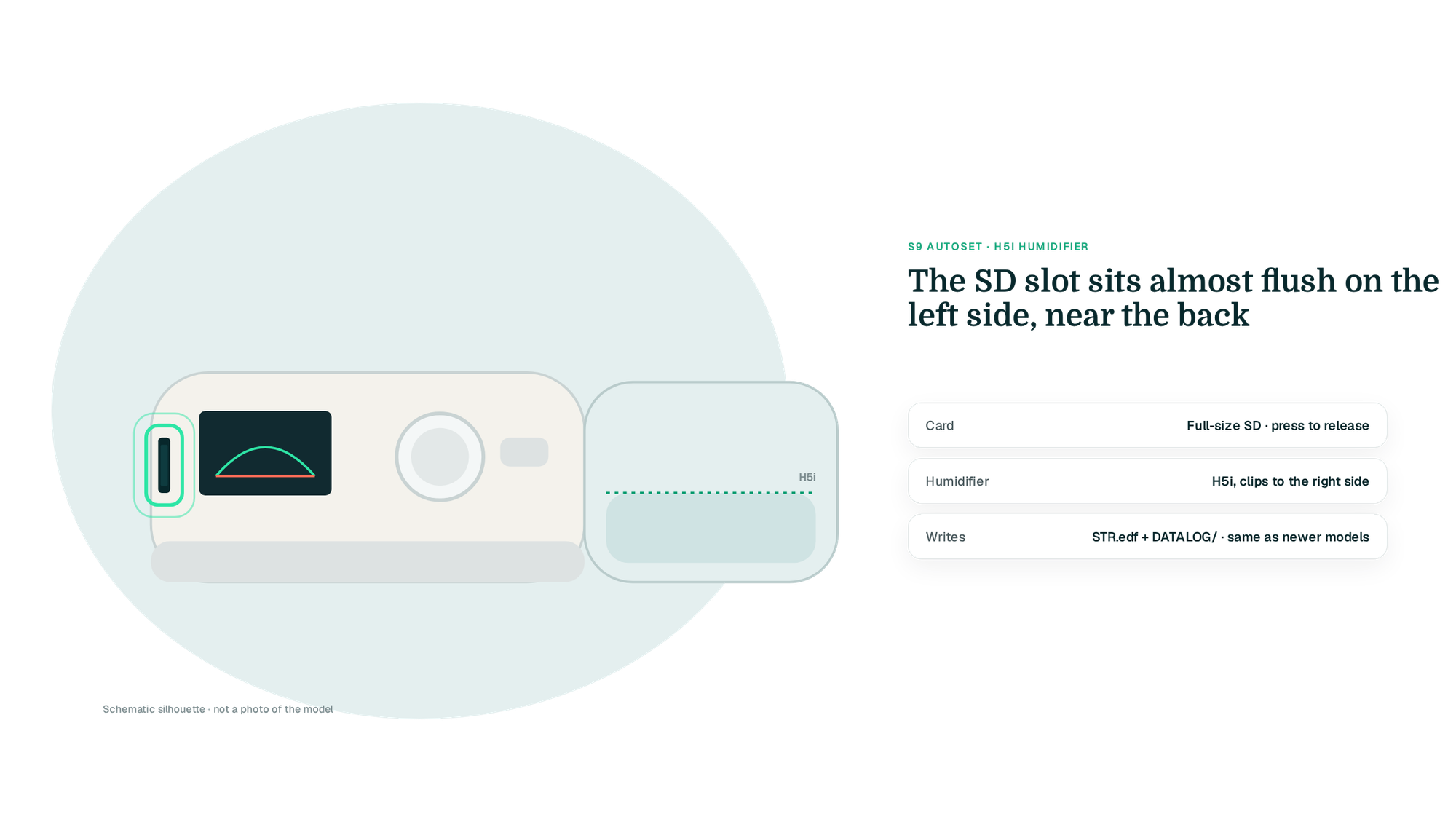
The SD slot is on the left side of the S9 body, near the back. The card sits nearly flush, so press it in to release it and it will spring out a few millimetres. Turn the machine off first and wait a few seconds; the S9 writes its summary when the session ends. The screen shows a small card icon while writing.
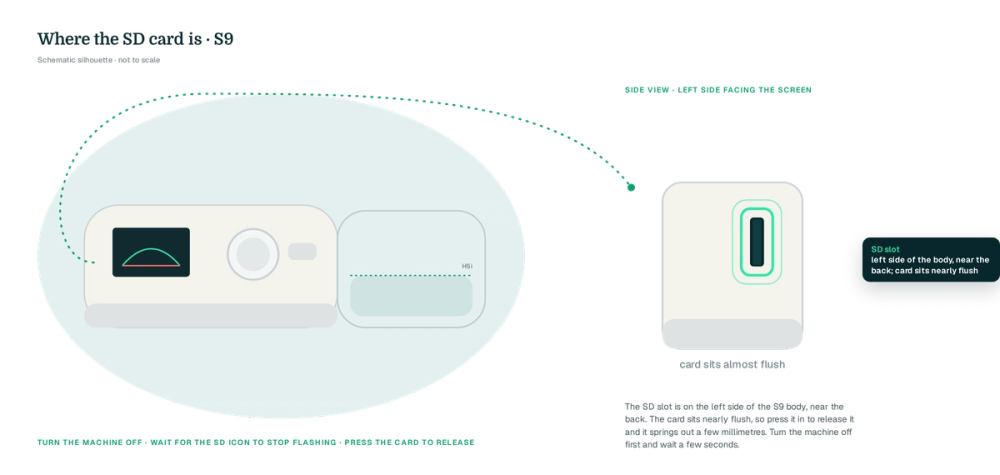
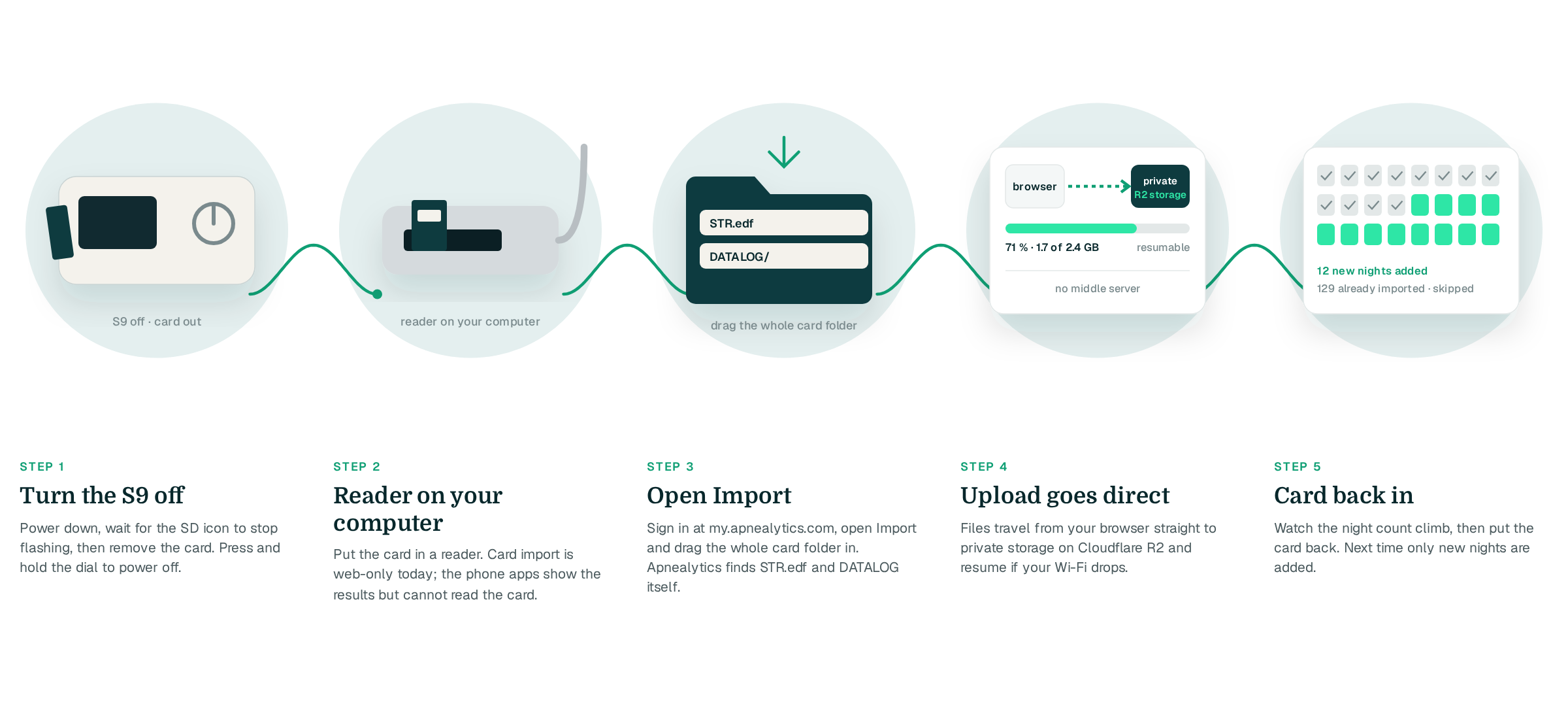
Turn the S9 off and press the SD card to eject it.
Card import is web-only today.
Sign in at my.apnealytics.com and open Import.
The upload goes straight to private storage on Cloudflare R2 and resumes if interrupted.
Repeat monthly; only new nights are added.
S9 cards often hold a long run of summary nights. Apnealytics imports them all and, on Pro, shows the full history in Explore (Yearly, then Monthly, then Nightly). Free accounts show the last 30 nights.
Obstructive, central and hypopnea events are recorded separately by the S9 and shown separately on every night, with the AHI band (Great, Mild, Moderate, High) up top. The S9 does not flag RERAs, so that strip will be empty.
AutoSet nights show the 95th-percentile pressure against the set range, with the EPR level beside it. Leak P95 sits next to usage. Attach your mask from the catalog and Mask Analytics compares seal, AHI and usage per mask. On Pro, the waveform viewer opens the S9's DATALOG files for airflow, pressure and leak.
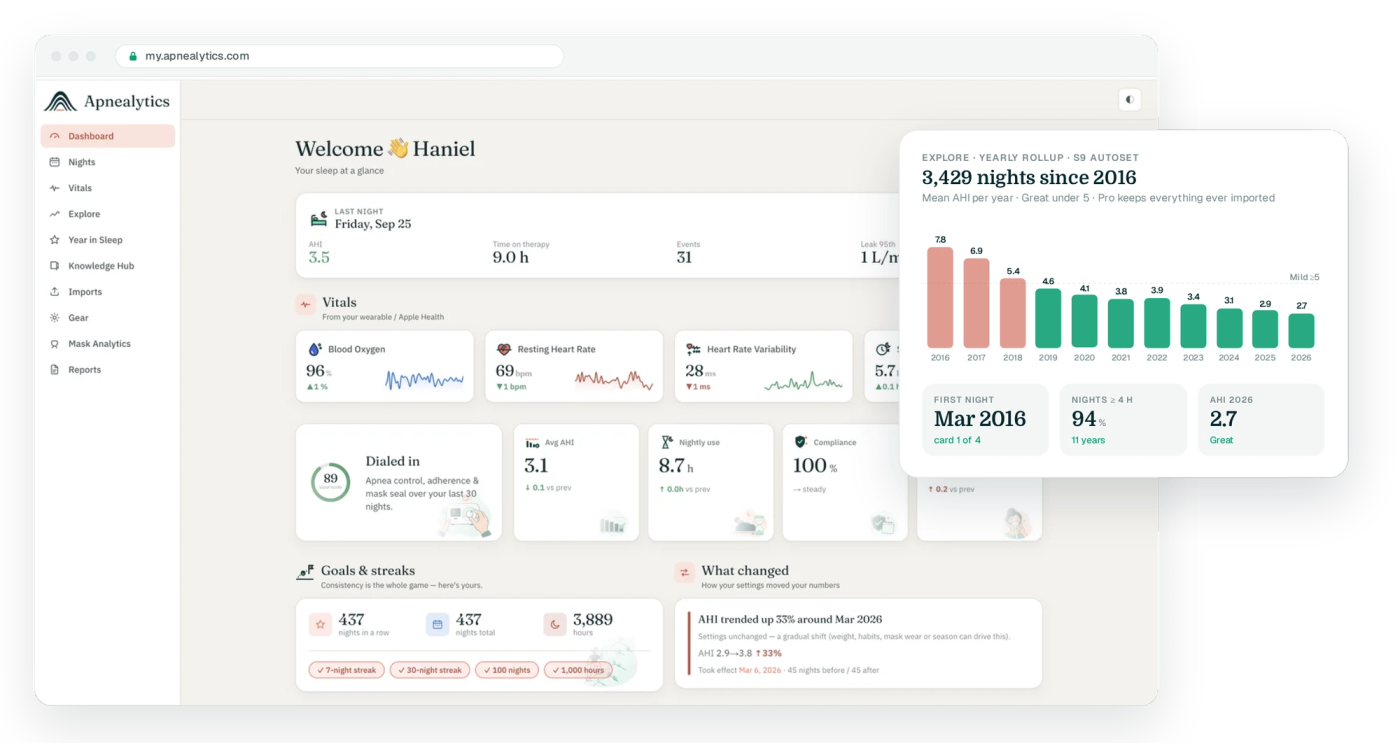
Lower-resolution waveforms. The S9 records airflow at a lower sample rate than the AirSense 10 and 11, so waveforms look a little smoother. Events, pressure and leak are unaffected.
No respiratory rate on some firmware. Older S9 firmware may not write respiratory rate. The tile is hidden when the data is absent rather than shown as zero.
Card size. The S9 shipped with small cards and can be picky about large ones. Stick with cards of 2–8 GB formatted FAT32. If a card is not recognised, the machine shows a card error and will not record detailed data.
Clock drift. Over a decade the S9's clock can drift and its date may be wrong after a long power loss. Nights are imported as stamped; check the machine's date if nights appear on the wrong day.
Detailed-data retention. The S9 keeps DATALOG data for a shorter window than summary data, roughly 30 days by default. Import monthly to keep waveforms.
Tube and humidifier. The S9 uses the H5i and either a standard or ClimateLine tube. Settings changes for humidity appear in "What changed?".
The S9 uses the standard 22 mm connection and works with every current ResMed mask, as well as older designs such as the Mirage series:
AirFit N20, AirFit N30i
AirFit F20, AirFit F30i
AirFit P10, AirFit P30i
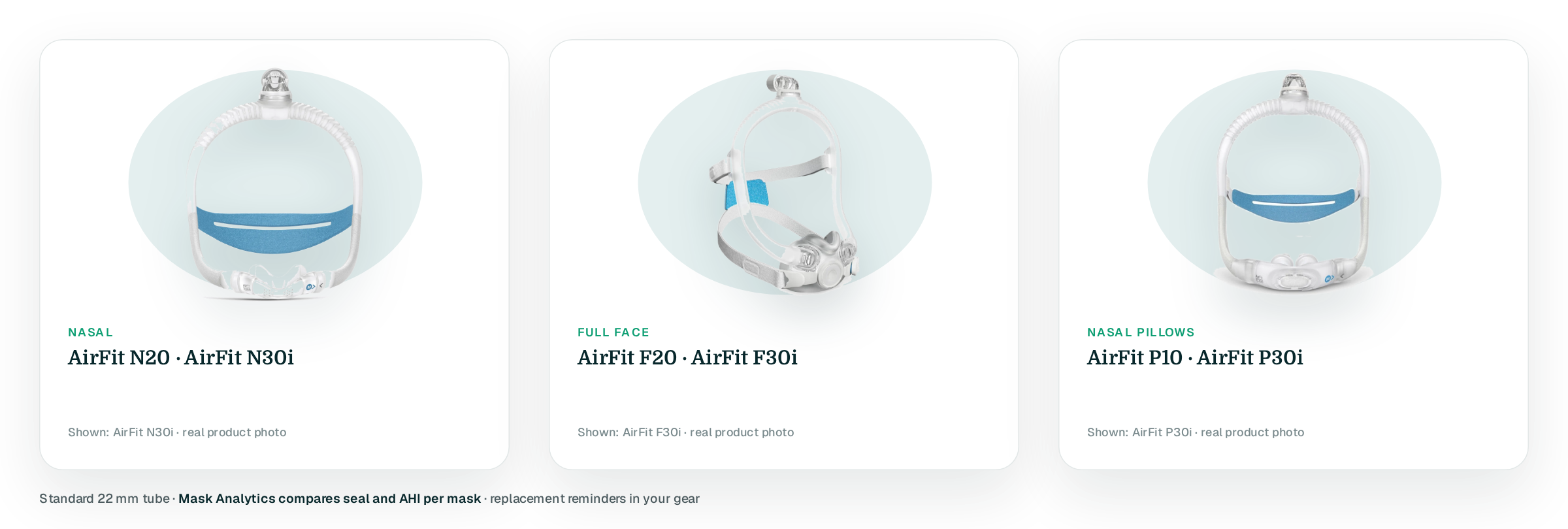
Set the mask type on the S9 to match the mask you wear so leak is reported correctly.
Yes. The S9 AutoSet, S9 Elite, S9 Escape and S9 VPAP models all write STR.edf and DATALOG files that Apnealytics reads. Import the SD card on the web portal and you get nightly AHI, event mix, usage, leak P95, pressure P95, EPR and trends, with waveforms on Pro.
Yes. Drag the whole card folder in and every summary night is imported. Dedup handles cards that overlap. On the Free plan you will see the last 30 nights; the Pro plan unlocks the full history in Explore, from yearly roll-ups down to single nights.
No. The S9 predates myAir and has no Bluetooth. Apnealytics is a way to finally see the data the machine has been recording. The iPhone and Android apps show everything you import on the web, and sync Apple Health or Health Connect alongside.
That is between you and your clinician. From a data point of view, the S9 records the same core measures as newer machines: AHI, event types, pressure, leak, usage. The AirSense 10 and 11 add higher-resolution waveforms, respiratory rate and RERA flags, and are supported too.
Nights recorded without a working card are not recoverable; the S9 stores detailed data only on the card. Nights already on the card are usually fine. Try the card in your computer and import what is there, then replace the card with a FAT32-formatted one of modest size.
The web app is live today. iPhone and iPad are on the App Store. Android is on Google Play. Your first 30 nights are free, forever.
 DashboardSleep Score, AHI band, leak and pressure
 Trends & historyA year down to a night
 Breath-by-breath viewerAirflow, pressure, leak tracesPro
 SpO₂ overlayOximeter data on the same nightPro
 Pressure insightsP95, set range, EPR and ramp
 SD card importDrop the card folder, only new nights added
 Mask fit & gearWhich mask actually seals
 Ask your dataPlain-English questions, your own AI keyBYOK
 Year in SleepYour therapy year in one storyNew
 Compliance reportFinds the qualifying window for youPro
 Share with your doctorRead-only, revocable links
 Companion appiPhone, iPad and Android
 Privacy & securityYour data, locked to you
 ResMed AirSense 10 & 11Supported
 ResMed AirCurve 10 & 11 VAutoSupported
 ResMed S9 / LumisSupported
 Philips DreamStation 1 & 2Supported
 Fisher & Paykel SleepStyleSupported
 Löwenstein / DeVilbissPartial
 React Health Luna G3Waitlist
 Transcend MicroWaitlist
 Full face masksFit, leak signature, Mask Analytics
 Nasal masksOver-nose and cradle styles
 Nasal pillowsMinimal-contact fit tips
 Wellue O2RingSupported
 Contec CMS50 familySupported
 Apple Health / Health ConnectResting HR, HRV, SpO₂, sleepSupported
 What is AHI?The apnea-hypopnea index, explained
 What is a good AHI on CPAP?
 CPAP leak rate explained
 Pressure settings explained
 Reading CPAP waveformsAll 14 explainers
 Apnealytics vs SleepHQ
 Apnealytics vs OSCAR
 Apnealytics vs myAir
 Apnealytics vs DreamMapper
 SleepHQ vs OSCARBest CPAP apps in 2026
 How to read CPAP dataStart here: six numbers, in order
 Read your CPAP SD card
 Share data with your doctorChoosing a CPAP mask
 Travel with CPAPAll guides
 Mask finderSeven questions, a ranked mask typeYour data
 Machine finderA two-machine shortlist for your prescription
 iPhone / iPhone DuoLast night before you are out of bed. Apple Health vitals, Face ID.Live
 iPadSame universal app, side-by-side panes and full-width waveforms.Live
 AndroidPhones, tablets and foldables, with Health Connect built in.Live
 Web portalWhere your SD card goes. Every chart, report and setting.Live

