


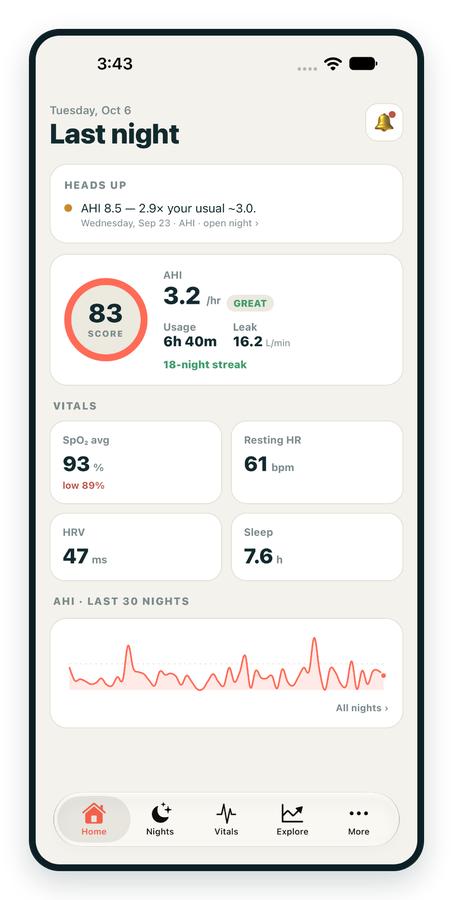
iPhone / iPhone Duo Live
Last night before you are out of bed. Apple Health vitals, Face ID.
Download on the App Store Apnealytics
Free on every plan: unlimited imports, the full dashboard and your last 30 nights.
 Compatibility checkerWill my machine work?Type your model. You get a straight answer: supported, partial, waitlist, or why not.Check my machine
 If it writes an SD card, we probably read it. ResMed AirMini has no card, so no app can read it.
Sleep Check-up
3 of 6 checks done
Six short screeners, one picture of how you sleep. Earn a milestone for each, save results and get retake reminders.
Latest milestone: Sleepiness check done
 NEWTrack your 90-day compliance windowOpen the calculator
 13 free tools. No account needed — sign in to save results and fill answers from your own CPAP data.
Last night before you are out of bed. Apple Health vitals, Face ID.
Download on the App Store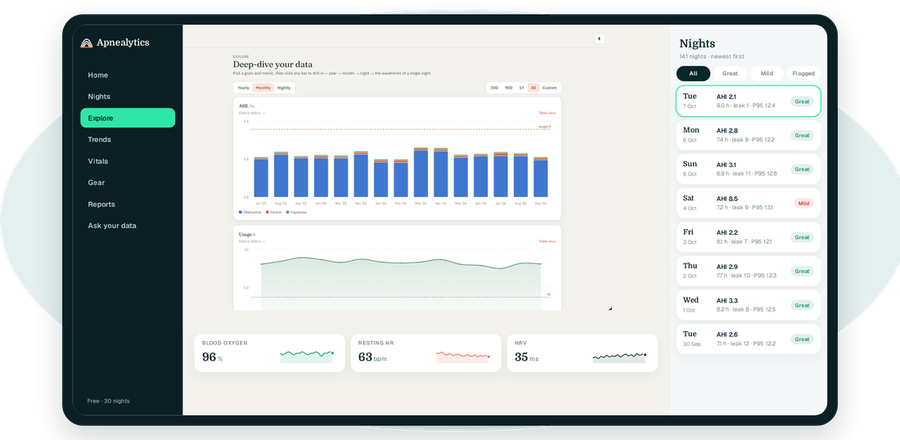
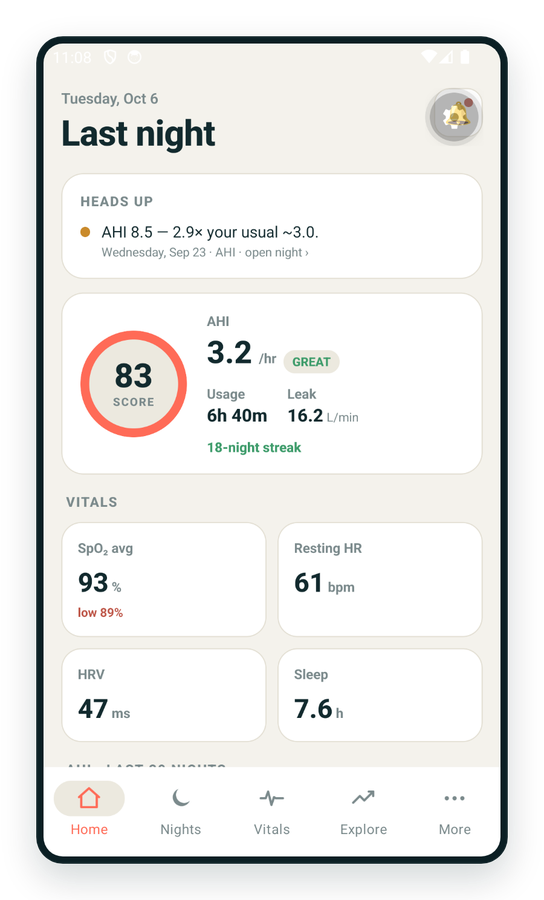
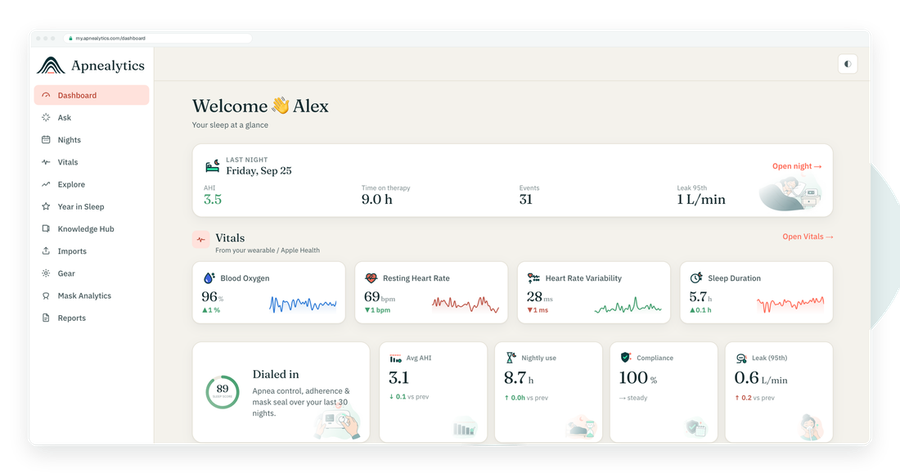
One account on every screen. Apple Watch vitals sync through Apple Health.
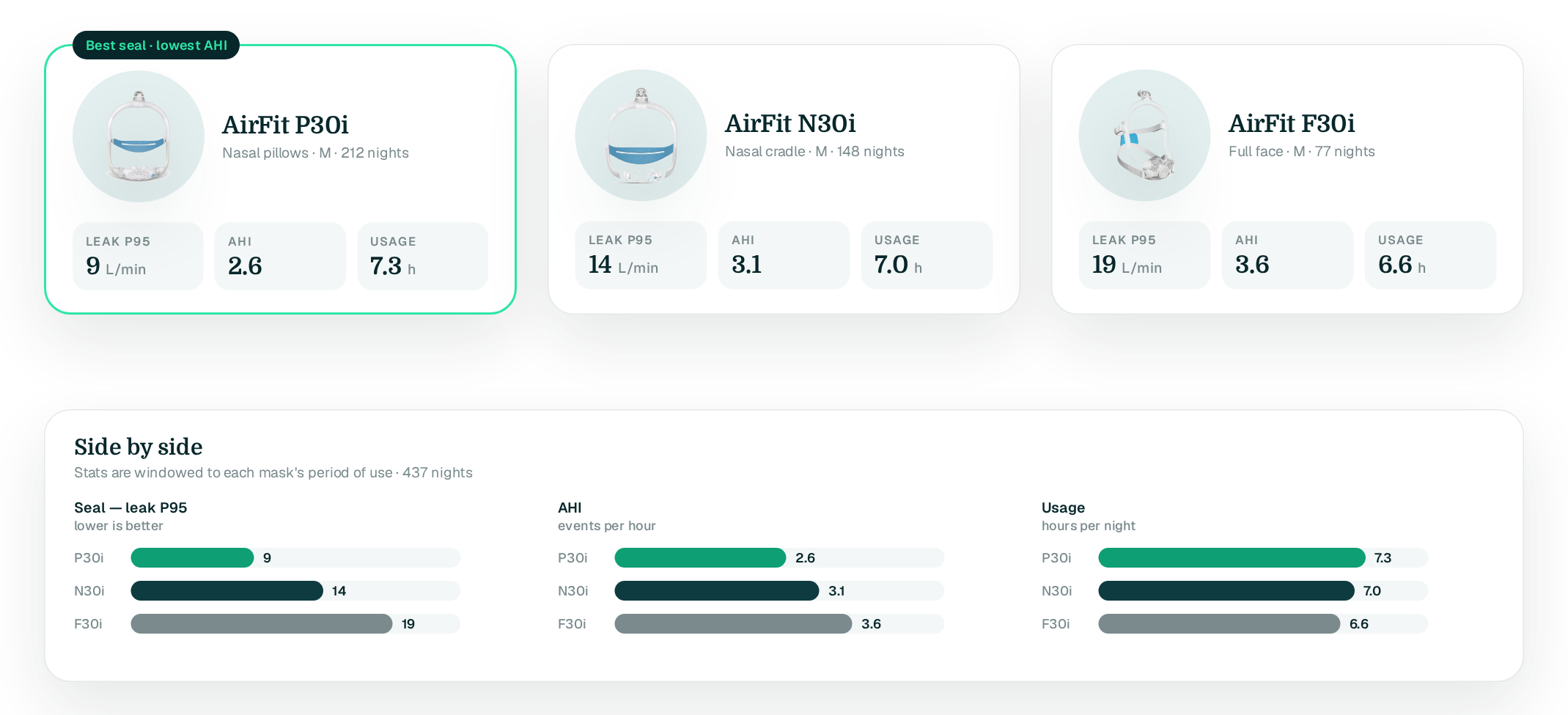
Leak is the quiet thief of good therapy. Apnealytics tracks CPAP mask leak per mask, so instead of guessing whether the new cushion helped, you can see seal, AHI and usage for every mask you have worn, side by side.
Free on every plan · Web, iPhone, iPad, Android
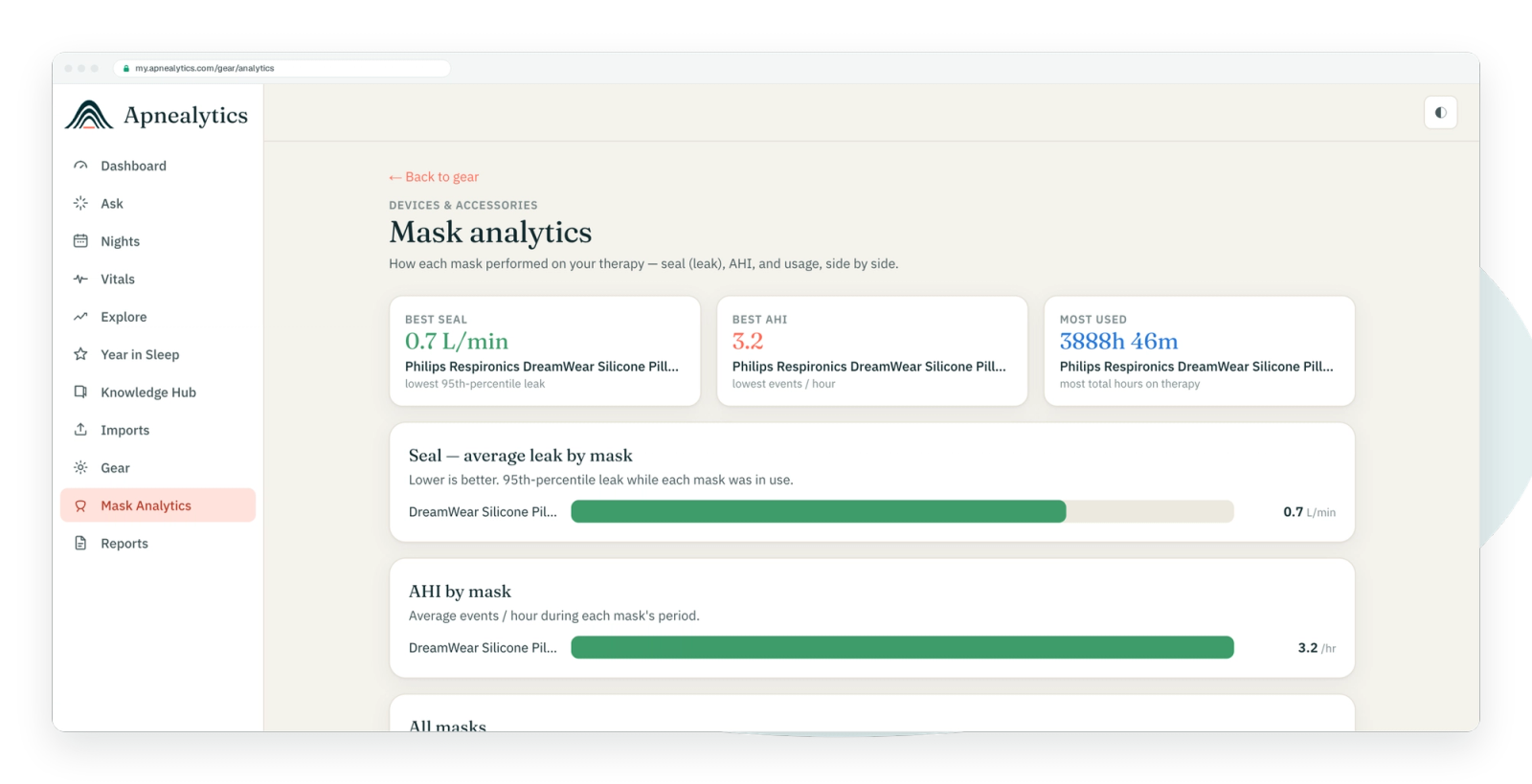
Mask fit and leak brings together three things that usually live apart: the leak figures your machine records, the gear you were wearing when it recorded them, and reminders to replace parts before they fail. The result is Mask Analytics, a per-mask scorecard, and a gear history you can hand to your clinician or your supplier.
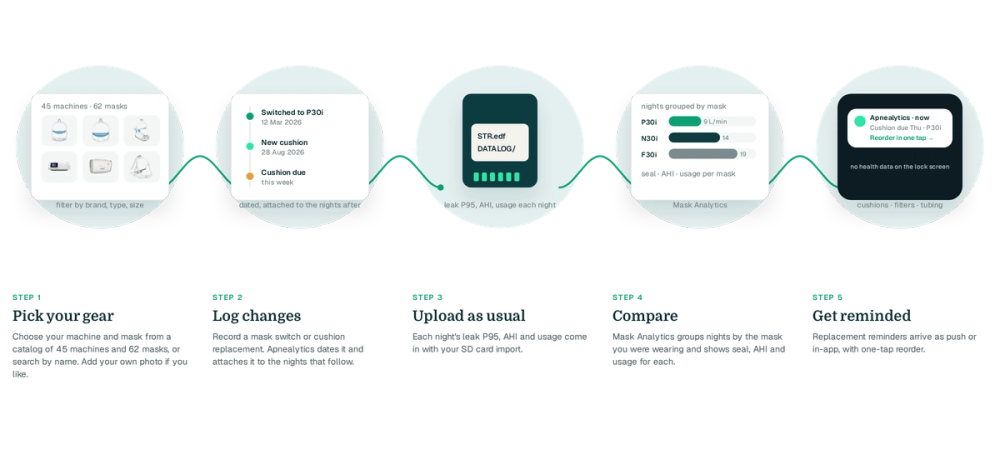
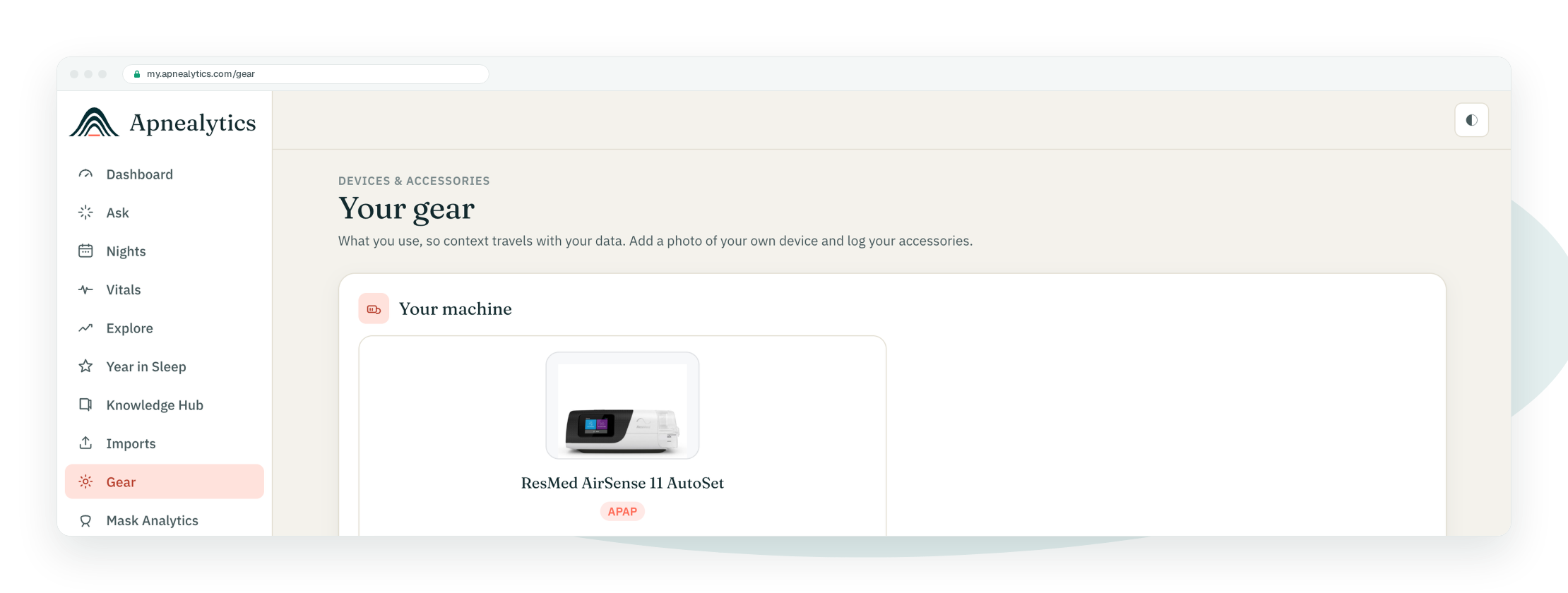
Choose your machine and mask from a catalog of 45 machines and 62 masks, filtered by brand, type and size, or search by name. Add your own photo if you like.
When you switch masks or replace a cushion, record it. Apnealytics dates the change and attaches it to the nights that follow.
Each night's leak P95, AHI and usage come in with your SD card import.
Mask Analytics groups nights by the mask you were wearing and shows seal, AHI and usage for each.
Replacement reminders for cushions, filters and tubing arrive as push notifications or in the in-app feed, with one-tap reorder.
For every mask in your history: average and P95 leak, AHI, usage hours and the number of nights, so you can answer "does the nasal pillow mask really give me a lower AHI, or does it just feel that way?".
Leak trends by month and by night, with change-points where you swapped a mask or cushion. A slow climb usually means a cushion ageing; a sudden jump usually means a fit, strap or mouth-leak problem.
A quick view of your current mask's seal over the last 30 nights with its reminder status, so a worsening seal shows up before it becomes a habit.
Each machine and mask has a page with photos and the sizes and types available, so switching or reordering is a few taps. Accessories include oximeters and replacement parts.
Cushion, filter and tubing due dates based on when you last replaced them. Notifications never include health numbers on your lock screen.
Every machine and mask you have used, with dates. Free keeps your latest machine; Pro keeps multiple machines and the full history.
Choosing gear, Mask Analytics for your current setup, replacement reminders and reorder are free. Pro adds multiple machines and your full gear history, so comparisons run across every mask you have ever worn and across machine changes, not just the current one.
ResMed machines report leak as the 95th percentile, and ResMed publishes a "large leak" threshold for its machines. Apnealytics shows your P95 against that line. Some leak is normal; what matters is whether it is high enough or long enough to disturb pressure and sleep. Your clinician can tell you what is acceptable for your setup.
The machine cannot tell them apart; both are unintentional leak. Clues help. Mouth leak with a nasal mask often shows as long, steady leak plateaus and a dry mouth in the morning. Mask leak often shows as sharp spikes when you change position. The breath-by-breath viewer makes the shape visible, and our guide to getting a good mask seal covers the fixes.
Suppliers and manufacturers commonly suggest replacing cushions and pillows every month or so, filters every month or two, and tubing every few months, though schedules vary by product and insurer. Apnealytics reminds you based on the interval you set and shows whether your leak P95 has started to drift, which is the practical sign that a cushion is worn.
Yes. Mask Analytics lists every mask you have logged with seal, AHI and usage for the nights you wore it. On Free the comparison covers your current machine; on Pro it spans your full gear history across machines.
No. The catalog is there to identify your gear and to make reordering easy; the one-tap reorder links out to a supplier. Apnealytics is not a retailer and takes no commission on your health choices.
The web app is live today. iPhone and iPad are on the App Store. Android is on Google Play. Your first 30 nights are free, forever.
 DashboardSleep Score, AHI band, leak and pressure
 Trends & historyA year down to a night
 Breath-by-breath viewerAirflow, pressure, leak tracesPro
 SpO₂ overlayOximeter data on the same nightPro
 Pressure insightsP95, set range, EPR and ramp
 SD card importDrop the card folder, only new nights added
 Mask fit & gearWhich mask actually seals
 Ask your dataPlain-English questions, your own AI keyBYOK
 Year in SleepYour therapy year in one storyNew
 Compliance reportFinds the qualifying window for youPro
 Share with your doctorRead-only, revocable links
 Companion appiPhone, iPad and Android
 Privacy & securityYour data, locked to you
 ResMed AirSense 10 & 11Supported
 ResMed AirCurve 10 & 11 VAutoSupported
 ResMed S9 / LumisSupported
 Philips DreamStation 1 & 2Supported
 Fisher & Paykel SleepStyleSupported
 Löwenstein / DeVilbissPartial
 React Health Luna G3Waitlist
 Transcend MicroWaitlist
 Full face masksFit, leak signature, Mask Analytics
 Nasal masksOver-nose and cradle styles
 Nasal pillowsMinimal-contact fit tips
 Wellue O2RingSupported
 Contec CMS50 familySupported
 Apple Health / Health ConnectResting HR, HRV, SpO₂, sleepSupported
 What is AHI?The apnea-hypopnea index, explained
 What is a good AHI on CPAP?
 CPAP leak rate explained
 Pressure settings explained
 Reading CPAP waveformsAll 14 explainers
 Apnealytics vs SleepHQ
 Apnealytics vs OSCAR
 Apnealytics vs myAir
 Apnealytics vs DreamMapper
 SleepHQ vs OSCARBest CPAP apps in 2026
 How to read CPAP dataStart here: six numbers, in order
 Read your CPAP SD card
 Share data with your doctorChoosing a CPAP mask
 Travel with CPAPAll guides
 Mask finderSeven questions, a ranked mask typeYour data
 Machine finderA two-machine shortlist for your prescription
 iPhone / iPhone DuoLast night before you are out of bed. Apple Health vitals, Face ID.Live
 iPadSame universal app, side-by-side panes and full-width waveforms.Live
 AndroidPhones, tablets and foldables, with Health Connect built in.Live
 Web portalWhere your SD card goes. Every chart, report and setting.Live

