


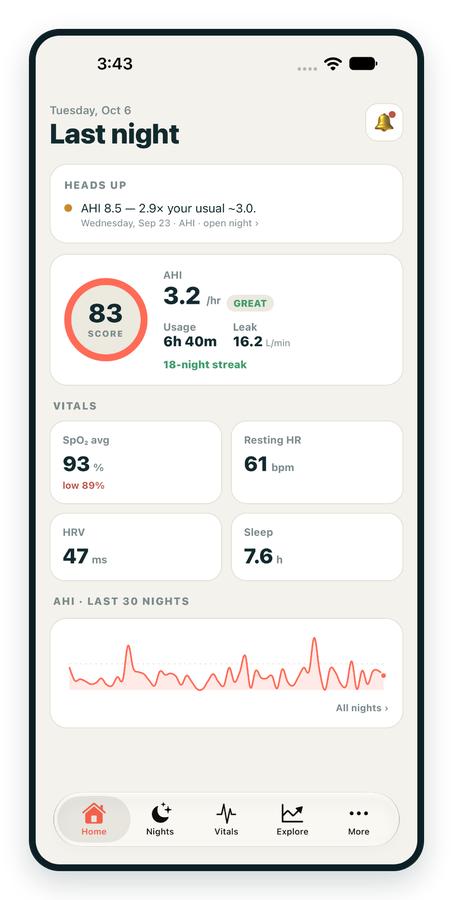
iPhone / iPhone Duo Live
Last night before you are out of bed. Apple Health vitals, Face ID.
Download on the App Store Apnealytics
Free on every plan: unlimited imports, the full dashboard and your last 30 nights.
 Compatibility checkerWill my machine work?Type your model. You get a straight answer: supported, partial, waitlist, or why not.Check my machine
 If it writes an SD card, we probably read it. ResMed AirMini has no card, so no app can read it.
Sleep Check-up
3 of 6 checks done
Six short screeners, one picture of how you sleep. Earn a milestone for each, save results and get retake reminders.
Latest milestone: Sleepiness check done
 NEWTrack your 90-day compliance windowOpen the calculator
 13 free tools. No account needed — sign in to save results and fill answers from your own CPAP data.
Last night before you are out of bed. Apple Health vitals, Face ID.
Download on the App Store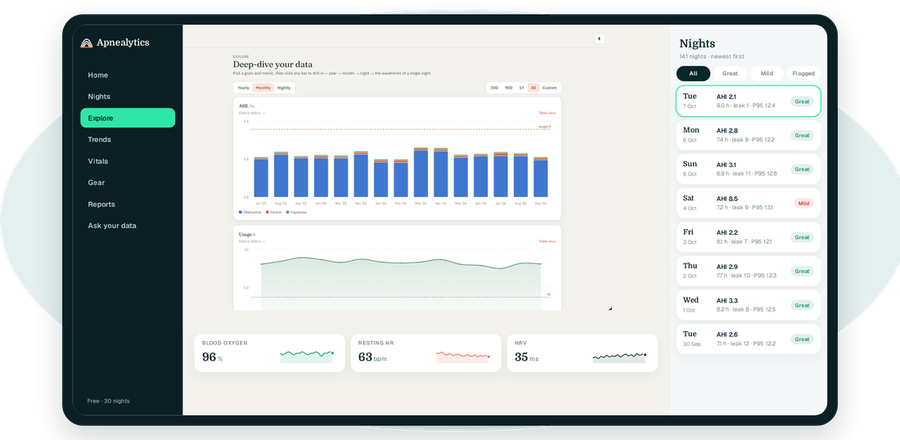
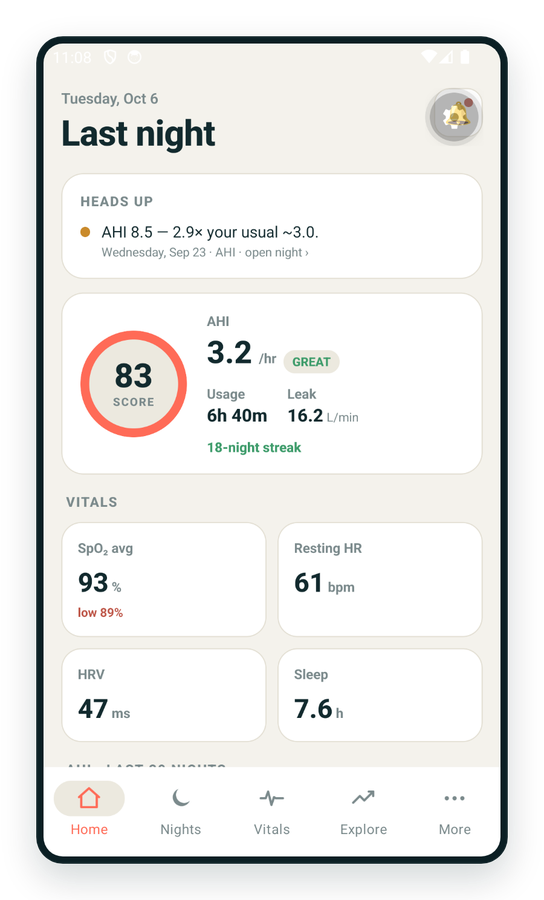
One account on every screen. Apple Watch vitals sync through Apple Health.
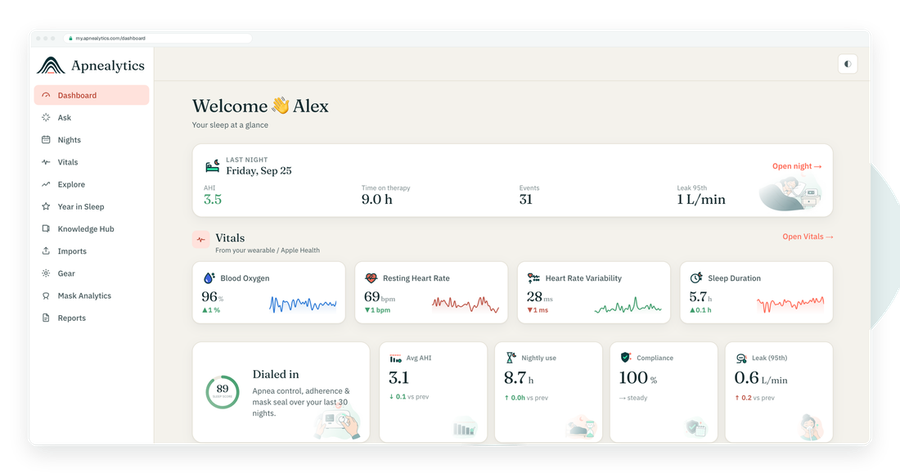
my.apnealytics.com is the Apnealytics web portal. It is live today, works in any modern browser with nothing to install, and it is the one place you upload your ResMed SD card. Everything the phone apps show starts here.
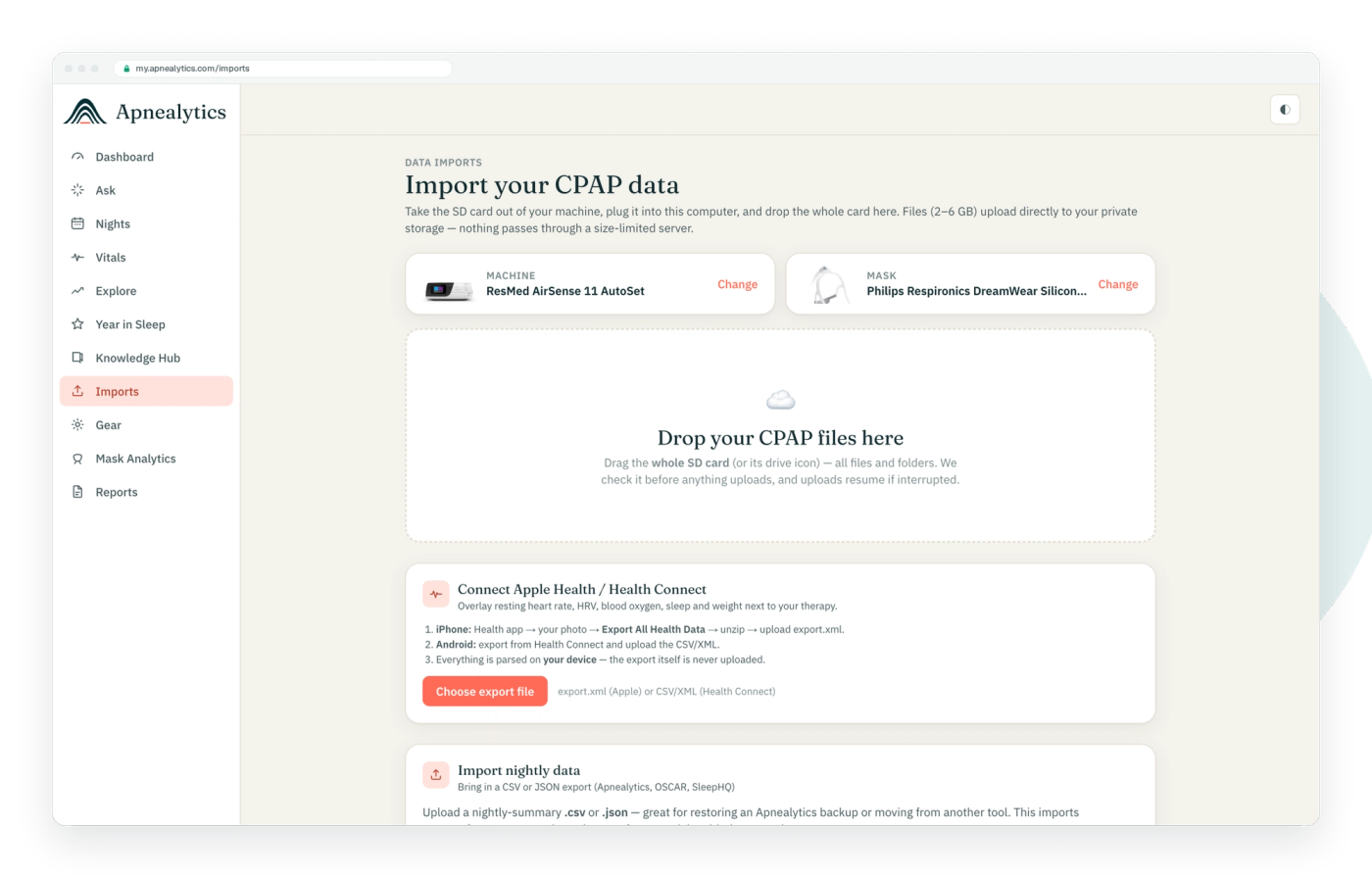
A ResMed data card holds 2 to 6 GB of raw files once it has been in a machine for a few months. Getting that much data off a card and into private storage reliably needs three things a browser does well and a phone does not: a card reader plugged into a USB port, a folder picker that can hand over the whole DATALOG tree at once, and a resumable upload that survives a dropped connection.
So the portal does the import. The iPhone, iPad and Android apps import CSV and JSON exports and sync Apple Health or Health Connect, and they show every night you have uploaded here within moments.
Take the SD card out of your machine (steps for the AirSense 11 and AirSense 10) and put it in a reader connected to your computer.
On the Import page, choose the whole card or drag it in. The uploader is folder-aware: it finds STR.edf and DATALOG itself.
Each file uploads directly from your browser to private cloud storage on Cloudflare R2. Nothing passes through a middle server. If your connection drops, the upload resumes where it stopped.
The summary file becomes one row per night in your account. Raw files are kept, behind short-lived signed links, so waveforms can be rendered later.
The import is incremental. Upload the same card next month and only the new nights are added; duplicates are skipped. Import history shows every upload, and you can re-process one if a parser improves.
The dashboard: Sleep Score, last-night AHI with band, usage, leak P95, pressure P95 with set range, EPR, respiratory rate, event composition, the 30-night rolling AHI trend, Goals and streaks, "What changed?" with settings and trend change-points, and Heads up alerts.
Yearly to Monthly to Nightly drill-down, 30D/90D/1Y/All/custom ranges and period-over-period comparison, with hover tooltips and a wide canvas. A year of nights fits comfortably.
Open a night and the raw files for that night are parsed on demand in your browser. Airflow, pressure, leak and event strips with a crosshair and zoom, across the full width of your monitor. See Per-night waveforms.
Import a CSV or EDF from a Wellue O2Ring, a CMS50-family oximeter, a ResMed SAD.edf or any oximeter that exports either format. SpO₂ and pulse overlay the night, with ODI₃, ODI₄ and T90. Steps in Import oximeter CSV.
Generate the doctor-ready PDF, let the compliance autopilot find the qualifying window and draft the letter, and create clinician share links that are tokenized, read-only, aggregate-only, revocable, not indexed and free of health identifiers by default. Year in Sleep, your annual recap, is here too.
The full catalog of 45 machines and 62 masks with photos, Mask Analytics, replacement reminders and one-tap reorder. On Pro, multiple machines and your complete gear history.
Add your own OpenAI or Anthropic API key and ask questions in plain language. Read-only, scoped to your account.
Add family members as separate logins on one account, manage your Pro subscription from Settings, redeem comp codes, create API keys (Pro), export your data, or delete your account. Deletion completes within 30 days.
Magic link, Google sign-in, or email and password, with email verification and rate-limited sign-in. Sessions are server-side and revocable, so you can sign out a lost laptop from another device. Every table is protected by row-level security; raw files sit in private storage behind short-lived signed URLs; TLS everywhere. No ads, no third-party trackers on health pages, nothing sold. Details at Privacy and security.
Current versions of Chrome, Edge, Safari and Firefox on macOS, Windows, Linux and ChromeOS. Folder upload works best in Chromium-based browsers and Safari; Firefox supports it with a small caveat. Mobile Safari and Chrome on phones can view everything but cannot read an SD card.
Sign in at my.apnealytics.com, go to Import, and drop in the card's folder from a card reader. Files upload directly to private storage, resumable if your connection drops. The upload is incremental, so repeating it later only adds new nights. Card import is web-only; the phone apps do not read the card.
A card that has been in a machine for months can hold 2 to 6 GB. On a typical home connection that is minutes to an hour. The uploader skips files it already has, so after the first time, uploads are small. If it stalls, see Upload fails or stalls.
Your browser uploads directly to private cloud storage (Cloudflare R2). No middle server touches the files in transit. Once stored, the parser reads the summary into your account and keeps the raw files, reachable only through short-lived signed links scoped to you.
Yes, for viewing. my.apnealytics.com works in mobile browsers and shows your dashboard, nights and vitals. You cannot upload a card from a phone browser, and the iPhone and Android apps are a better fit for daily use.
Yes. The Free plan includes unlimited imports, the nightly dashboard, 30 nights of history, Ask your data, Knowledge Hub, family logins and data export. Pro ($8.99 a month or $99.99 a year) adds full history, waveforms, oximetry, reports, share links, multiple machines and the API.
Any USB SD card reader works; the card is a standard SD card. If your computer has a built-in slot, use that. See Which SD card reader for suggestions and a note on the write-lock tab.
The web app is live today. iPhone and iPad are on the App Store. Android is on Google Play. Your first 30 nights are free, forever.
 DashboardSleep Score, AHI band, leak and pressure
 Trends & historyA year down to a night
 Breath-by-breath viewerAirflow, pressure, leak tracesPro
 SpO₂ overlayOximeter data on the same nightPro
 Pressure insightsP95, set range, EPR and ramp
 SD card importDrop the card folder, only new nights added
 Mask fit & gearWhich mask actually seals
 Ask your dataPlain-English questions, your own AI keyBYOK
 Year in SleepYour therapy year in one storyNew
 Compliance reportFinds the qualifying window for youPro
 Share with your doctorRead-only, revocable links
 Companion appiPhone, iPad and Android
 Privacy & securityYour data, locked to you
 ResMed AirSense 10 & 11Supported
 ResMed AirCurve 10 & 11 VAutoSupported
 ResMed S9 / LumisSupported
 Philips DreamStation 1 & 2Supported
 Fisher & Paykel SleepStyleSupported
 Löwenstein / DeVilbissPartial
 React Health Luna G3Waitlist
 Transcend MicroWaitlist
 Full face masksFit, leak signature, Mask Analytics
 Nasal masksOver-nose and cradle styles
 Nasal pillowsMinimal-contact fit tips
 Wellue O2RingSupported
 Contec CMS50 familySupported
 Apple Health / Health ConnectResting HR, HRV, SpO₂, sleepSupported
 What is AHI?The apnea-hypopnea index, explained
 What is a good AHI on CPAP?
 CPAP leak rate explained
 Pressure settings explained
 Reading CPAP waveformsAll 14 explainers
 Apnealytics vs SleepHQ
 Apnealytics vs OSCAR
 Apnealytics vs myAir
 Apnealytics vs DreamMapper
 SleepHQ vs OSCARBest CPAP apps in 2026
 How to read CPAP dataStart here: six numbers, in order
 Read your CPAP SD card
 Share data with your doctorChoosing a CPAP mask
 Travel with CPAPAll guides
 Mask finderSeven questions, a ranked mask typeYour data
 Machine finderA two-machine shortlist for your prescription
 iPhone / iPhone DuoLast night before you are out of bed. Apple Health vitals, Face ID.Live
 iPadSame universal app, side-by-side panes and full-width waveforms.Live
 AndroidPhones, tablets and foldables, with Health Connect built in.Live
 Web portalWhere your SD card goes. Every chart, report and setting.Live

