


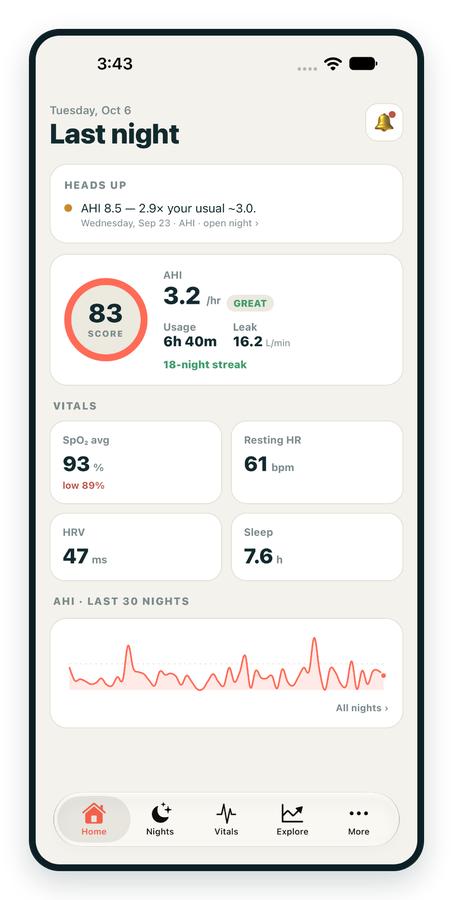
iPhone / iPhone Duo Live
Last night before you are out of bed. Apple Health vitals, Face ID.
Download on the App Store Apnealytics
Free on every plan: unlimited imports, the full dashboard and your last 30 nights.
 Compatibility checkerWill my machine work?Type your model. You get a straight answer: supported, partial, waitlist, or why not.Check my machine
 If it writes an SD card, we probably read it. ResMed AirMini has no card, so no app can read it.
Sleep Check-up
3 of 6 checks done
Six short screeners, one picture of how you sleep. Earn a milestone for each, save results and get retake reminders.
Latest milestone: Sleepiness check done
 NEWTrack your 90-day compliance windowOpen the calculator
 13 free tools. No account needed — sign in to save results and fill answers from your own CPAP data.
Last night before you are out of bed. Apple Health vitals, Face ID.
Download on the App Store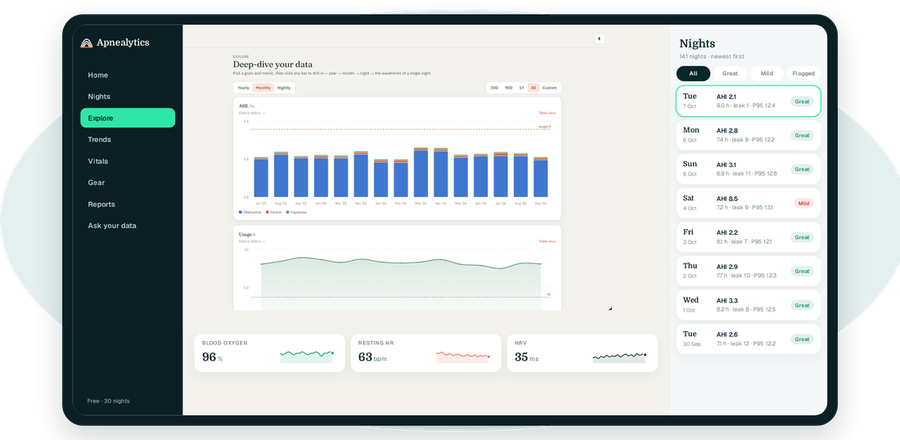
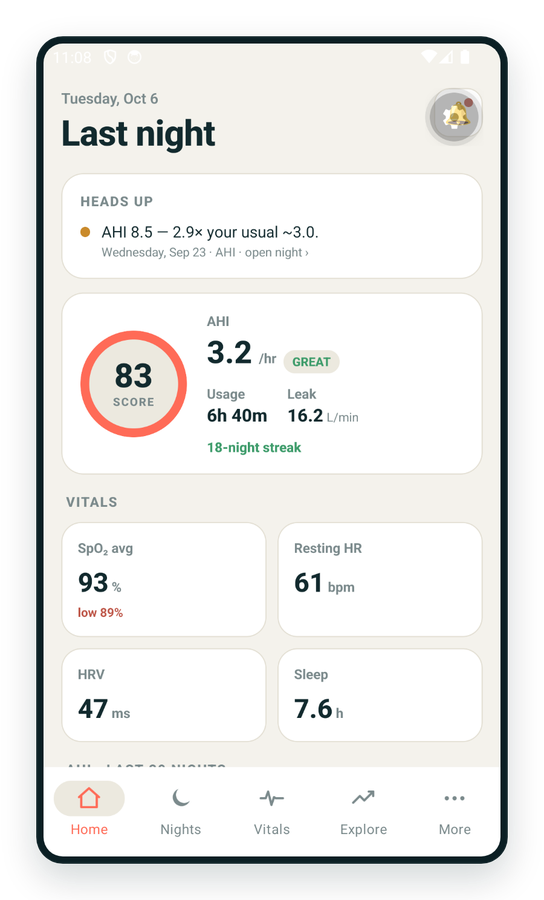
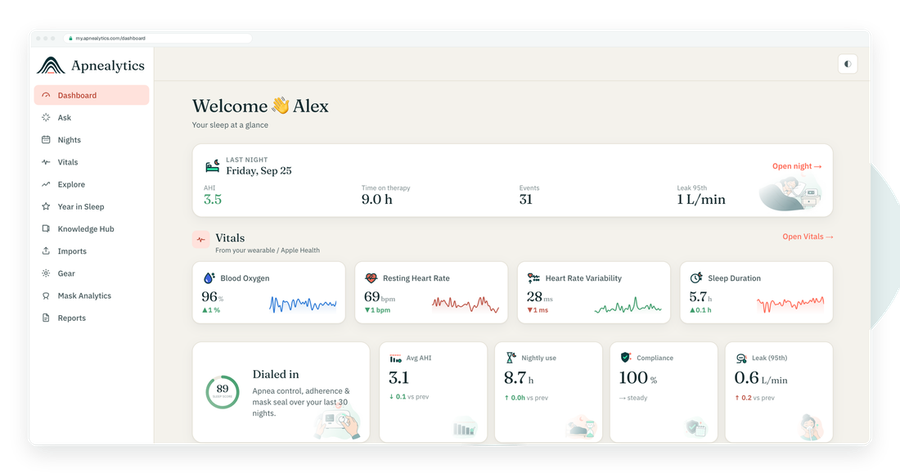
One account on every screen. Apple Watch vitals sync through Apple Health.
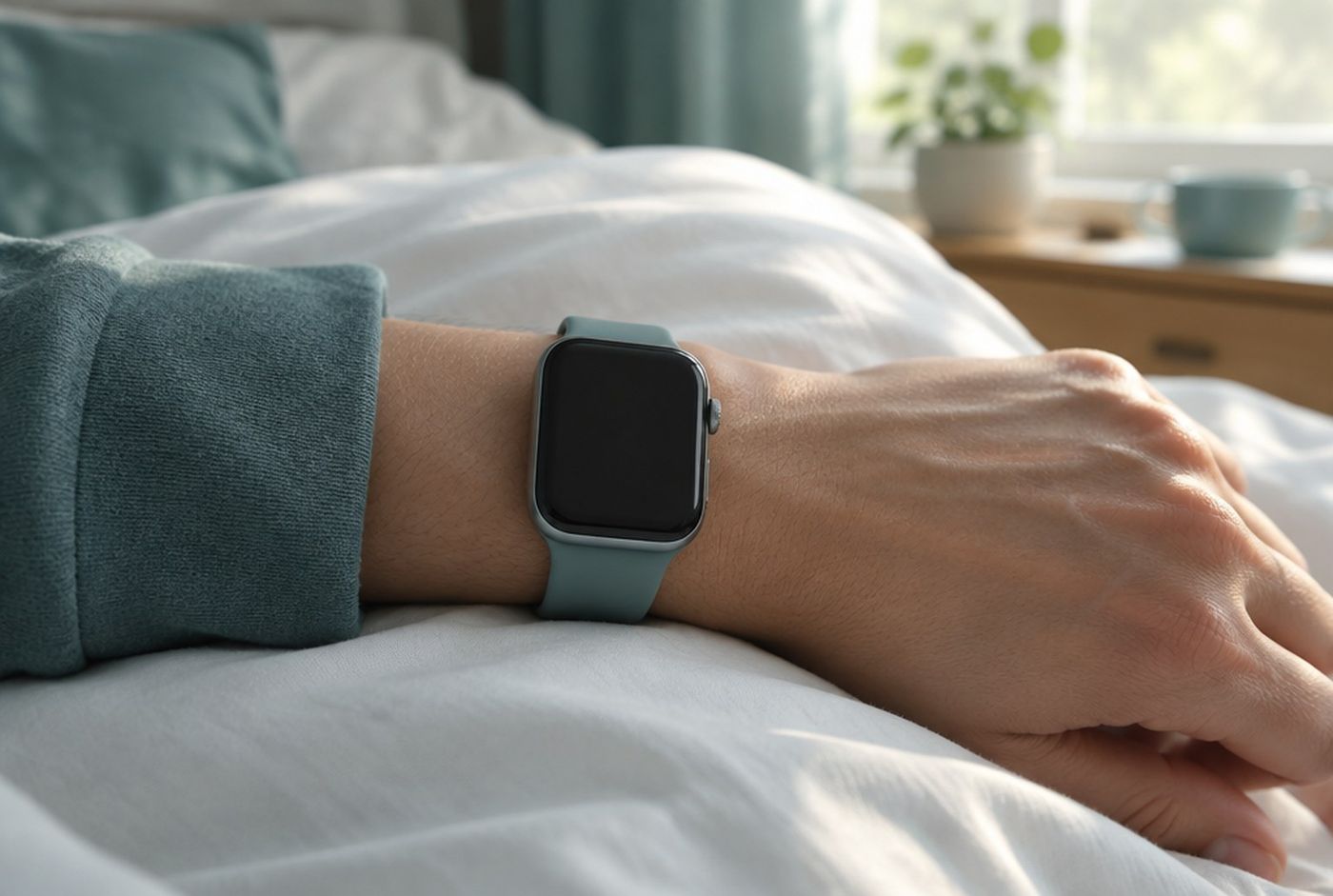
Your watch already measures the things your CPAP machine cannot: resting heart rate, heart rate variability, overnight blood oxygen, how long you actually slept, and your weight from a connected scale. When you connect Apple Health to Apnealytics, those daily summaries appear beside your therapy numbers, so a week of rising AHI can be read against a week of falling HRV or climbing resting heart rate. The same works on Android through Health Connect. It is free on every plan, and only daily summaries leave your phone.
Apnealytics reads these five. It does not read workouts, steps, location or anything else, and it never writes to Health.
| Metric | From | Shown as |
|---|---|---|
| Resting heart rate | Apple Watch, or any app writing to Health | Daily value in the Vitals tiles and Trends |
| HRV (SDNN) | Apple Watch, or any app writing to Health | Daily value |
| SpO₂ | Apple Watch with blood oxygen, or an oximeter app | Daily average and daily low |
| Sleep hours | Apple Watch, iPhone sleep tracking, or a sleep app | Daily total, beside CPAP usage hours |
| Weight | Smart scale app, or manual entry in Health | Daily value |
The iOS app. Apple Health sync happens in the Apnealytics iPhone or iPad app, which is on the App Store. The web portal cannot read Health directly, because Health data lives only on your device.
A source. Apple Health is a hub, not a sensor. Something has to write resting heart rate and HRV into it. An Apple Watch does this automatically. Many third-party wearables (Oura, Garmin, Whoop and others) can write to Health through their own apps, usually behind a setting.
An Apnealytics account. Free is fine.
Install Apnealytics on your iPhone or iPad from the App Store.
Sign in with the same account you use on the web: magic link, Google, or email and password.
Your dashboard appears. If you have uploaded a card on the web, your nights are already here.
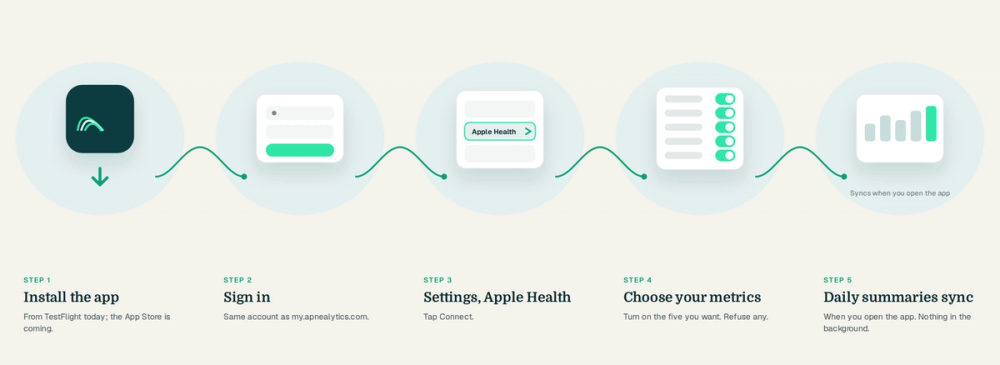
Open Settings in the app and choose Health.
Tap Connect Apple Health.
iOS shows the Health permissions sheet listing the five categories. Turn on the ones you want to share. You can allow some and not others.
Tap Allow.
Apnealytics requests read access only. The sheet will not show a write column because the app never asks for it.
Return to the dashboard. The Vitals tiles fill in over a few seconds for recent days.
The first sync pulls daily summaries for your history, typically the same span as your therapy data, so your trends have context from day one.
After that, the app syncs each time you open it and in the background when iOS allows.
If a tile stays empty, the usual cause is that nothing is writing that metric into Health. Open the Health app, find the category, and check it has recent data. If it does and Apnealytics still shows nothing, go to iOS Settings → Privacy & Security → Health → Apnealytics and confirm the toggle is on.
A few patterns that become visible once the data sits side by side:
Rising resting heart rate with rising AHI often travels with a cold, alcohol, or a mask that has started leaking. Check the trigger journal and leak P95.
Falling HRV without a change in AHI points away from therapy and toward sleep length, stress or training load. Check sleep hours.
Watch SpO₂ low dipping on nights the machine shows central events. Worth a note to your clinician. The watch gives a daily low; for per-event desaturation you want a proper overnight oximeter on Pro.
Sleep hours well above usage hours means you are sleeping without the mask for part of the night. Goals and streaks will show the gap.
Apnealytics does not interpret these for you beyond the "Heads up" anomaly alerts. It puts them next to each other so you and your clinician can.
The Android app (phone and tablet) is on Google Play. It reads the same five metrics from Health Connect, Android's equivalent hub.
Install Apnealytics for Android and sign in.
Settings → Health → Connect Health Connect.
Android shows the Health Connect permissions screen. Allow the categories you want.
Make sure your wearable's app is writing to Health Connect; most have a toggle in their own settings.
Health Connect behaves slightly differently from Apple Health in one way worth knowing: it holds a rolling window of recent data (30 days on many devices) rather than full history, so the initial sync may reach back less far than on iOS.
Only daily summaries leave the device: one resting heart rate, one HRV, one SpO₂ average and low, one sleep total, one weight per day. Not beat-by-beat heart rate, not minute-by-minute SpO₂.
Apnealytics never writes to Health or Health Connect.
The data lives in your account under the same row-level security as your therapy data, behind TLS, with no ads or third-party trackers on health pages, and is never sold.
Disconnect at any time in Settings → Health. Disconnecting stops the sync; deleting your account removes what was synced, with deletion completing within 30 days.
Health metrics are excluded from clinician share links by default and from the PDF unless you include them.
Yes, through Apple Health. The Apple Watch writes resting heart rate, HRV, blood oxygen (on supported models) and sleep to Health, and the Apnealytics iOS app reads those daily summaries and shows them beside your CPAP data. There is no separate watch app; the connection is through Health.
Yes. Apple Health and Health Connect sync is included on the free plan along with the nightly dashboard, 30 nights of history, Ask your data, family logins and data export. Per-night oximeter overlays with ODI and T90 are a separate Pro feature and use a dedicated overnight oximeter, not the watch.
Indirectly, if the device's app writes resting heart rate, HRV, SpO₂, sleep or weight into Apple Health or Health Connect. Most do, usually behind a setting in their own app. Apnealytics reads from Health, so anything that lands there appears in your Vitals tiles.
Usually because nothing is writing that metric into Health. Open the Health app and check the category has recent data. If it does, confirm the permission in iOS Settings → Privacy & Security → Health → Apnealytics. On Android, check the wearable app's Health Connect toggle and that Apnealytics has permission in Health Connect settings.
No. Health data is stored only on your iPhone, and Apple allows only on-device apps to read it. Connect in the Apnealytics iOS app once; the daily summaries then sync to your account and appear on the web dashboard as well.
The web app is live today. iPhone and iPad are on the App Store. Android is on Google Play. Your first 30 nights are free, forever.
 DashboardSleep Score, AHI band, leak and pressure
 Trends & historyA year down to a night
 Breath-by-breath viewerAirflow, pressure, leak tracesPro
 SpO₂ overlayOximeter data on the same nightPro
 Pressure insightsP95, set range, EPR and ramp
 SD card importDrop the card folder, only new nights added
 Mask fit & gearWhich mask actually seals
 Ask your dataPlain-English questions, your own AI keyBYOK
 Year in SleepYour therapy year in one storyNew
 Compliance reportFinds the qualifying window for youPro
 Share with your doctorRead-only, revocable links
 Companion appiPhone, iPad and Android
 Privacy & securityYour data, locked to you
 ResMed AirSense 10 & 11Supported
 ResMed AirCurve 10 & 11 VAutoSupported
 ResMed S9 / LumisSupported
 Philips DreamStation 1 & 2Supported
 Fisher & Paykel SleepStyleSupported
 Löwenstein / DeVilbissPartial
 React Health Luna G3Waitlist
 Transcend MicroWaitlist
 Full face masksFit, leak signature, Mask Analytics
 Nasal masksOver-nose and cradle styles
 Nasal pillowsMinimal-contact fit tips
 Wellue O2RingSupported
 Contec CMS50 familySupported
 Apple Health / Health ConnectResting HR, HRV, SpO₂, sleepSupported
 What is AHI?The apnea-hypopnea index, explained
 What is a good AHI on CPAP?
 CPAP leak rate explained
 Pressure settings explained
 Reading CPAP waveformsAll 14 explainers
 Apnealytics vs SleepHQ
 Apnealytics vs OSCAR
 Apnealytics vs myAir
 Apnealytics vs DreamMapper
 SleepHQ vs OSCARBest CPAP apps in 2026
 How to read CPAP dataStart here: six numbers, in order
 Read your CPAP SD card
 Share data with your doctorChoosing a CPAP mask
 Travel with CPAPAll guides
 Mask finderSeven questions, a ranked mask typeYour data
 Machine finderA two-machine shortlist for your prescription
 iPhone / iPhone DuoLast night before you are out of bed. Apple Health vitals, Face ID.Live
 iPadSame universal app, side-by-side panes and full-width waveforms.Live
 AndroidPhones, tablets and foldables, with Health Connect built in.Live
 Web portalWhere your SD card goes. Every chart, report and setting.Live

