


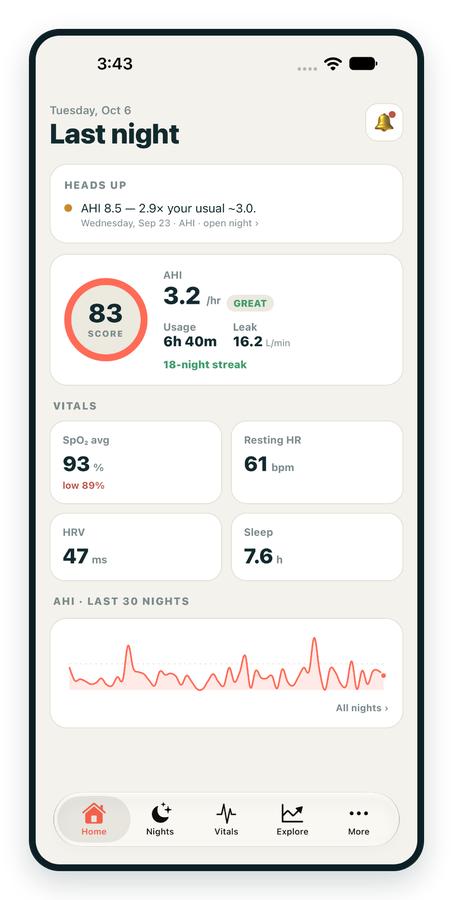
iPhone / iPhone Duo Live
Last night before you are out of bed. Apple Health vitals, Face ID.
Download on the App Store Apnealytics
Free on every plan: unlimited imports, the full dashboard and your last 30 nights.
 Compatibility checkerWill my machine work?Type your model. You get a straight answer: supported, partial, waitlist, or why not.Check my machine
 If it writes an SD card, we probably read it. ResMed AirMini has no card, so no app can read it.
Sleep Check-up
3 of 6 checks done
Six short screeners, one picture of how you sleep. Earn a milestone for each, save results and get retake reminders.
Latest milestone: Sleepiness check done
 NEWTrack your 90-day compliance windowOpen the calculator
 13 free tools. No account needed — sign in to save results and fill answers from your own CPAP data.
Last night before you are out of bed. Apple Health vitals, Face ID.
Download on the App Store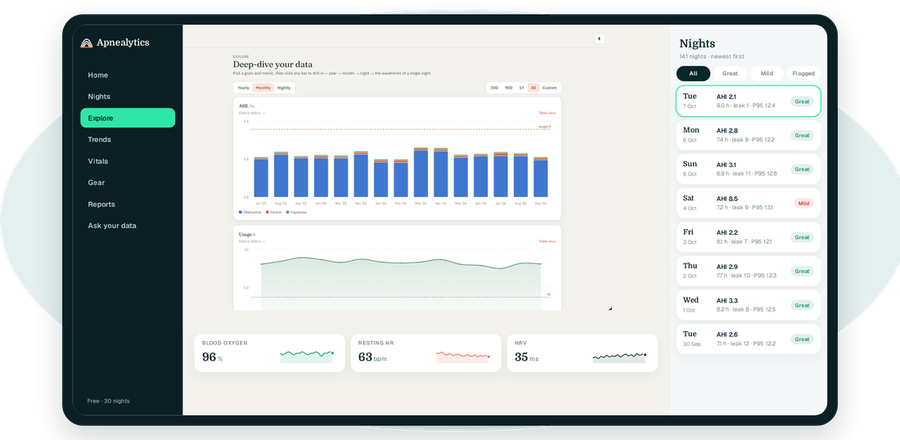
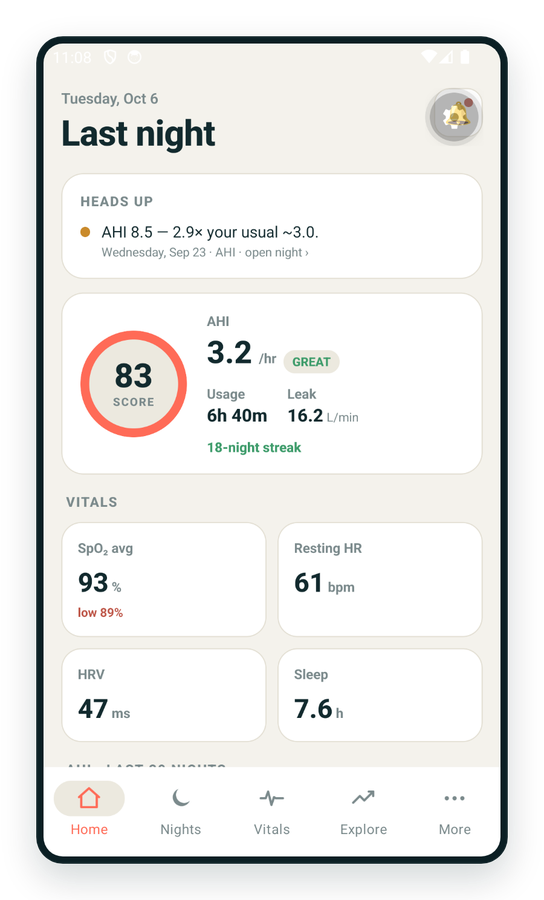
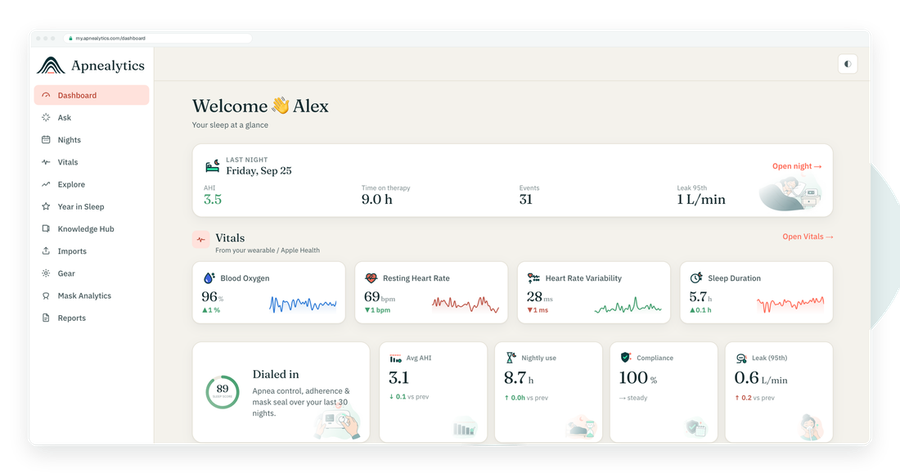
One account on every screen. Apple Watch vitals sync through Apple Health.
When the Apnealytics magic-link email is not arriving, it is almost always in a spam or promotions folder, sent to a slightly different address than you expect, or delayed by your mail provider. Work through the checks below, and remember you can always sign in with Google or an email and password instead.
Enter your email, and Apnealytics sends a one-time sign-in link. Click it and you are in, no password. The link works once and expires after a short time. Sign-in is rate-limited, so requesting many links in a row will pause further emails for a while.
Search all mail for "Apnealytics". Gmail often files sign-in emails under Promotions or Updates; Outlook may put them in Junk or Other. If you find it, mark it Not spam so the next one arrives in your inbox. The sender is.
A single wrong character sends the link to a stranger's inbox, or nowhere. Go back to the sign-in page and type the address again, slowly. If you have more than one email address, try the others; the account is tied to the one you first signed up with.
Most links arrive within seconds, but some providers delay unfamiliar senders. Give it five minutes before requesting another. Requesting several in quick succession can trip the rate limit, and only the newest link is valid.
Work and university mail systems often quarantine automated sign-in emails or strip links. Use a personal address for your Apnealytics account, or ask IT to allow the sender.
Magic links are single-use and short-lived. If you clicked an older email, or the link was pre-fetched by a mail scanner, it may already be spent. Request a fresh link and click the newest email.
Clicking the link on your phone when you requested it on your laptop works; it signs in the device you click on. If you want the laptop signed in, open the email there.
Google sign-in: click Continue with Google on the sign-in page. It works if your account email is a Google address or you linked Google earlier.
Email and password: if you set a password, use it. If not, choose Forgot password to set one; that email is also subject to the checks above.
Email info@apnealytics.com from the address you are trying to sign in with and tell us the time you requested the link. We can see whether it was sent and bounced. Never share a magic link with anyone, including us.
Usually seconds. Some mail providers delay it a few minutes. Check spam, promotions and junk folders, confirm the address you typed, and wait five minutes before requesting another. Repeated requests are rate-limited.
Links are single-use and expire after a short time. If you clicked an older email or a security scanner opened the link first, request a new one and click the newest email only.
Yes. Use Continue with Google, or set an email and password from Forgot password. All three methods sign in to the same account.
It signs in whoever clicks it, so treat it like a password. It is single-use, expires quickly, and sessions are server-side and revocable from Settings if you ever need to sign out a device.
Write to info@apnealytics.com with what you tried and we will get back to you within a day.
 DashboardSleep Score, AHI band, leak and pressure
 Trends & historyA year down to a night
 Breath-by-breath viewerAirflow, pressure, leak tracesPro
 SpO₂ overlayOximeter data on the same nightPro
 Pressure insightsP95, set range, EPR and ramp
 SD card importDrop the card folder, only new nights added
 Mask fit & gearWhich mask actually seals
 Ask your dataPlain-English questions, your own AI keyBYOK
 Year in SleepYour therapy year in one storyNew
 Compliance reportFinds the qualifying window for youPro
 Share with your doctorRead-only, revocable links
 Companion appiPhone, iPad and Android
 Privacy & securityYour data, locked to you
 ResMed AirSense 10 & 11Supported
 ResMed AirCurve 10 & 11 VAutoSupported
 ResMed S9 / LumisSupported
 Philips DreamStation 1 & 2Supported
 Fisher & Paykel SleepStyleSupported
 Löwenstein / DeVilbissPartial
 React Health Luna G3Waitlist
 Transcend MicroWaitlist
 Full face masksFit, leak signature, Mask Analytics
 Nasal masksOver-nose and cradle styles
 Nasal pillowsMinimal-contact fit tips
 Wellue O2RingSupported
 Contec CMS50 familySupported
 Apple Health / Health ConnectResting HR, HRV, SpO₂, sleepSupported
 What is AHI?The apnea-hypopnea index, explained
 What is a good AHI on CPAP?
 CPAP leak rate explained
 Pressure settings explained
 Reading CPAP waveformsAll 14 explainers
 Apnealytics vs SleepHQ
 Apnealytics vs OSCAR
 Apnealytics vs myAir
 Apnealytics vs DreamMapper
 SleepHQ vs OSCARBest CPAP apps in 2026
 How to read CPAP dataStart here: six numbers, in order
 Read your CPAP SD card
 Share data with your doctorChoosing a CPAP mask
 Travel with CPAPAll guides
 Mask finderSeven questions, a ranked mask typeYour data
 Machine finderA two-machine shortlist for your prescription
 iPhone / iPhone DuoLast night before you are out of bed. Apple Health vitals, Face ID.Live
 iPadSame universal app, side-by-side panes and full-width waveforms.Live
 AndroidPhones, tablets and foldables, with Health Connect built in.Live
 Web portalWhere your SD card goes. Every chart, report and setting.Live

