


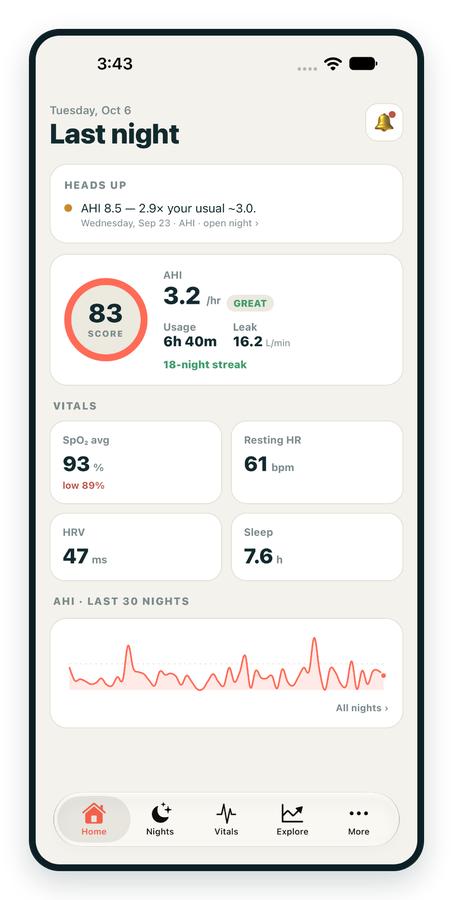
iPhone / iPhone Duo Live
Last night before you are out of bed. Apple Health vitals, Face ID.
Download on the App Store Apnealytics
Free on every plan: unlimited imports, the full dashboard and your last 30 nights.
 Compatibility checkerWill my machine work?Type your model. You get a straight answer: supported, partial, waitlist, or why not.Check my machine
 If it writes an SD card, we probably read it. ResMed AirMini has no card, so no app can read it.
Sleep Check-up
3 of 6 checks done
Six short screeners, one picture of how you sleep. Earn a milestone for each, save results and get retake reminders.
Latest milestone: Sleepiness check done
 NEWTrack your 90-day compliance windowOpen the calculator
 13 free tools. No account needed — sign in to save results and fill answers from your own CPAP data.
Last night before you are out of bed. Apple Health vitals, Face ID.
Download on the App Store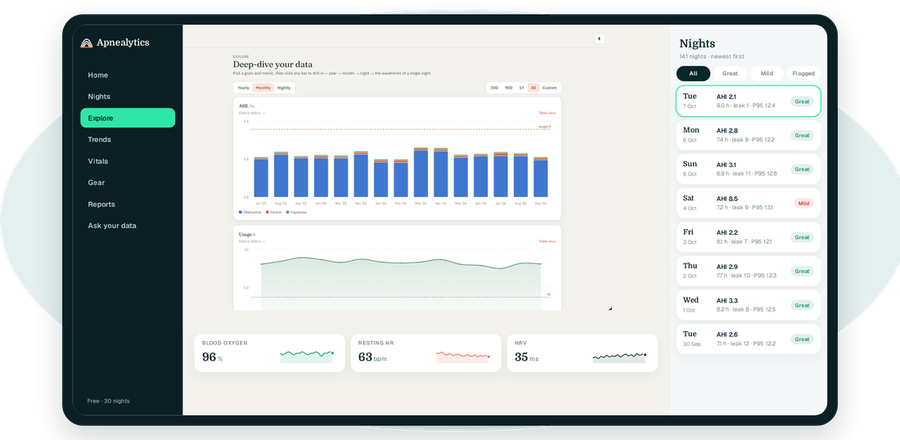
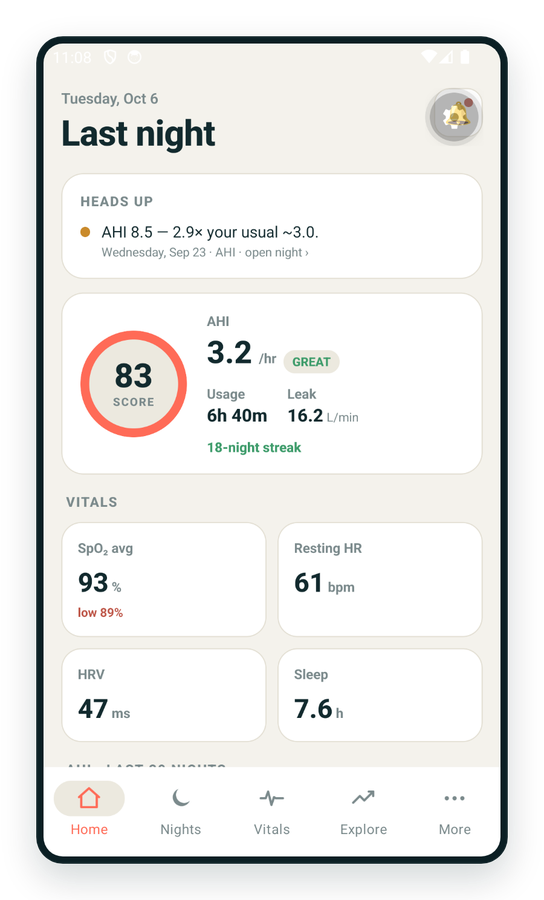
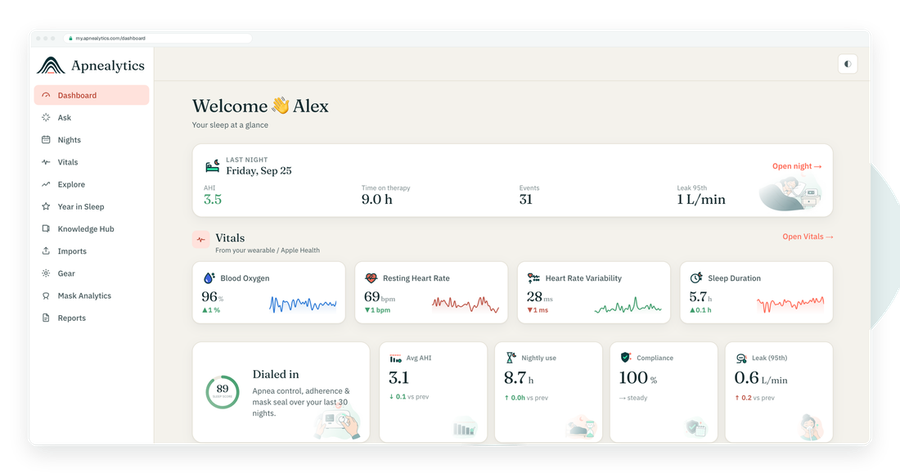
One account on every screen. Apple Watch vitals sync through Apple Health.
If your CPAP was supplied through US insurance, there is a clock running. In the first 90 days you must show that you used the machine for at least 4 hours a night on at least 70 percent of nights in a consecutive 30-day window. Miss it and the insurer can stop paying, and the DME can take the machine back. A CPAP compliance report is the document that proves you met the bar. This guide explains the rule, what the people reading the report want, how to produce it by hand, and how the Apnealytics compliance autopilot does it for you.
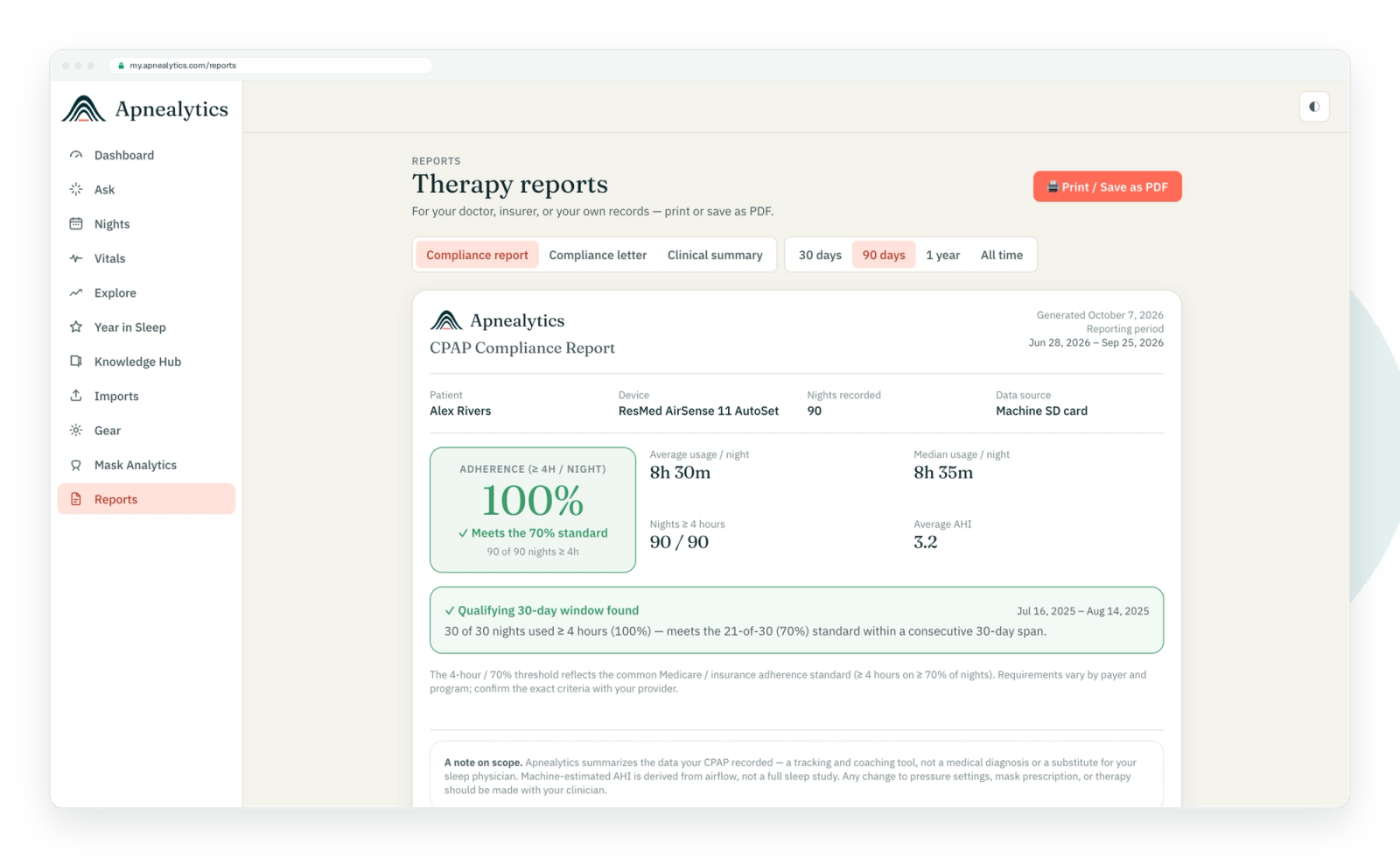
The standard US requirement, written into Medicare's coverage criteria and copied by most private insurers:
Window: a consecutive 30-day period
Inside: the first 90 days of therapy
Threshold: at least 4 hours of use per night
Frequency: on at least 70 percent of nights in that 30-day window (21 of 30)
Two things people miss. First, the 30 days must be consecutive, not your best 30 nights scattered across the quarter. Second, a night counts only if it reaches 4 hours; 3 hours 55 minutes is a miss. Partial nights do not add up.
Alongside usage, Medicare also requires a face-to-face follow-up with the treating physician between day 31 and day 91, documenting that the therapy is helping. The compliance report is what that physician reviews.
Your durable medical equipment supplier is the one who gets paid, so they chase the report. Most DMEs pull data themselves from the machine's modem through the manufacturer's clinician portal (ResMed AirView, Philips Care Orchestrator). They want:
Confirmation that a qualifying 30-day window exists
The dates of that window
Nights used, nights at or above 4 hours, percentage
Average usage on nights used
Usually a residual AHI figure to show the therapy is working, not just being worn
If the modem has been uploading, the DME may already have this. If the modem was off, the machine was in a dead zone, or you bought the machine privately, the SD card is the only record, and you may need to produce the report yourself.
The insurer wants the DME's attestation plus the physician's follow-up note. The physician wants a one-page summary to read in 90 seconds and attach to the chart: compliance numbers, AHI trend, leak, and a line about how you feel.
If you need to do it yourself, this works with any tool that shows nightly usage, including OSCAR or a spreadsheet.
with the usage hours for each. Nights with no use count as zero.
against the 4-hour line.
from day 1–30, then 2–31, and so on to 61–90. For each window, count the passes.
That is your qualifying window. If several qualify, the earliest is usually what the DME wants.
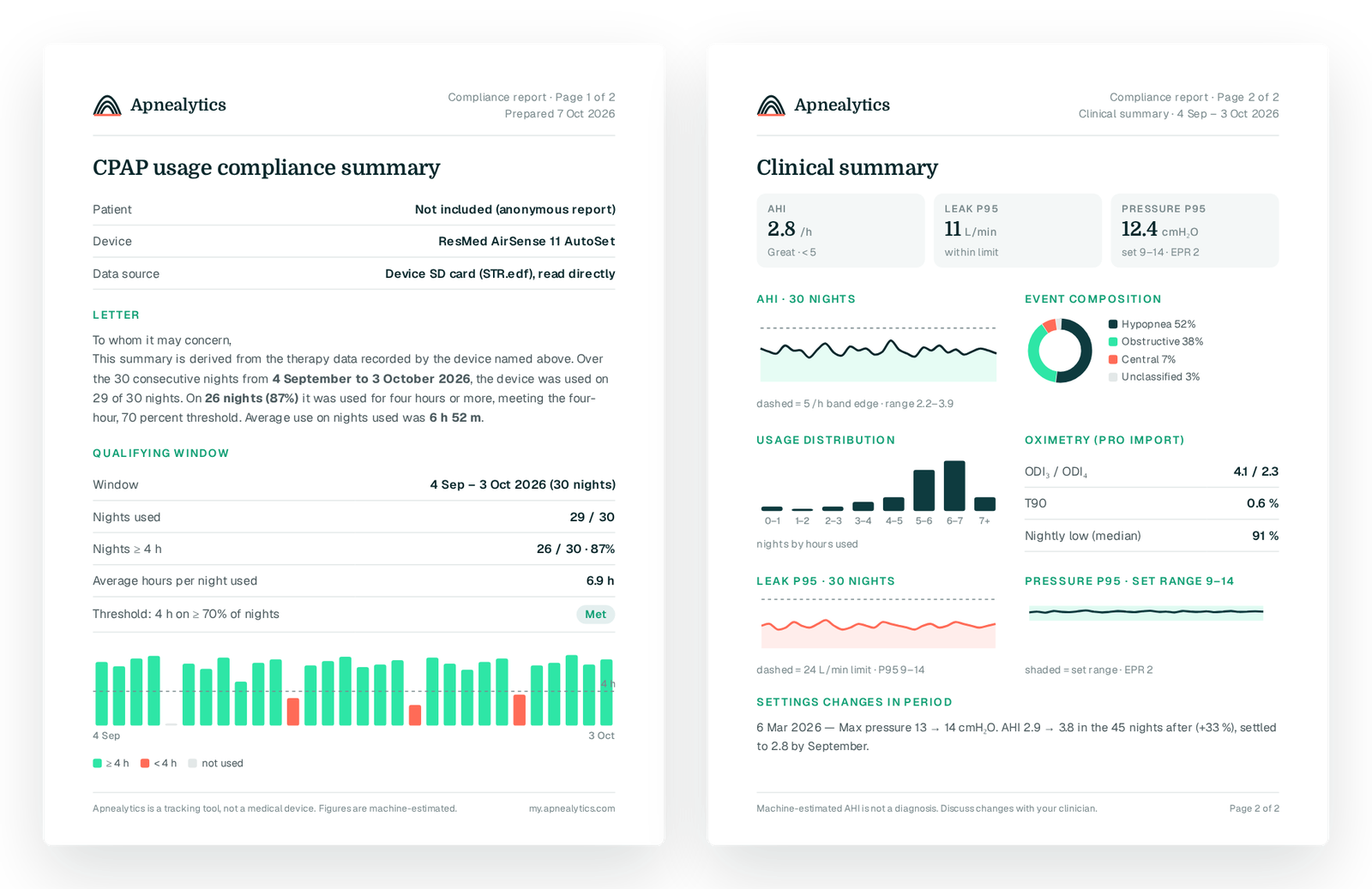
window dates, nights used, nights at or above 4 hours, percentage, average hours on nights used, average AHI over the window.
if you can, and sign and date the page.
Step 3 is the tedious part: sixty-one windows counted by hand. It is exactly the kind of job software should do.
Compliance autopilot is part of the Pro plan ($8.99/month or $99.99/year). It runs on the data you have already uploaded from your SD card.
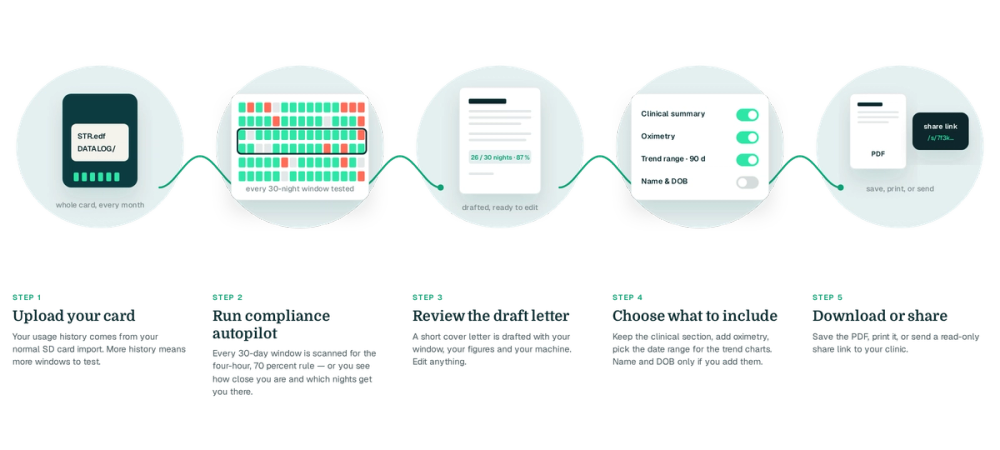
on the web portal. Nights are parsed from STR.edf; re-uploading only adds new nights.
Set your therapy start date if Apnealytics has not inferred it from the first night.
inside your first 90 days and finds the ones where at least 70 percent of nights reached 4 hours. It shows you the earliest qualifying window and any others.
Window dates, nights used, nights at or above 4 hours, percentage, average usage, average AHI and leak P95 for the window, with a plain-language paragraph your physician can paste or sign. You can edit the wording.
The compliance section goes first; a clinical section with the 30-night AHI trend, event composition and pressure summary follows. Health identifiers are included only where you choose.
Download the PDF for the DME, or create a clinician share link: tokenized, read-only, aggregate-only, revocable, not indexed by search engines, with health identifiers excluded by default.
If no window qualifies yet, the autopilot tells you how many more 4-hour nights you need and by when, so you know what the next two weeks have to look like.
Be honest with your DME early. Many will work with you: a mask refit, a pressure comfort change or a humidity adjustment often fixes the usage problem, and some insurers allow a restart of the 90-day period after a documented intervention. Showing up with data, even bad data, is better than showing up with nothing.
Compliance does not end at 90 days for everyone. Some insurers audit annually, and replacement supplies may depend on continued use. Apnealytics keeps your full history on Pro, and the Goals and streaks panel on every plan keeps the 4-hour line visible. The Year in Sleep recap gives you an annual summary without doing anything.
To keep insurance coverage in the US, you must use your CPAP for at least 4 hours a night on at least 70 percent of nights (21 of 30) in a consecutive 30-day window during the first 90 days of therapy. A night under 4 hours does not count, and the 30 days must be consecutive.
Most machines send nightly usage over a built-in modem to the manufacturer's clinician portal, which your DME reads. If the modem is off or you bought the machine privately, the SD card holds the same usage record, and a compliance report generated from the card is the alternative.
The insurer can stop paying for the machine and supplies, and the DME can reclaim the machine. Some insurers allow a restart after a documented change such as a mask refit. Talk to your DME as soon as you see you are falling short; a usage problem in week 3 is far easier to fix than in week 11.
Yes. List every night's usage for the first 90 days, mark each against 4 hours, and find a consecutive 30-day window with 21 or more passing nights. Write up the dates, counts, percentage and average usage. Apnealytics Pro's compliance autopilot does the window search and drafts the letter automatically from your SD card data.
Strictly, the usage rule is about hours, not AHI. In practice the physician's follow-up note must document that therapy is helping, and a residual AHI figure is the usual evidence. Most compliance reports include average AHI for the window alongside the usage numbers.
The web app is live today. iPhone and iPad are on the App Store. Android is on Google Play. Your first 30 nights are free, forever.

 DashboardSleep Score, AHI band, leak and pressure
 Trends & historyA year down to a night
 Breath-by-breath viewerAirflow, pressure, leak tracesPro
 SpO₂ overlayOximeter data on the same nightPro
 Pressure insightsP95, set range, EPR and ramp
 SD card importDrop the card folder, only new nights added
 Mask fit & gearWhich mask actually seals
 Ask your dataPlain-English questions, your own AI keyBYOK
 Year in SleepYour therapy year in one storyNew
 Compliance reportFinds the qualifying window for youPro
 Share with your doctorRead-only, revocable links
 Companion appiPhone, iPad and Android
 Privacy & securityYour data, locked to you
 ResMed AirSense 10 & 11Supported
 ResMed AirCurve 10 & 11 VAutoSupported
 ResMed S9 / LumisSupported
 Philips DreamStation 1 & 2Supported
 Fisher & Paykel SleepStyleSupported
 Löwenstein / DeVilbissPartial
 React Health Luna G3Waitlist
 Transcend MicroWaitlist
 Full face masksFit, leak signature, Mask Analytics
 Nasal masksOver-nose and cradle styles
 Nasal pillowsMinimal-contact fit tips
 Wellue O2RingSupported
 Contec CMS50 familySupported
 Apple Health / Health ConnectResting HR, HRV, SpO₂, sleepSupported
 What is AHI?The apnea-hypopnea index, explained
 What is a good AHI on CPAP?
 CPAP leak rate explained
 Pressure settings explained
 Reading CPAP waveformsAll 14 explainers
 Apnealytics vs SleepHQ
 Apnealytics vs OSCAR
 Apnealytics vs myAir
 Apnealytics vs DreamMapper
 SleepHQ vs OSCARBest CPAP apps in 2026
 How to read CPAP dataStart here: six numbers, in order
 Read your CPAP SD card
 Share data with your doctorChoosing a CPAP mask
 Travel with CPAPAll guides
 Mask finderSeven questions, a ranked mask typeYour data
 Machine finderA two-machine shortlist for your prescription
 iPhone / iPhone DuoLast night before you are out of bed. Apple Health vitals, Face ID.Live
 iPadSame universal app, side-by-side panes and full-width waveforms.Live
 AndroidPhones, tablets and foldables, with Health Connect built in.Live
 Web portalWhere your SD card goes. Every chart, report and setting.Live

