


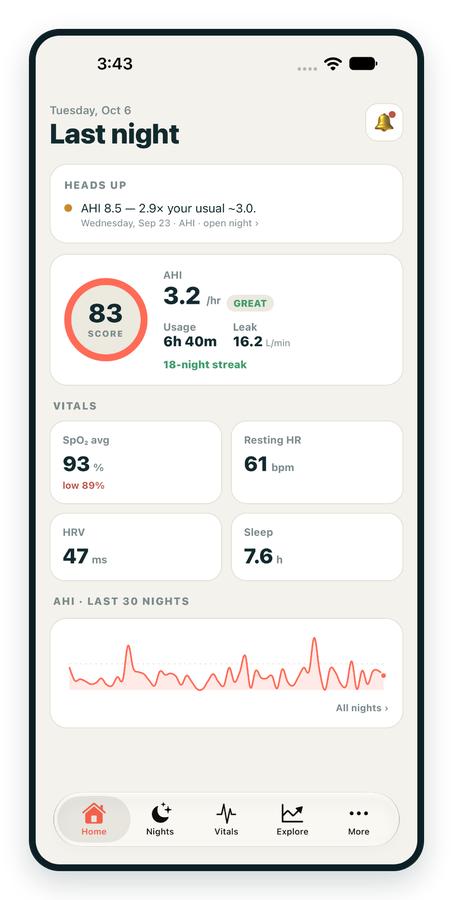
iPhone / iPhone Duo Live
Last night before you are out of bed. Apple Health vitals, Face ID.
Download on the App Store Apnealytics
Free on every plan: unlimited imports, the full dashboard and your last 30 nights.
 Compatibility checkerWill my machine work?Type your model. You get a straight answer: supported, partial, waitlist, or why not.Check my machine
 If it writes an SD card, we probably read it. ResMed AirMini has no card, so no app can read it.
Sleep Check-up
3 of 6 checks done
Six short screeners, one picture of how you sleep. Earn a milestone for each, save results and get retake reminders.
Latest milestone: Sleepiness check done
 NEWTrack your 90-day compliance windowOpen the calculator
 13 free tools. No account needed — sign in to save results and fill answers from your own CPAP data.
Last night before you are out of bed. Apple Health vitals, Face ID.
Download on the App Store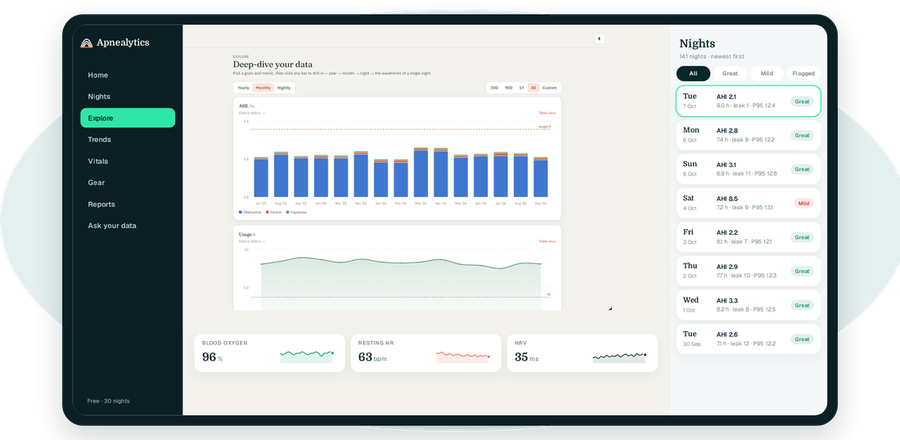
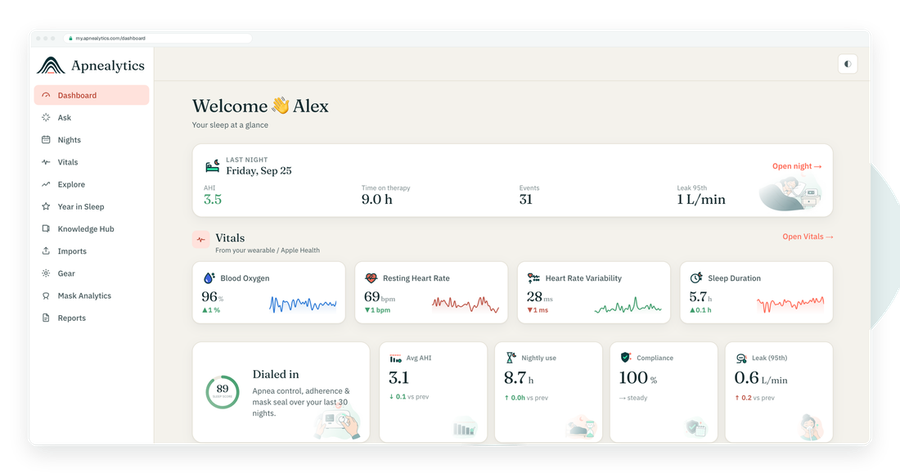
One account on every screen. Apple Watch vitals sync through Apple Health.
P95 pressure is the pressure your CPAP machine stayed at or below for 95 percent of the night. It is the standard way to summarise what an auto-adjusting machine actually did, because it shows where the pressure needed to be when the machine was working hardest without being skewed by a few seconds at the maximum.
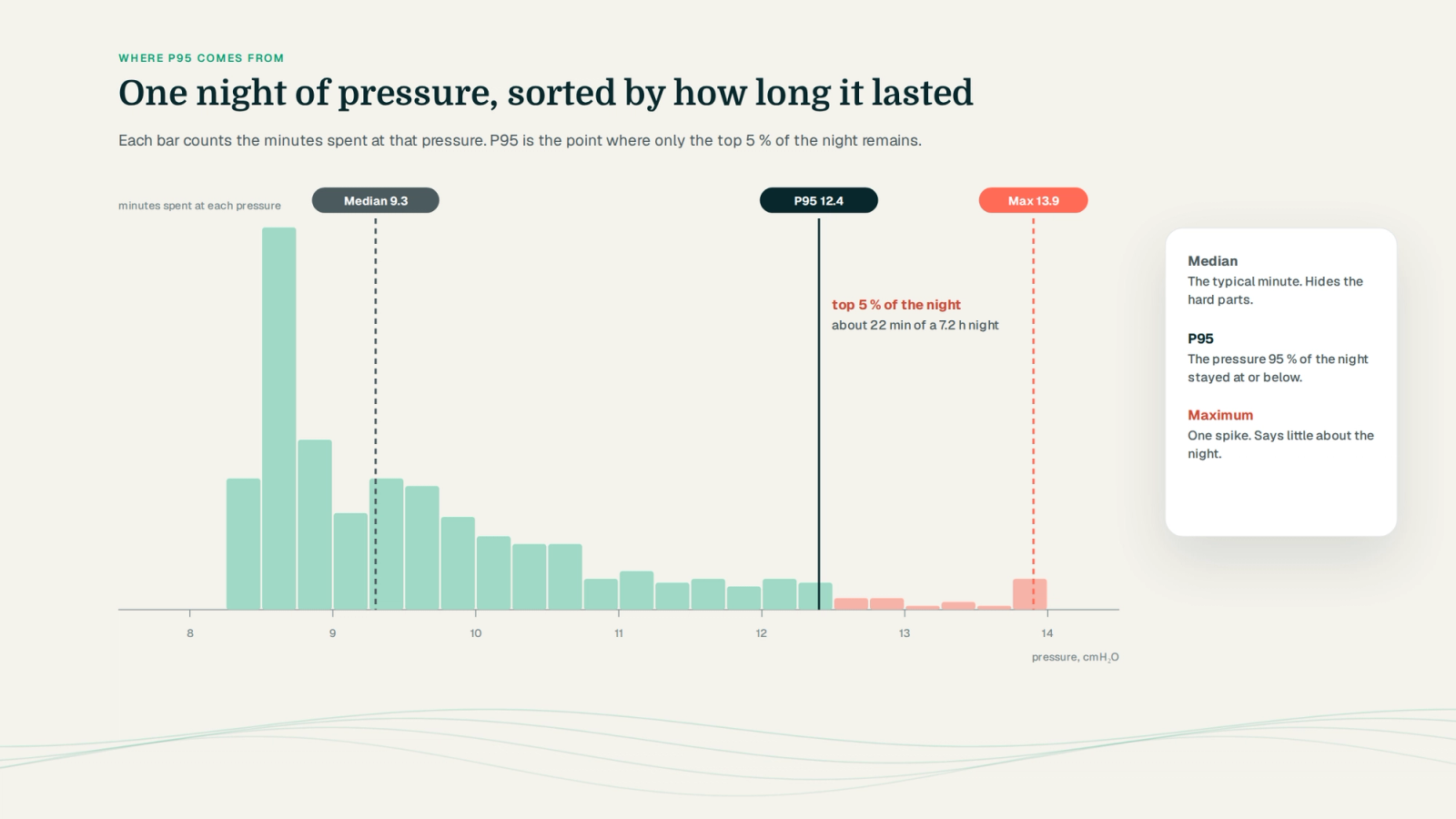
On a fixed-pressure CPAP, describing the night's pressure is trivial: it was 10 all night. On an auto machine the pressure moves constantly, up when the machine detects flow limitation or events, down when breathing settles. Across seven hours it might spend time anywhere between the minimum and maximum you set.
To summarise that into something you can look at each morning, the machine records a handful of statistics from the pressure trace. The three you will see are the median, the 95th percentile and the maximum. Each answers a different question.
Median is the middle value. Half the night was above it, half below. It tells you where the machine spent its typical minute. On many nights the median sits close to your minimum pressure, because most sleep is uneventful.
Maximum is the single highest reading. It is often meaningless on its own: a brief spike when you rolled over, pulled the mask askew or had a cluster of events for two minutes at 4 a.m. One spike defines the maximum but says little about the night.
P95, the 95th percentile, is the value that 95 percent of the night was at or below. Put another way, only the top 5 percent of the night, about 20 minutes in a 7-hour sleep, was higher. It captures "how much pressure did I need when I needed the most" while ignoring the briefest spikes.
P95 is the one clinicians look at, the one ResMed highlights in its own reports, and the one Apnealytics puts on your dashboard.
| Statistic | What it tells you | Weakness |
|---|---|---|
| Median | Typical pressure | Hides the hard parts of the night |
| P95 | Pressure during the demanding 95% | Still a summary; no timing |
| Maximum | Worst moment | Dominated by brief spikes |
Reading P95 against your set range is where it becomes useful. A few patterns:
P95 at or near the maximum, night after night. The machine was pressed against its ceiling for a meaningful part of the night. It may have wanted to go higher. Whether raising the maximum is right depends on your AHI, leak and event types, and is a clinician decision. See CPAP pressure settings explained.
P95 well below the maximum with a good AHI. Your range is comfortable. The ceiling is not constraining the machine and there is probably no reason to touch it.
P95 close to the median. A calm night. Pressure barely moved, which usually means little flow limitation and few events.
P95 far above the median. The machine spent most of the night low and then had to climb hard for a stretch. Common causes are a REM period, a spell of back sleeping, or a run of events after a position change. Worth looking at the trace if you have Pro.
P95 that jumps on specific nights. Alcohol, congestion, a new pillow. Correlate with your trigger journal.
As pressure rises, mask seal gets harder. Many people have a pressure above which their mask starts to leak. If your pressure P95 and your leak P95 climb together, the mask is probably the first thing to address, because high leak also causes the machine to hold pressure up or mark events as unclassified. See CPAP leak rate explained.
For some people, higher pressure provokes central apneas. If your P95 has risen and your event composition shows a growing central share, that is a pattern your clinician will want to see. See central vs obstructive apnea on CPAP.
The same logic applies to leak. A single moment of 80 L/min when you took the mask off to drink water does not describe your seal. The leak P95 does: the level you were under for 95 percent of the night. On a ResMed card, leak is summarised the same way as pressure, with median, P95 and maximum, and Apnealytics shows leak P95 as the headline leak figure for the same reasons.
ResMed machines write a nightly summary to the SD card that includes pressure median, P95 and maximum along with the configured minimum and maximum, EPR level and mode. These are the values Apnealytics reads during SD card import and shows on the dashboard without any further processing. On Pro, the high-resolution pressure trace is also parsed, so you can see the moments that made up that P95.
The pressure insights feature is built around P95. On the dashboard, the pressure tile reads P95 against your set range with EPR beside it.
In Trends, P95 is a line drawn inside the shaded band of your minimum and maximum over 30, 90 or 365 nights. When the band changes because your settings changed, the "What changed?" panel marks the date. Period-over-period comparison shows the mean P95 before and after.
On Pro, the breath-by-breath viewer shows the pressure trace for any night with a crosshair, so you can find the stretch that produced your P95 and look at the airflow beside it: flow limitation, events, leak, or just REM.
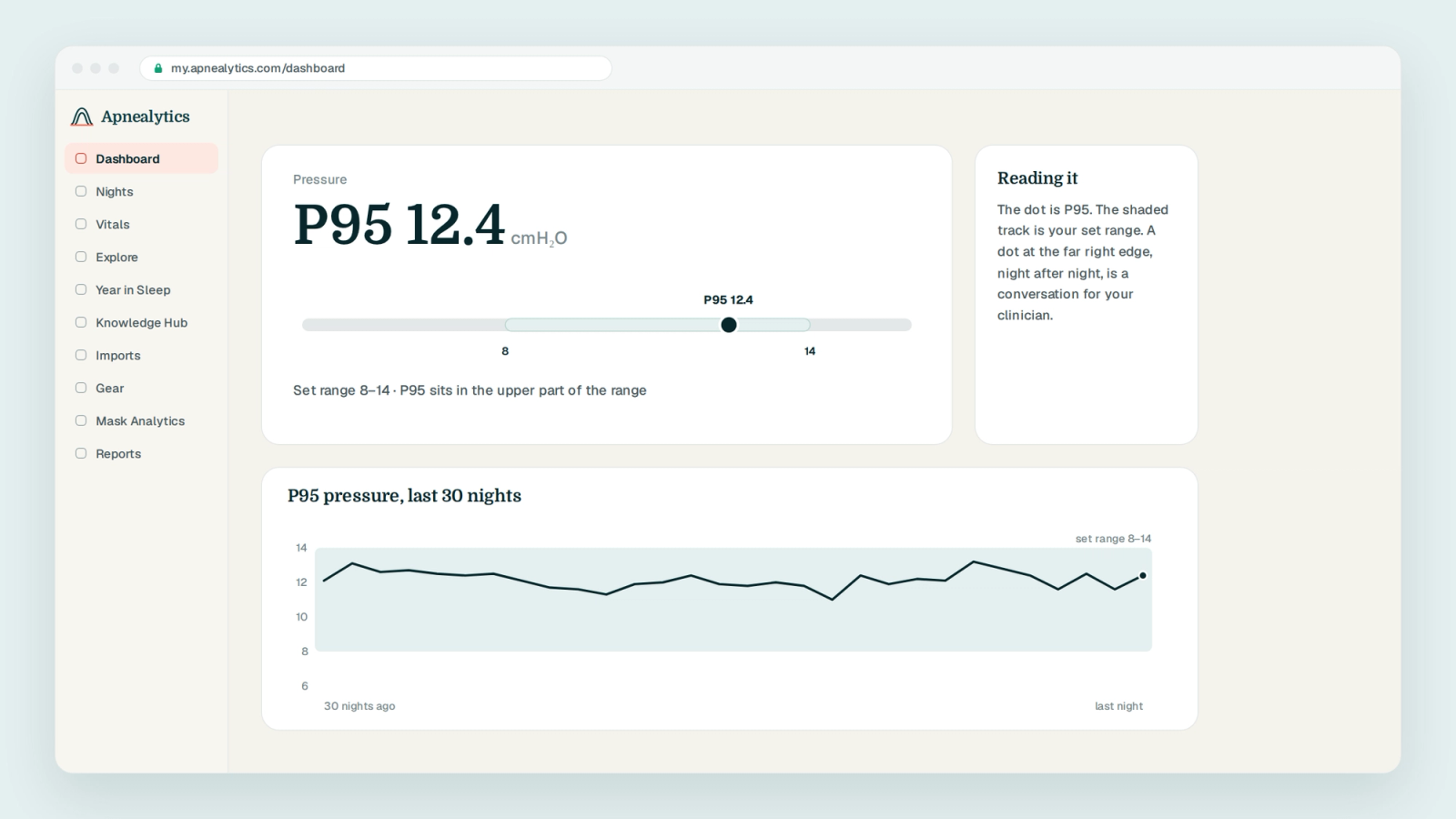
P95 is a summary of what your machine did inside limits you or your clinician set. It is not a recommendation for a new setting, and Apnealytics never presents it as one. A high P95 is a reason to bring your data to a conversation, not a reason to change the number on the machine.
P95 is the 95th percentile. For pressure, it is the level your machine stayed at or below for 95 percent of the night; only the highest 5 percent of the night was above it. It is used because it shows how much pressure you needed during the demanding parts of the night without being distorted by a brief spike to the maximum.
There is no universal good value; it depends on your prescription. The useful comparison is against your own set range. A P95 well below your maximum with a controlled AHI suggests a comfortable range. A P95 pressed against the maximum night after night suggests the machine may want more room, which is a conversation for your clinician.
Because the machine spent at least 5 percent of the night, roughly 20 minutes or more, at the ceiling. It may have wanted to go higher and was limited by your settings. It can also reflect leak, which makes the machine hold pressure, or events it was chasing. Review AHI, leak and event types alongside it before discussing with your clinician.
Median is the pressure you were at for the typical minute of the night; half the night was above it, half below. P95 is the pressure 95 percent of the night was at or below. A median near your minimum with a P95 much higher means the machine was mostly low and climbed hard for a stretch, often during REM or a run of events.
No. Your prescription is the setting: a fixed pressure or a minimum and maximum range. P95 is a measurement of what the machine actually delivered within that range. On a fixed-pressure machine the two will match. On an auto machine P95 shows where the algorithm needed to go, which is often well below the maximum you set.
The web app is live today. iPhone and iPad are on the App Store. Android is on Google Play. Your first 30 nights are free, forever.
 DashboardSleep Score, AHI band, leak and pressure
 Trends & historyA year down to a night
 Breath-by-breath viewerAirflow, pressure, leak tracesPro
 SpO₂ overlayOximeter data on the same nightPro
 Pressure insightsP95, set range, EPR and ramp
 SD card importDrop the card folder, only new nights added
 Mask fit & gearWhich mask actually seals
 Ask your dataPlain-English questions, your own AI keyBYOK
 Year in SleepYour therapy year in one storyNew
 Compliance reportFinds the qualifying window for youPro
 Share with your doctorRead-only, revocable links
 Companion appiPhone, iPad and Android
 Privacy & securityYour data, locked to you
 ResMed AirSense 10 & 11Supported
 ResMed AirCurve 10 & 11 VAutoSupported
 ResMed S9 / LumisSupported
 Philips DreamStation 1 & 2Supported
 Fisher & Paykel SleepStyleSupported
 Löwenstein / DeVilbissPartial
 React Health Luna G3Waitlist
 Transcend MicroWaitlist
 Full face masksFit, leak signature, Mask Analytics
 Nasal masksOver-nose and cradle styles
 Nasal pillowsMinimal-contact fit tips
 Wellue O2RingSupported
 Contec CMS50 familySupported
 Apple Health / Health ConnectResting HR, HRV, SpO₂, sleepSupported
 What is AHI?The apnea-hypopnea index, explained
 What is a good AHI on CPAP?
 CPAP leak rate explained
 Pressure settings explained
 Reading CPAP waveformsAll 14 explainers
 Apnealytics vs SleepHQ
 Apnealytics vs OSCAR
 Apnealytics vs myAir
 Apnealytics vs DreamMapper
 SleepHQ vs OSCARBest CPAP apps in 2026
 How to read CPAP dataStart here: six numbers, in order
 Read your CPAP SD card
 Share data with your doctorChoosing a CPAP mask
 Travel with CPAPAll guides
 Mask finderSeven questions, a ranked mask typeYour data
 Machine finderA two-machine shortlist for your prescription
 iPhone / iPhone DuoLast night before you are out of bed. Apple Health vitals, Face ID.Live
 iPadSame universal app, side-by-side panes and full-width waveforms.Live
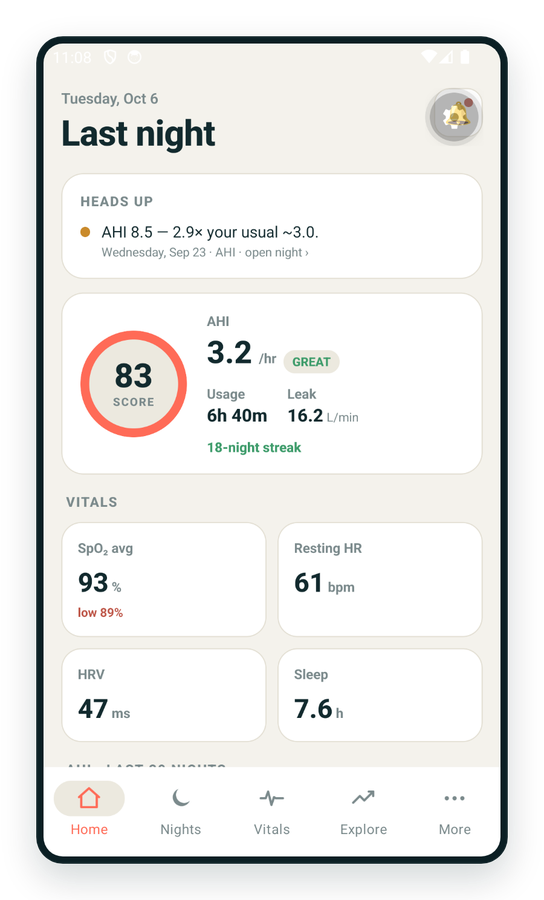
 AndroidPhones, tablets and foldables, with Health Connect built in.Live
 Web portalWhere your SD card goes. Every chart, report and setting.Live

